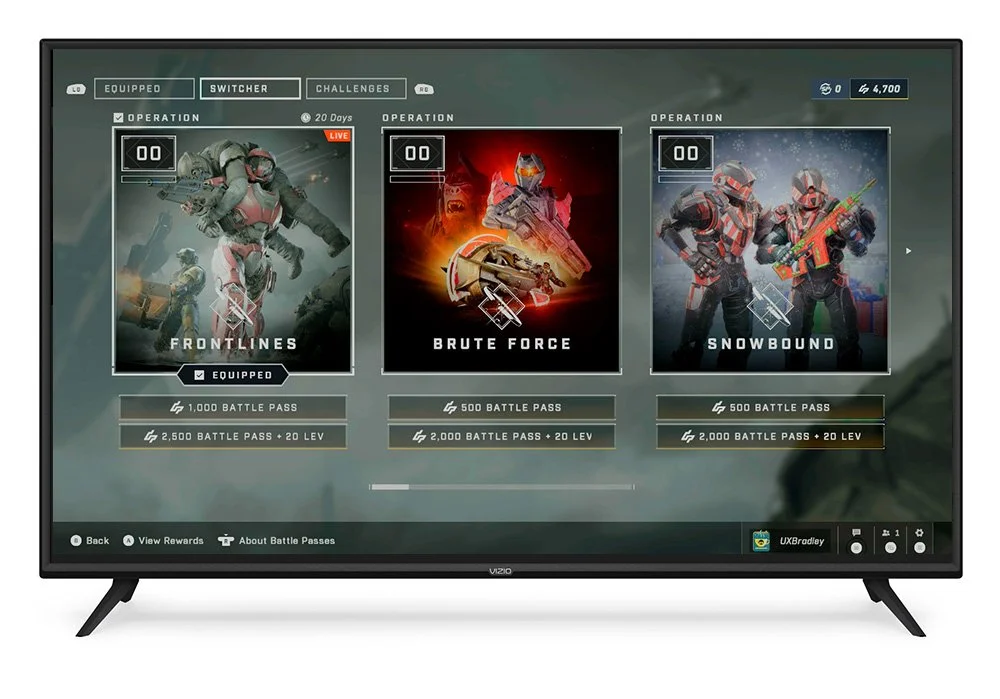
Operations
Project summary
Introducing Operations meant needing to rework Halo Infinite’s existing Battle Pass experience into a more flexible system for accessing, switching between, purchasing, and progressing through content.
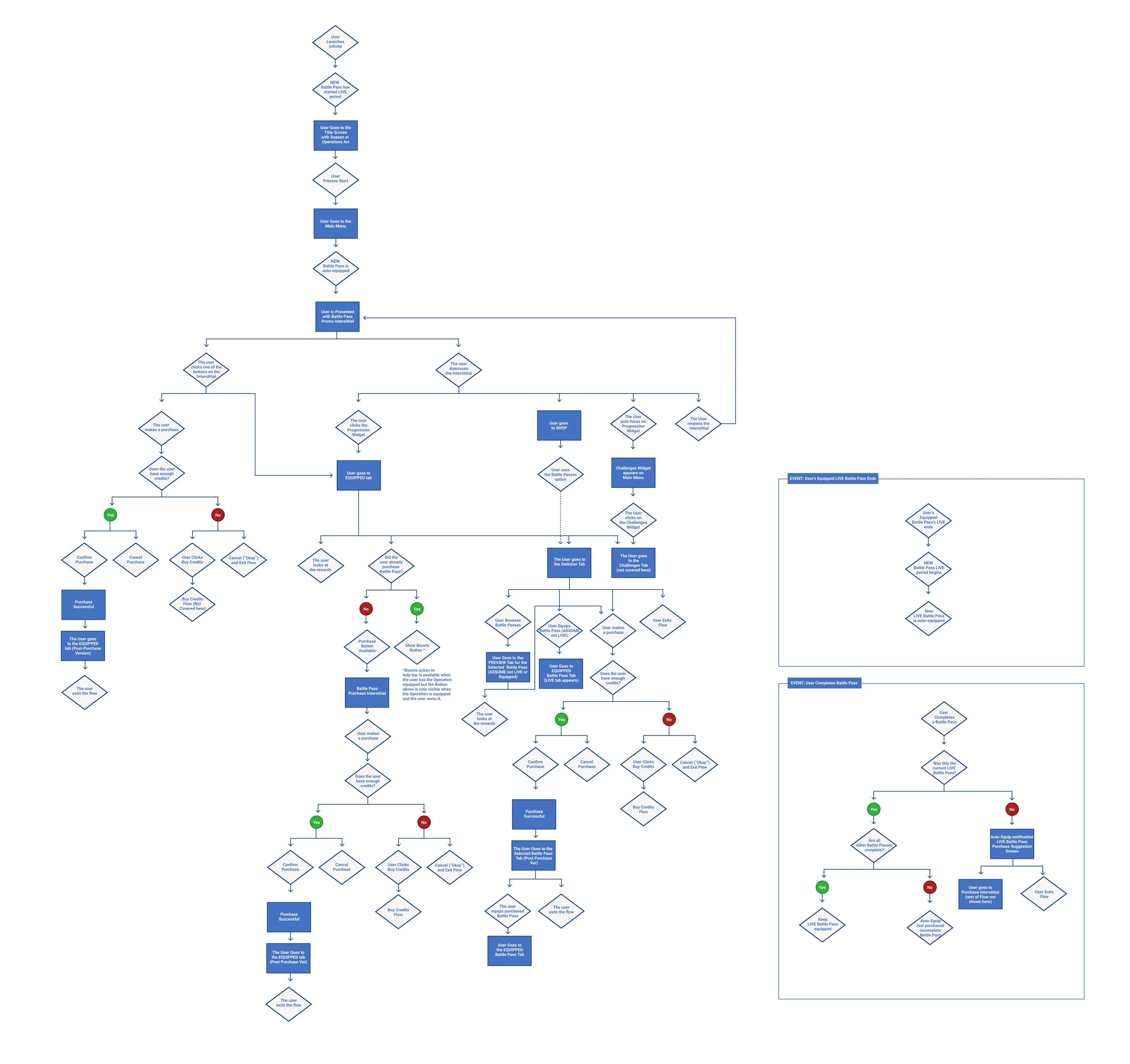
The update affected navigation, Challenges, rewards, purchasing, progression, and several existing player flows. The work began by mapping those dependencies with a userflow diagram and exploring both MVP and idealized solutions before moving into wireframes, detailed specifications, implementation support, and post-launch review.
Changes to Existing Screens
These side-by-sides were created to make it more clear what changes were being proposed to the screens that our customers were already accustomed to.
Main Menu
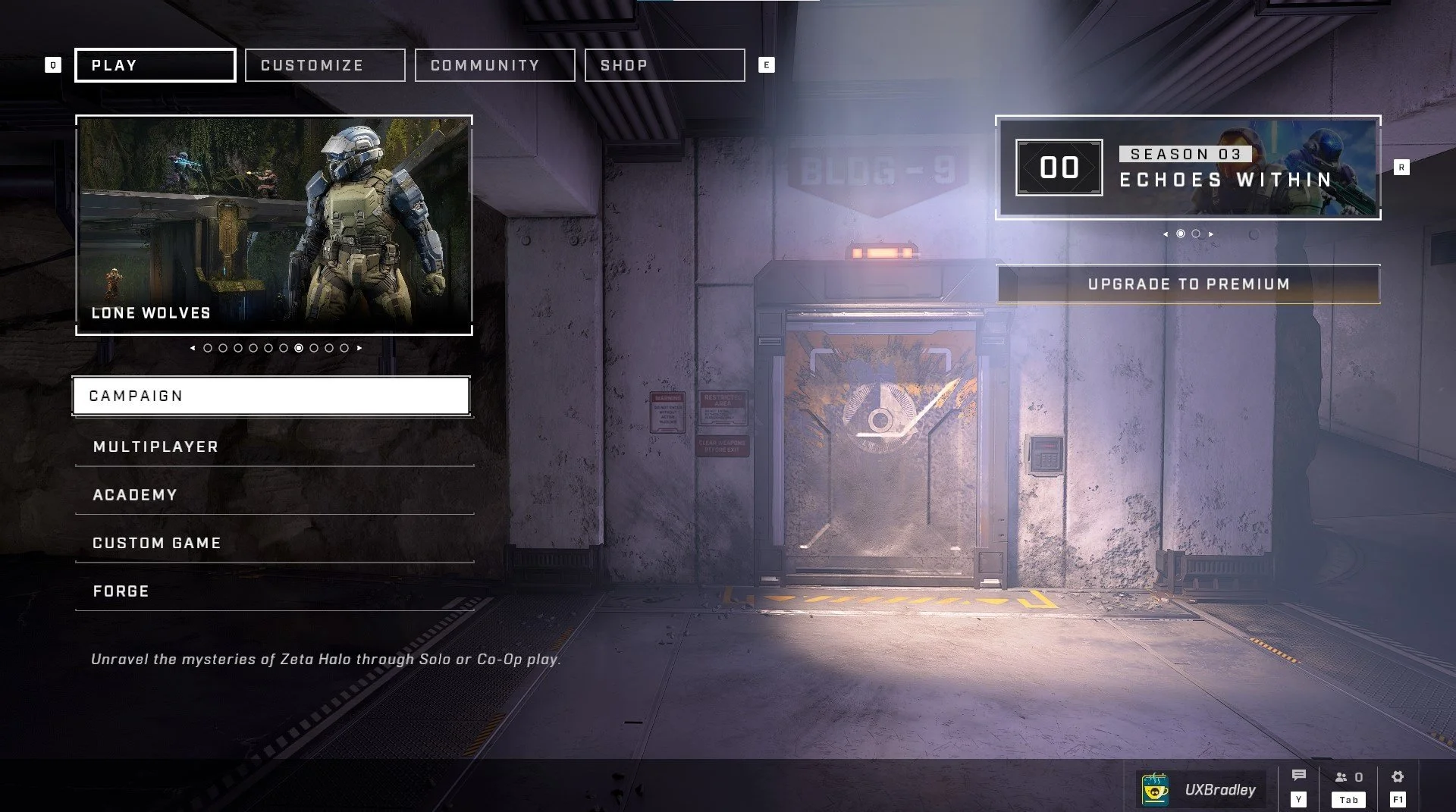
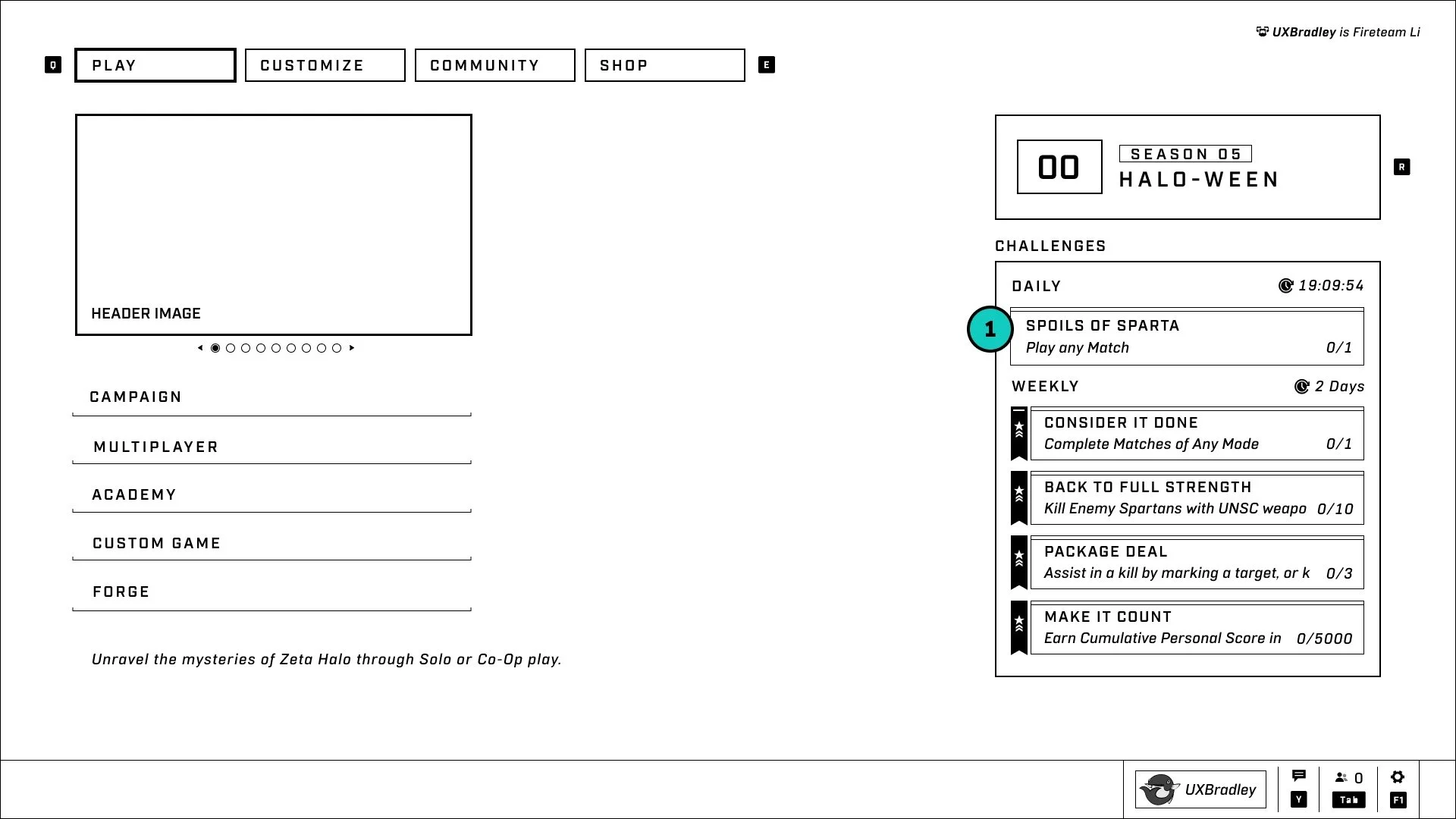
Challenges Widget will now appear on the Main Menu
When this is clicked, it will take the user to the Challenges Tab
Challenges Screen
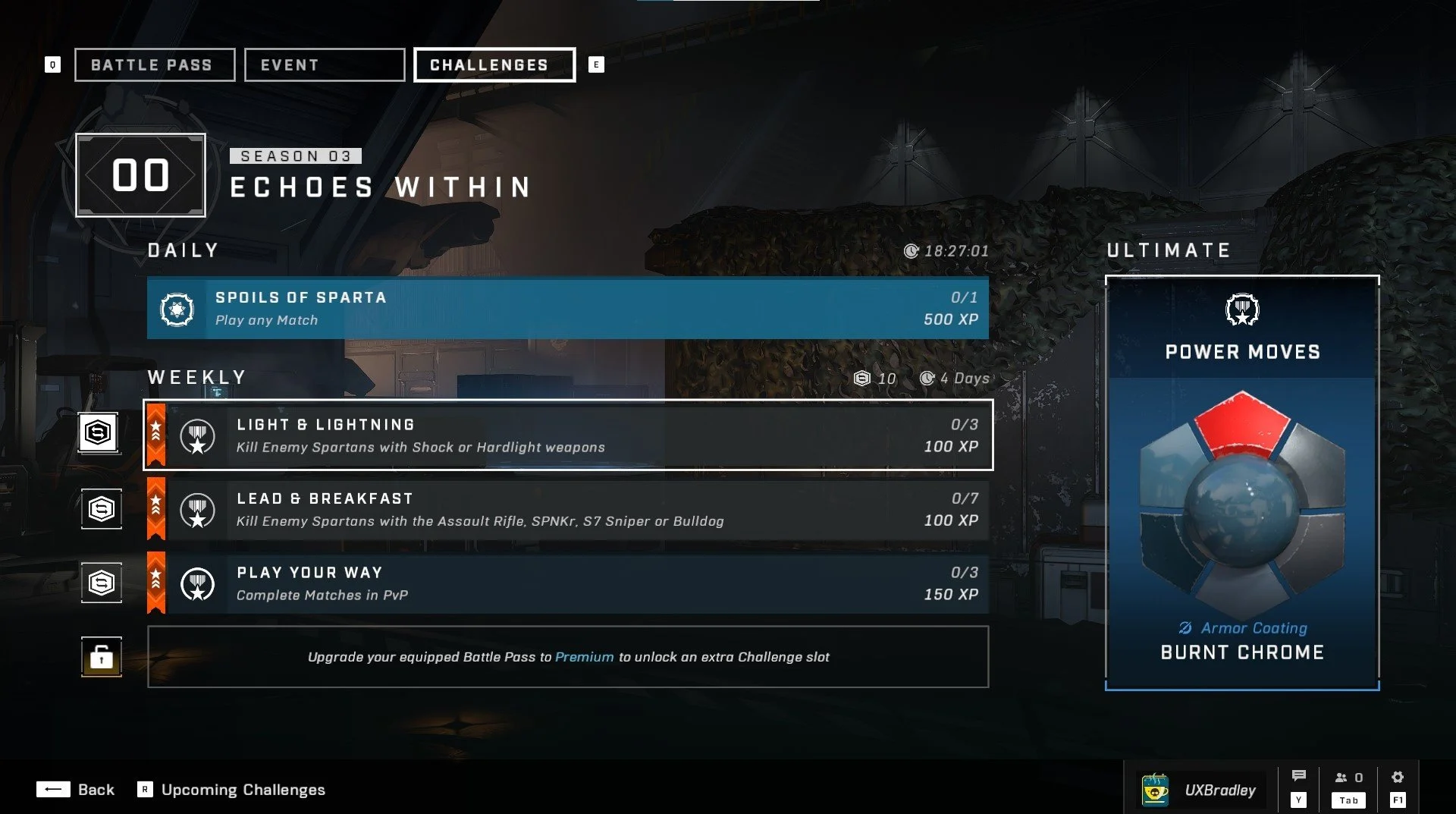
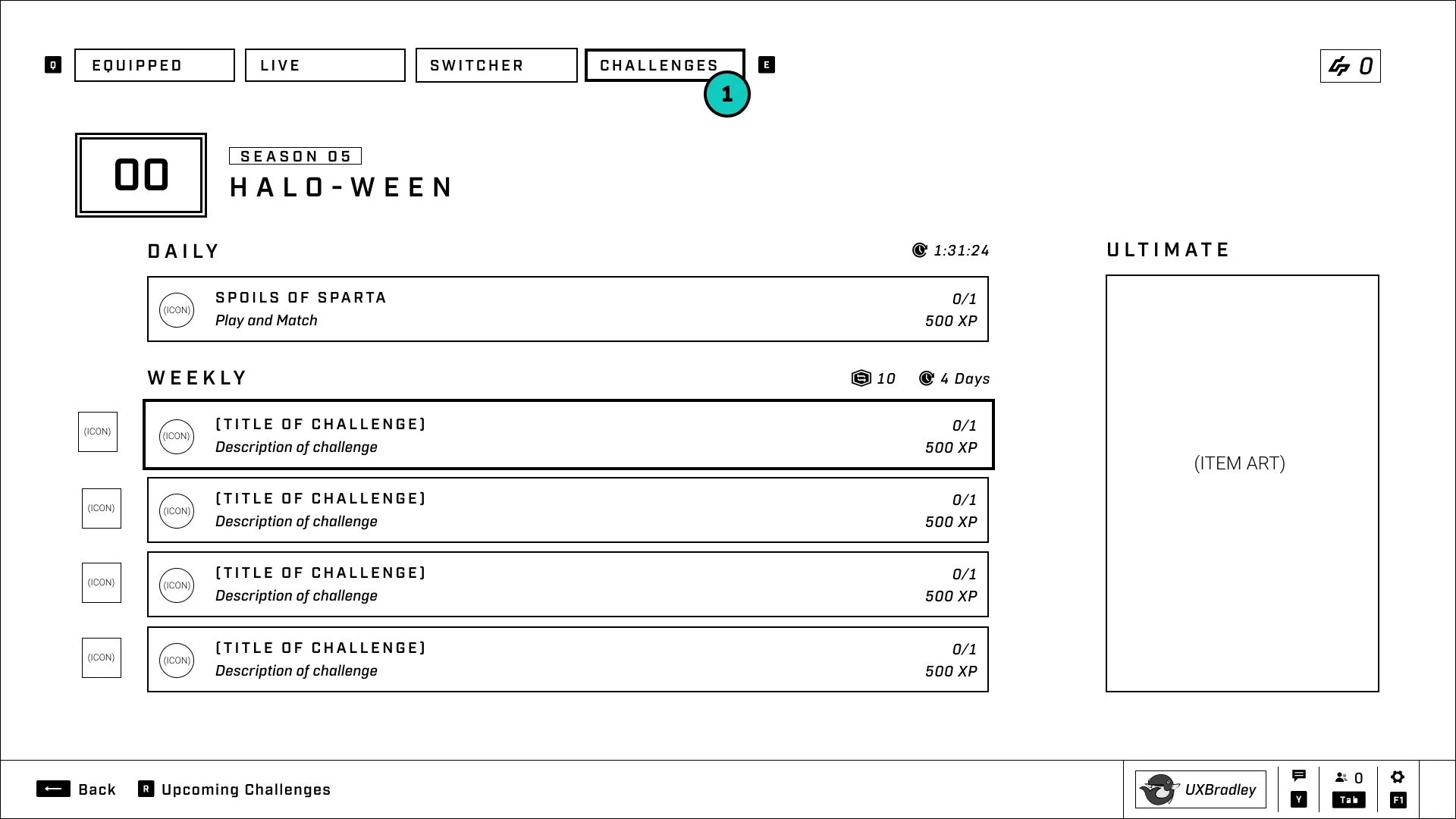
The Challenges widget will appear below the Progression widget when the user's focus is on the Progression widget.
The Challenges screen will move to live within the Operations tab system
Switcher
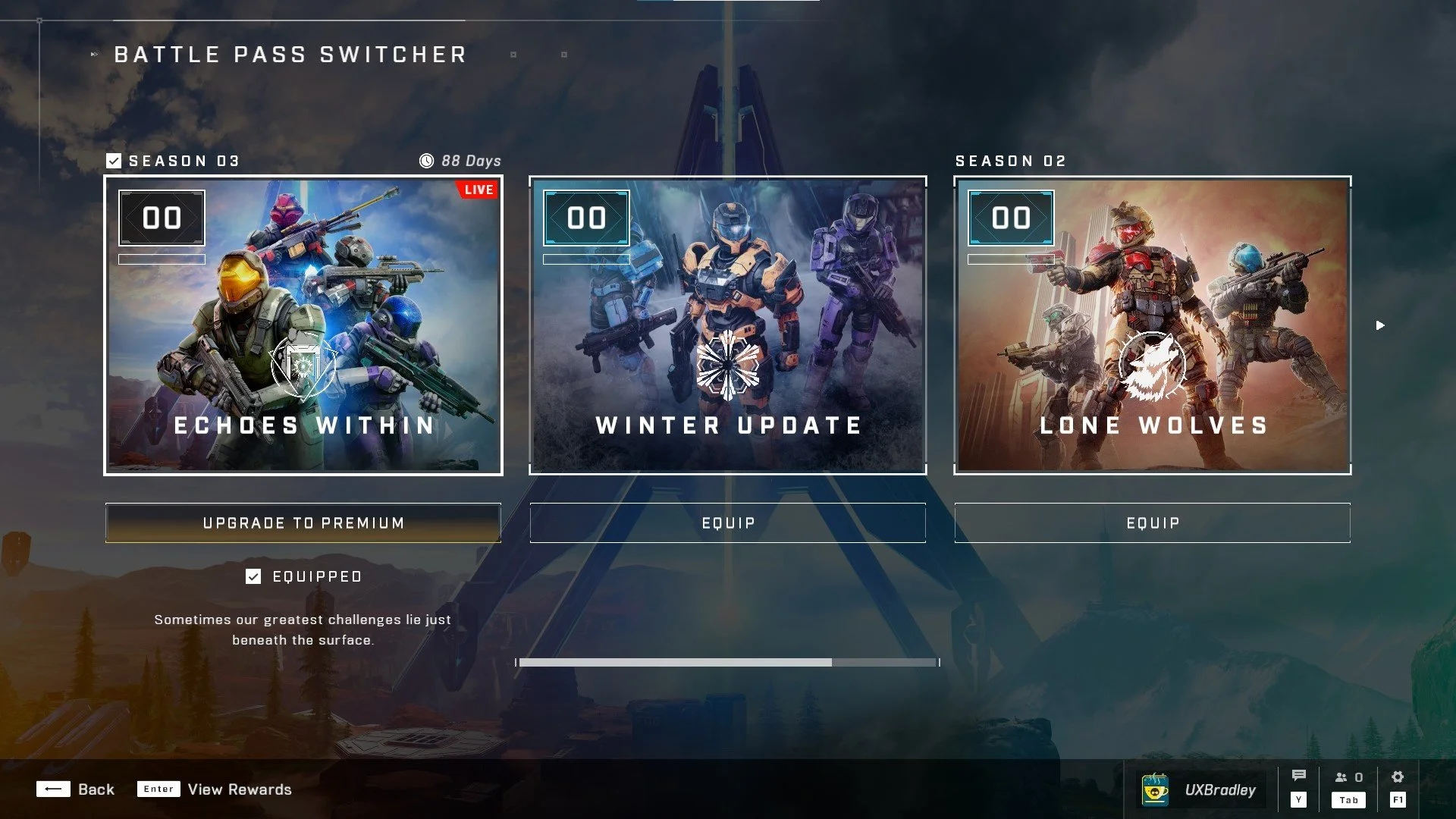
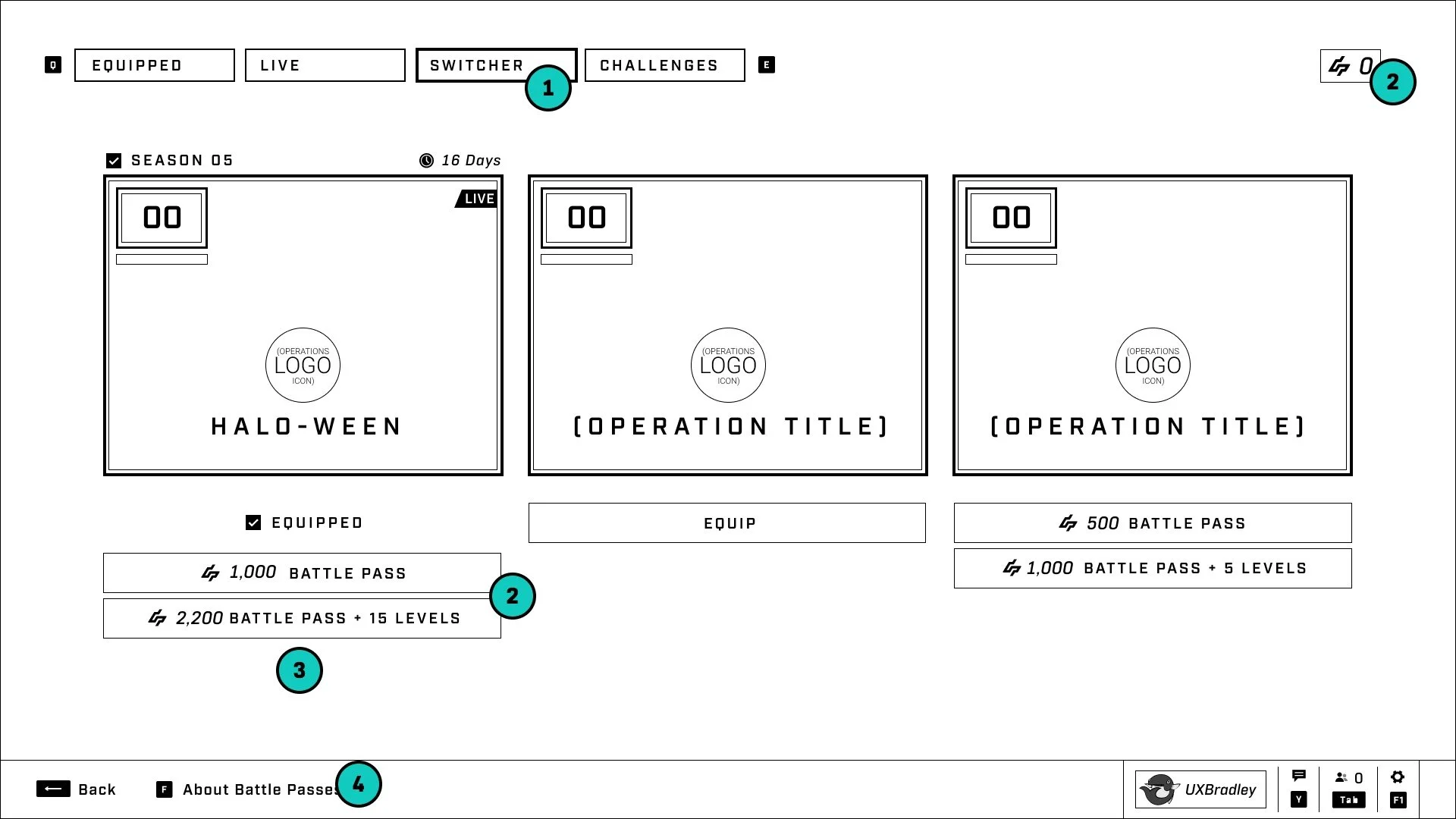
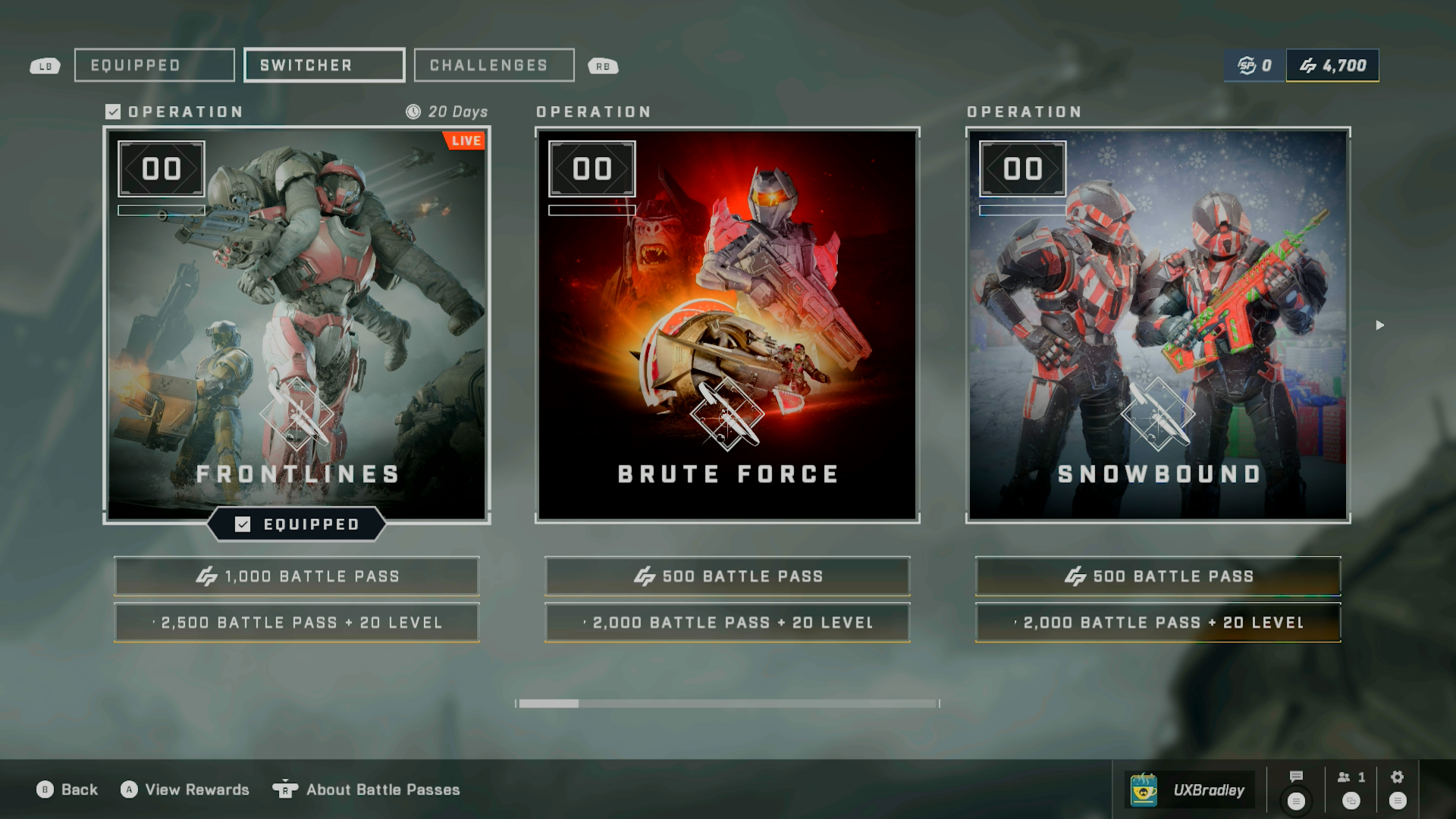
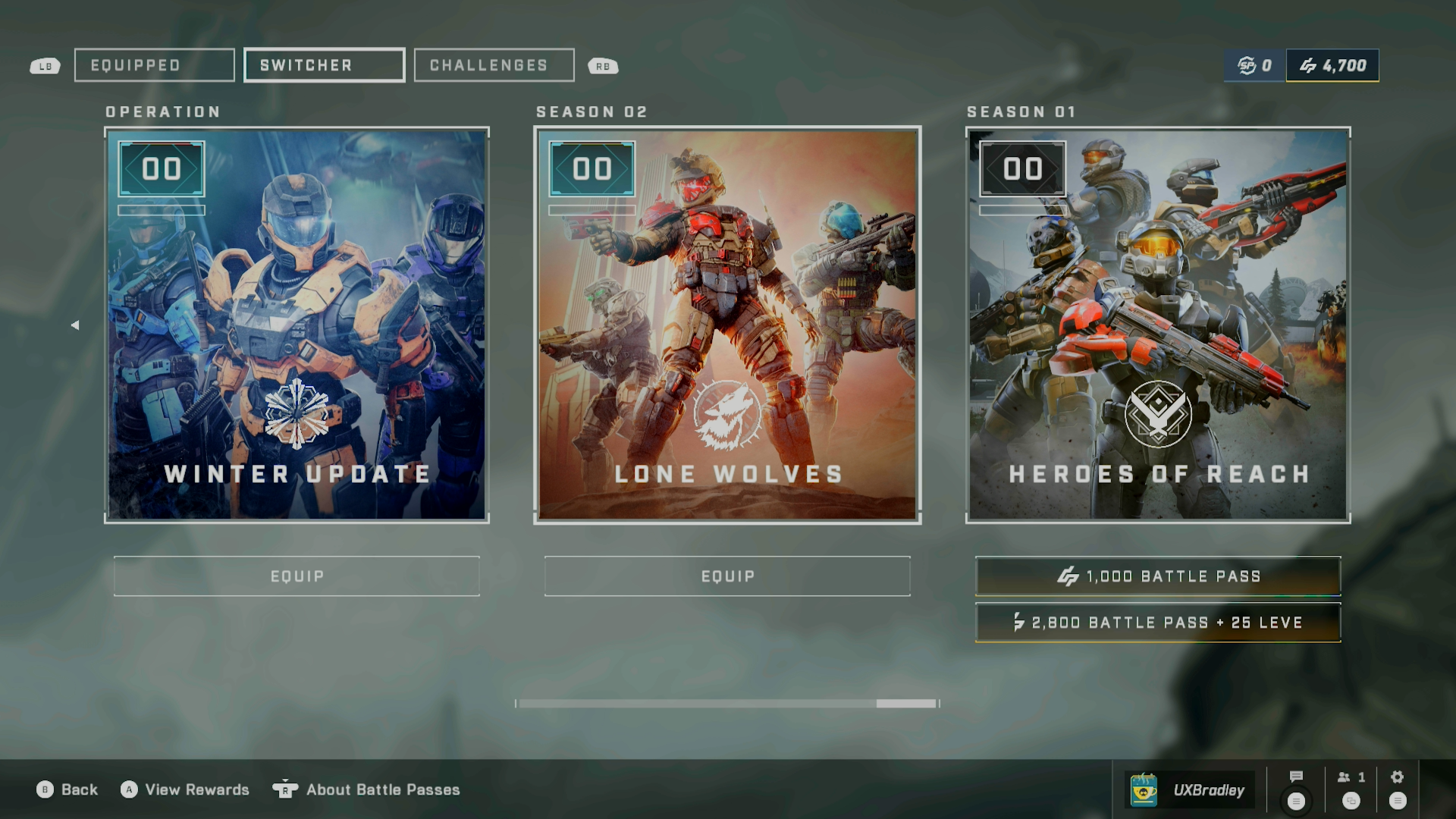
The Switcher will now live inside the tab environment along with Live Operation (LIVE), Equipped Operation (EQUIPPED), Switcher and Challenges
The user will be able to purchase the Operations from the switcher screen
The description text for the Equipped Operation has been removed
Users should be able to access an Explainer Interstitial from this screen to find out more about Operations (not a marketing screen)
Rewards Screen

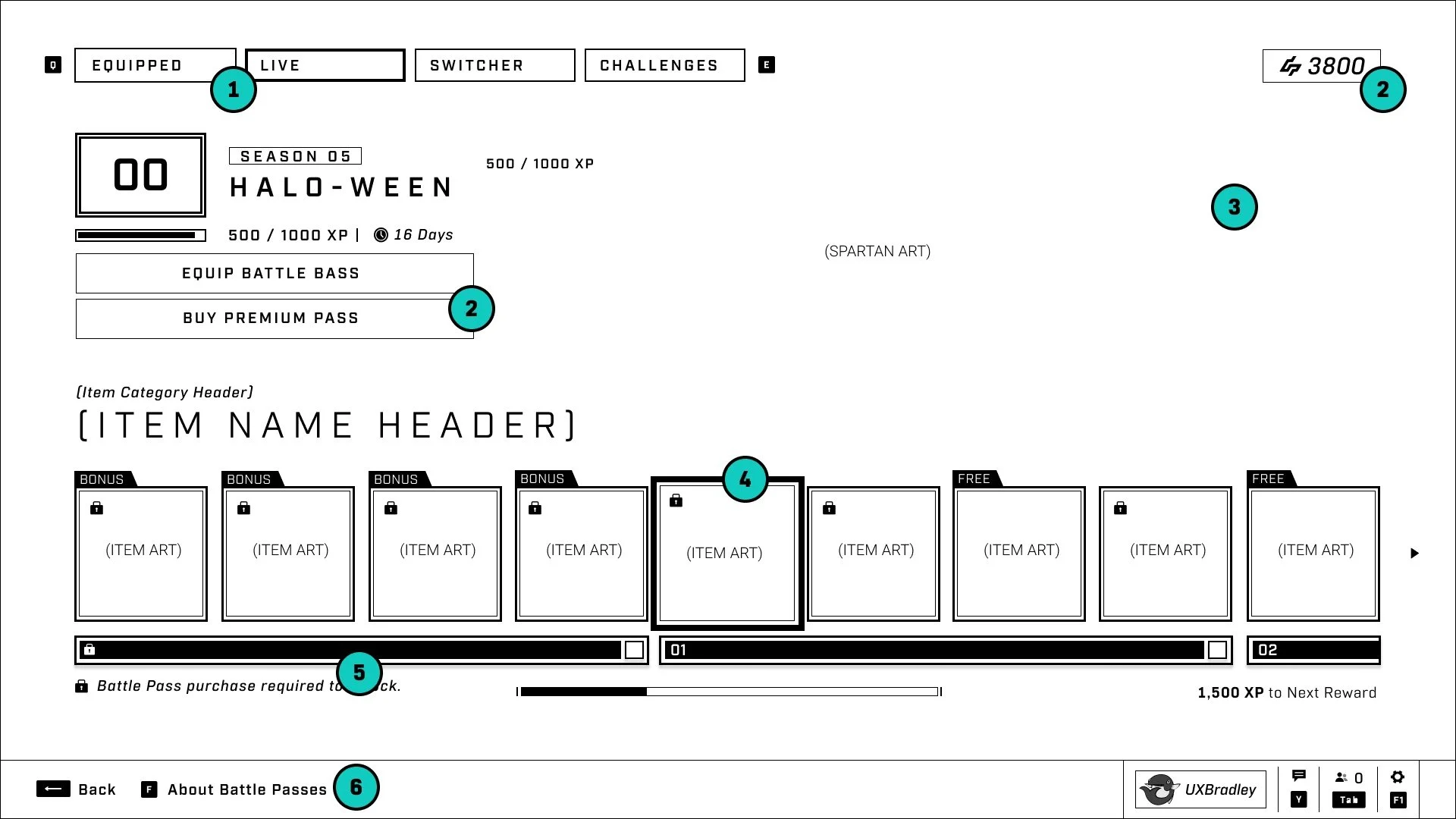
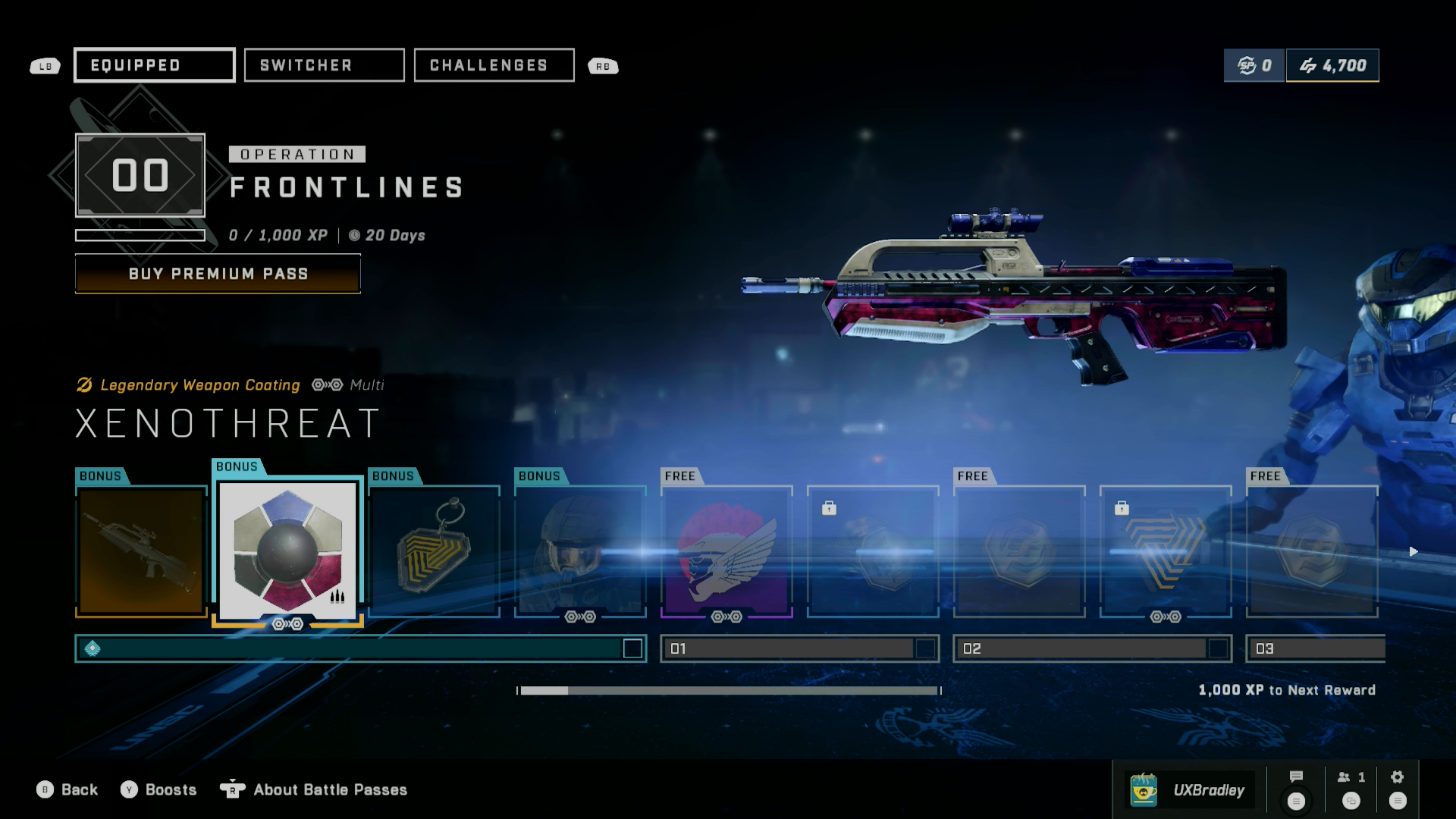
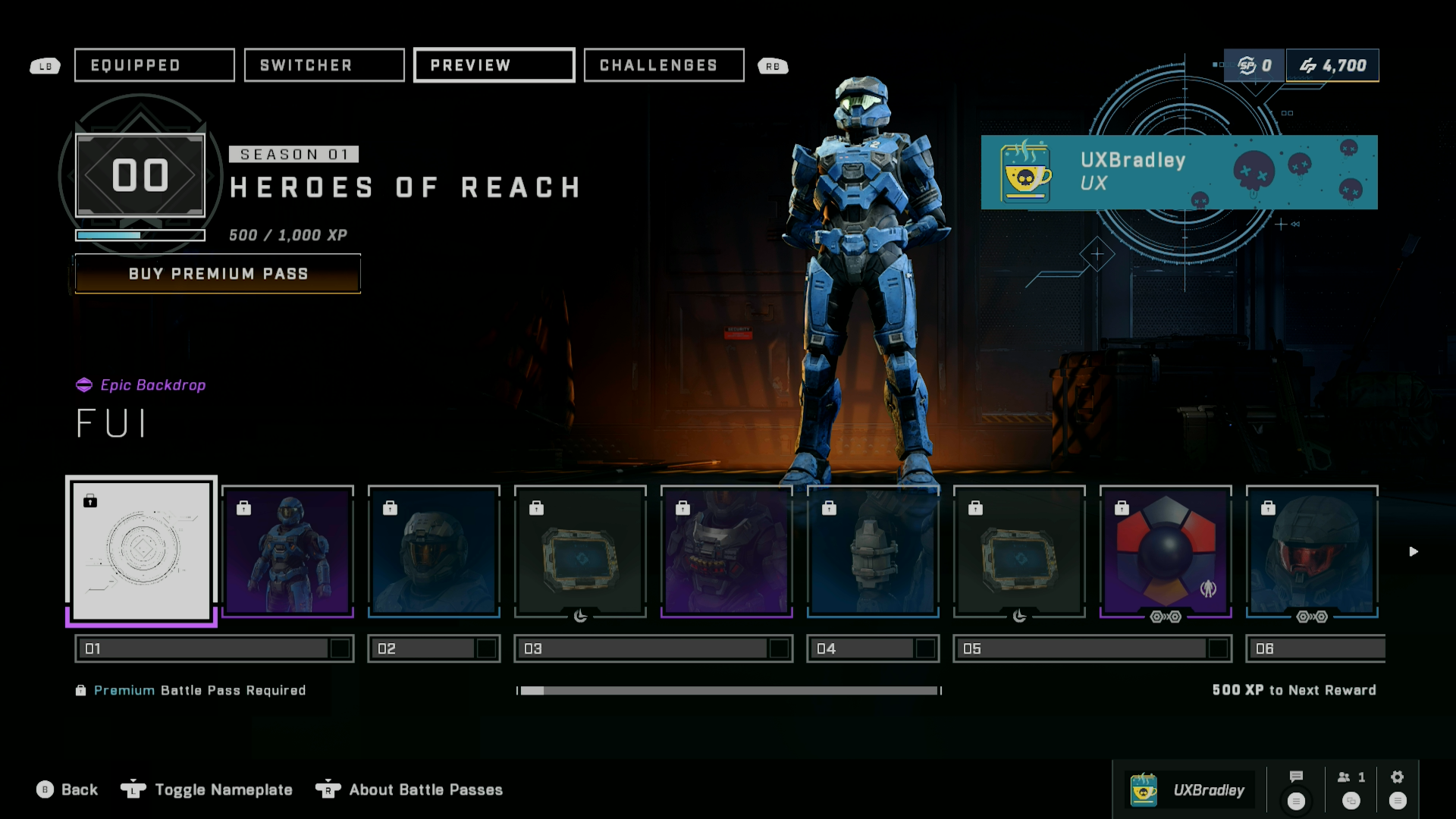
The Rewards screen and Upsell screen are being combined. This will be the format for the LIVE, EQUIPPED and PREVIEW tabs that appear, living within this Operations tab system.
Users will be able to launch the Operations Upsell Interstitial from this screen where they can make a purchase. Users can see their credit balance on this screen.
The nameplate and Toggle Nameplate have been removed.
The auto-focus will be on the first item of the NEXT level that the user can unlock. (So if the user is working on level 01, the level 02 first item would be selected)
When there are more than 4 bonus items, the user will need to manually scroll to the left to see the rest of the bonus items. (See notes in the different states of the Equipped & Live tab screens for details)
The user will be able to see the bonus items for purchasing, in the item lineup.
Users should be able to access an Explainer Interstitial from this screen to find out more about Operations (not a marketing screen)
Shop
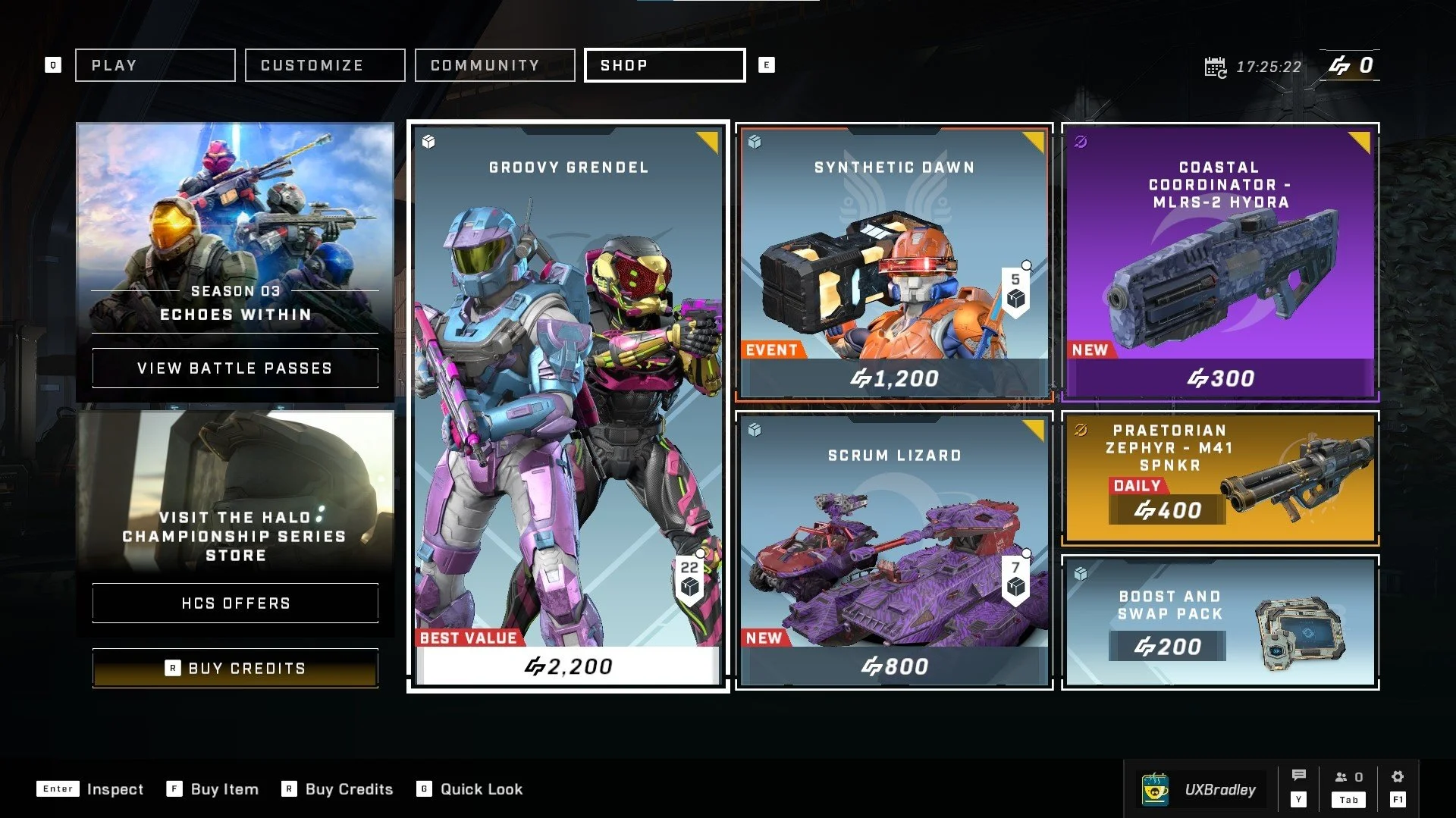
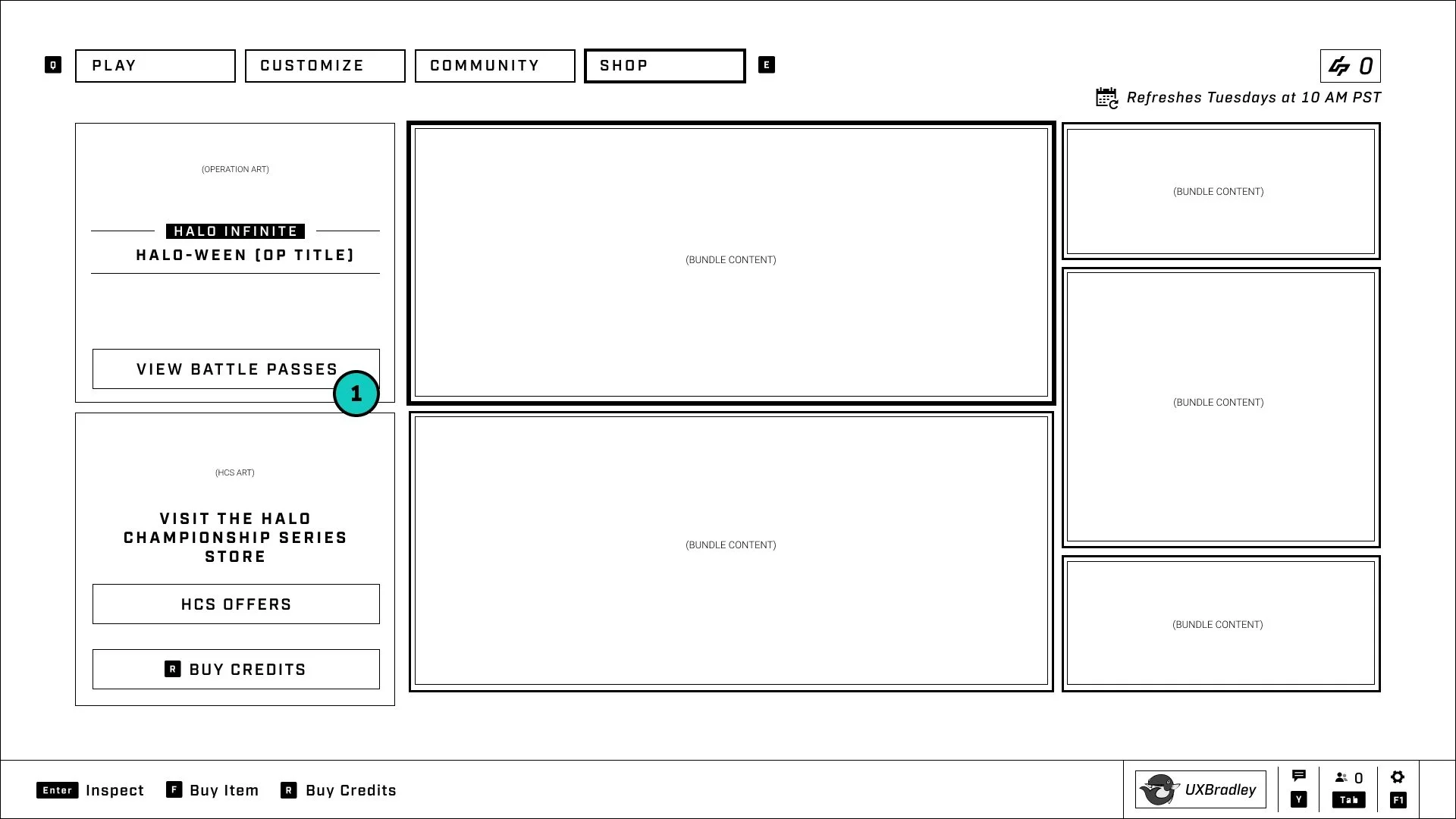
No changes to the visuals or language on button here
We need to take the user to the Battle Pass switcher tab in the new Operations tab system

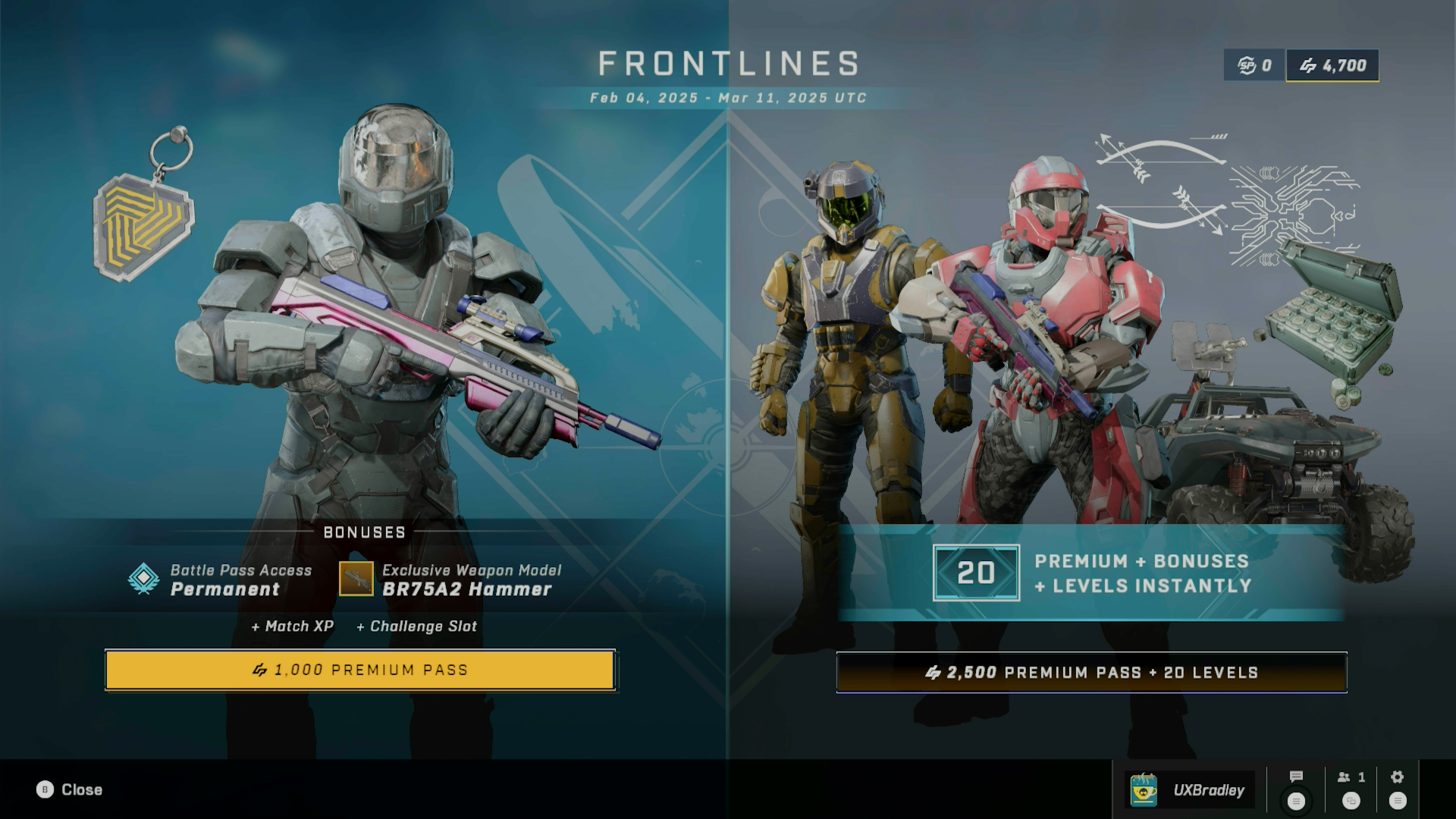
This UX spec covers the Operations user experience.
To get a better idea of what Operations are, please review the information in the Operations Design Overview. (Found in related links)
| The Design Approach |
|---|
|
- M & K: Mouse and Keyboard
- OP: Operation(s) - Sometimes shortened to "OP" in wireframes to make the text fit.
- Operations Design Overview: [Links redacted for portfolio presentation]
- UX Tech Spec: [Links redacted for portfolio presentation]
- UI Spec: [Links redacted for portfolio presentation]
-
ARCHIVED | v05:
[Links redacted for portfolio presentation]
- Slight changes to the UX during implementation happened after v05
-
ARCHIVED | v04:
[Links redacted for portfolio presentation]
- Season 03 UI changes were not reflected in the wireframes. Wireframes in newest version are accurate to Retail build as of 23 Mar 2023
-
ARCHIVED | v03:
[Links redacted for portfolio presentation]
- Includes the notes and video link from User Research sessions (video expires on 15 Jun 2023)
-
ARCHIVED | v02:
[Links redacted for portfolio presentation]
- Includes the notes and video link from the Stakeholder Review (video expires on 04 Jun 2023)
-
ARCHIVED | v01:
[Links redacted for portfolio presentation]
- First iteration, shows MVP vs Idealized design options
- Team chose to pursue the Idealized version as what we launch Operations with
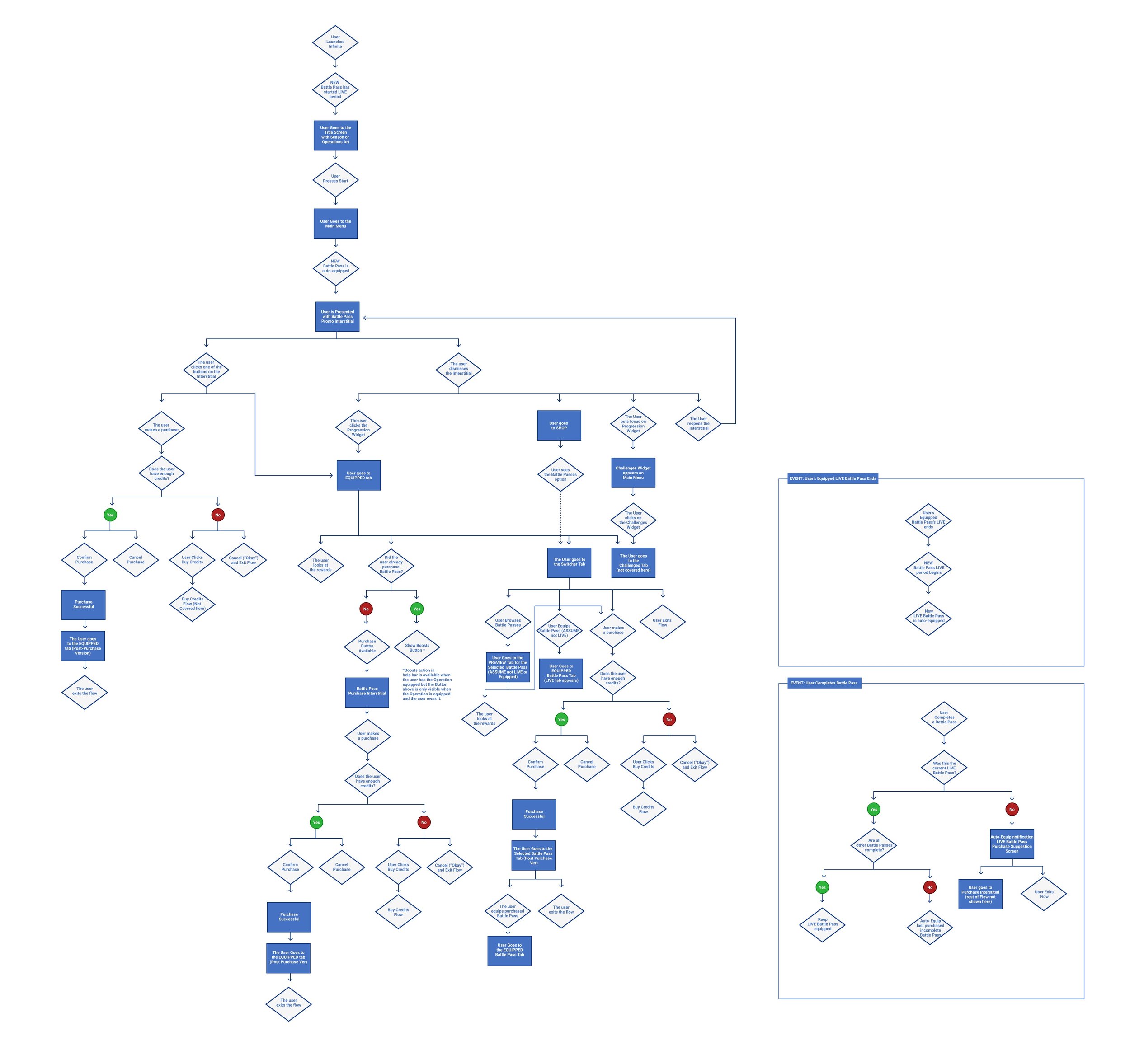
- The user flow does not go into detail about the functionality of the Interstitial (Interstitial is a different product)
-
The user flow assumes that the NEW LIVE Battle Pass for the Operation or Season is auto-equipped, but the user has not purchased the Battle Pass already or seen the interstitial before
- These assumptions impact whether these buttons appear on the Interstitial
- This flow introduces major revisions to existing screens, new screens and functionality that does not currently exist
Flow: (User Launches Infinite) → Title Screen
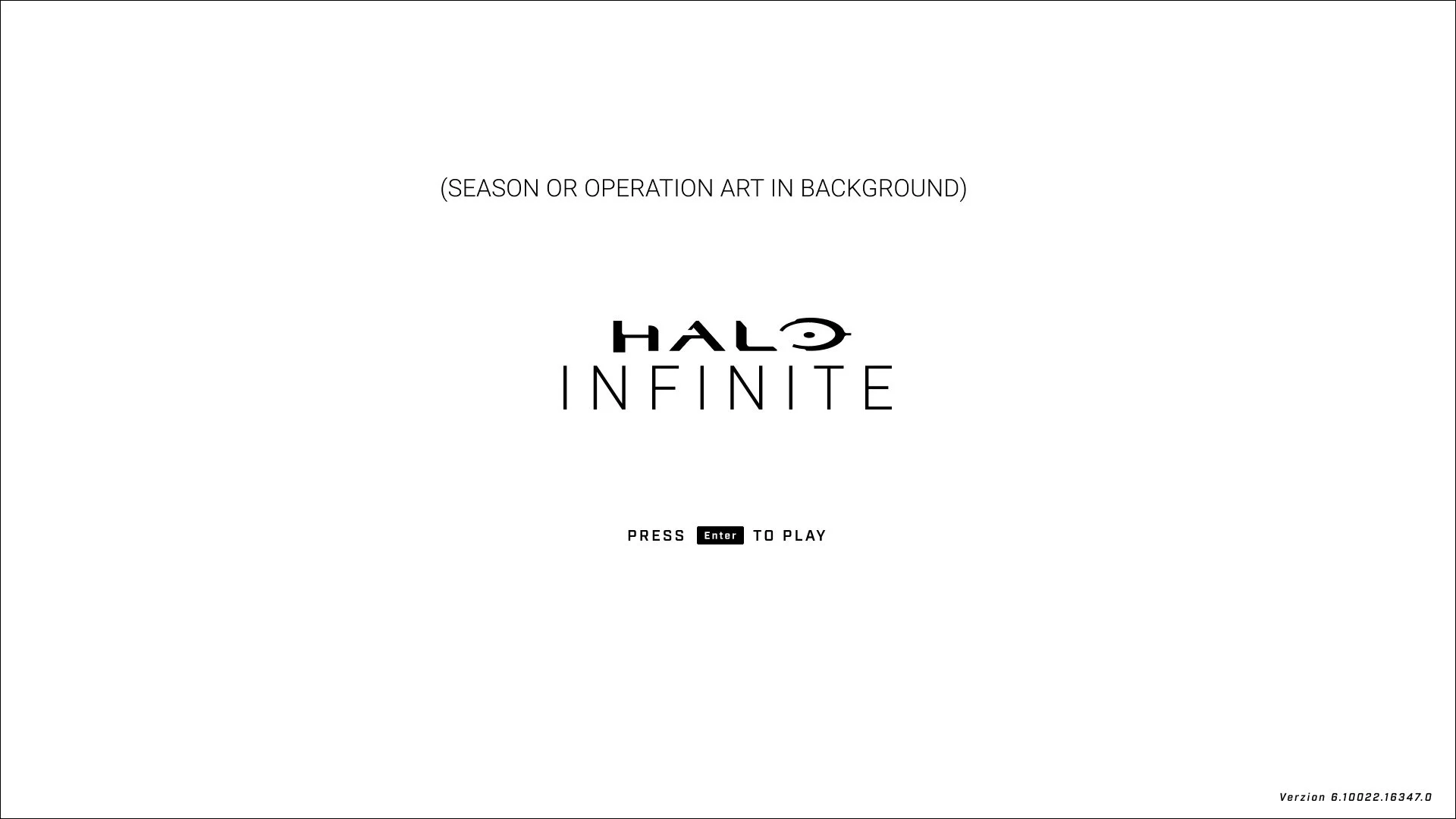
The user first encounters the concept of Operations at the Title Screen.
Here the user will see either Season art or Operation specific art that sets the stage for the current LIVE Battle Pass.
User Flow: Main Menu → Operations Upsell Interstitial with Battle Pass Options
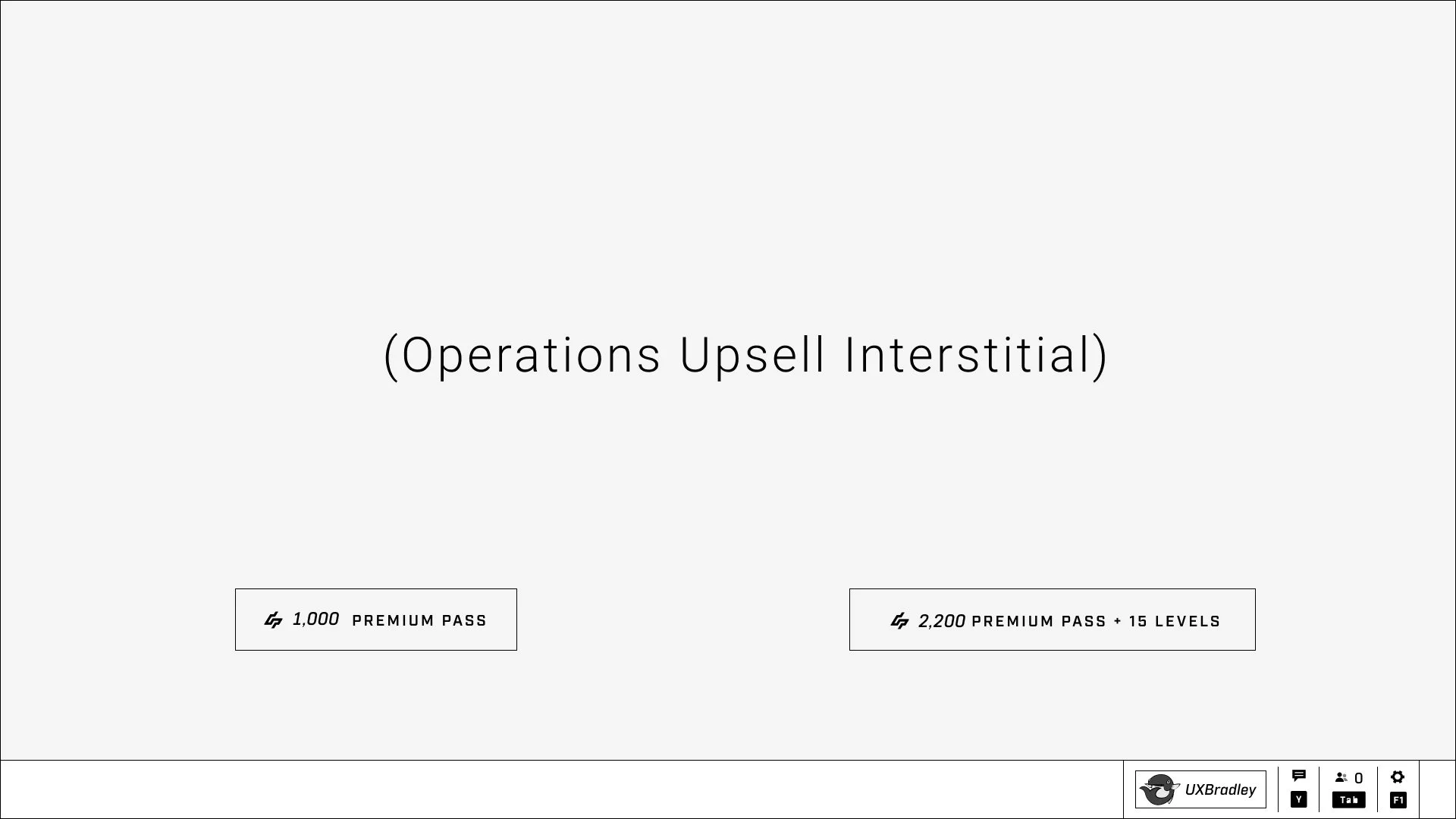
The user will be presented with an Interstitial which shows the current LIVE Battle Pass.
Details about the design and functionality of the Interstitial are not covered here.
However, based on information given to us at this time we can assume that:
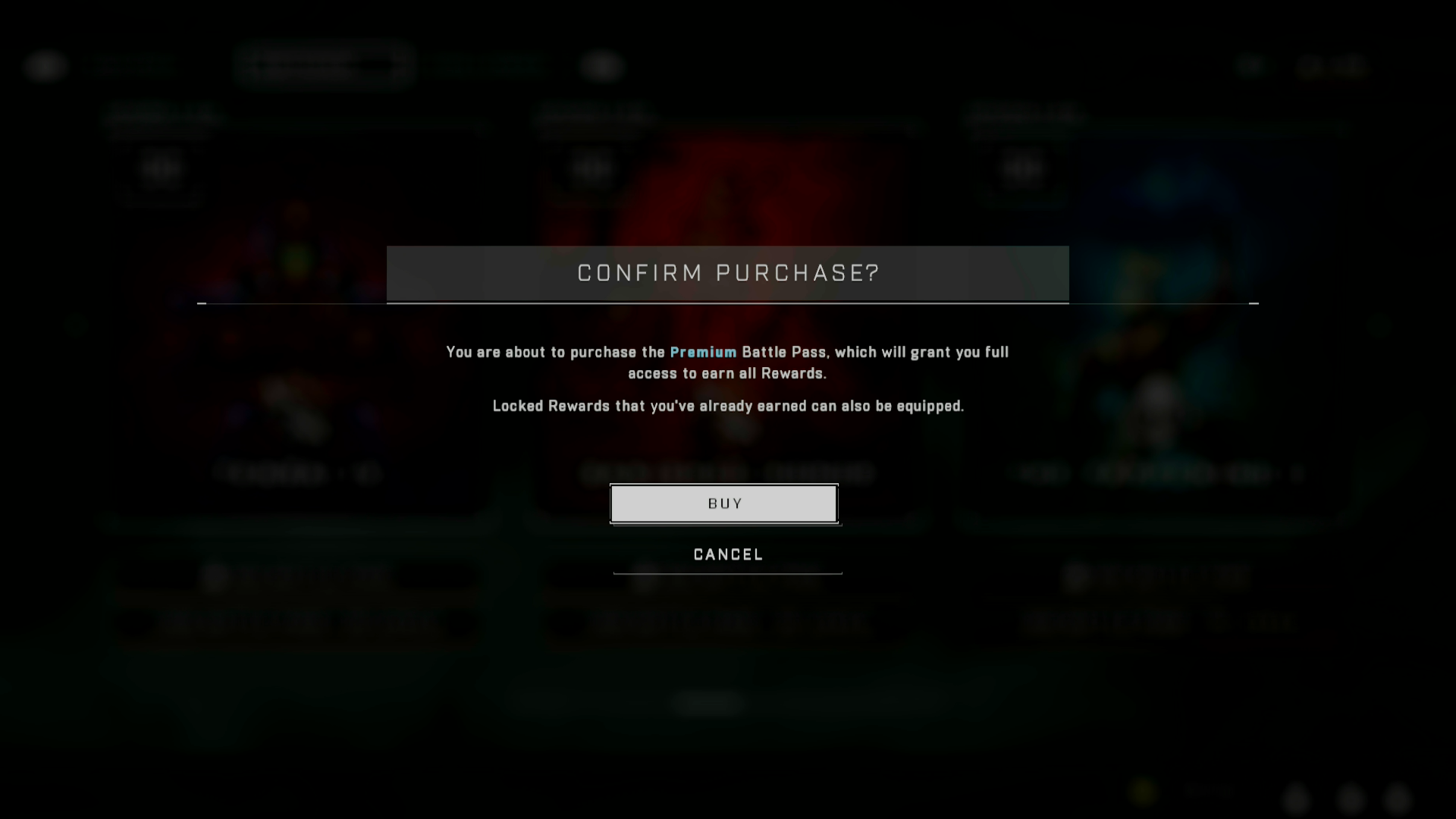
- If the user did not already purchase and own the Battle Pass, there will be a button for them to "Purchase Battle Pass" (They can make a purchase from the Interstitial)
- Each purchase button will represent one of the bundle options offered for Battle Passes (Base Battle Pass + Bonuses OR Base Battle Pass + Bonuses + Level Skips)
User Flows:
- Main Menu → Operations Upsell Interstitial → EQUIPPED Battle Pass Tab
- Main Menu → Progress Widget → EQUIPPED Battle Pass Tab
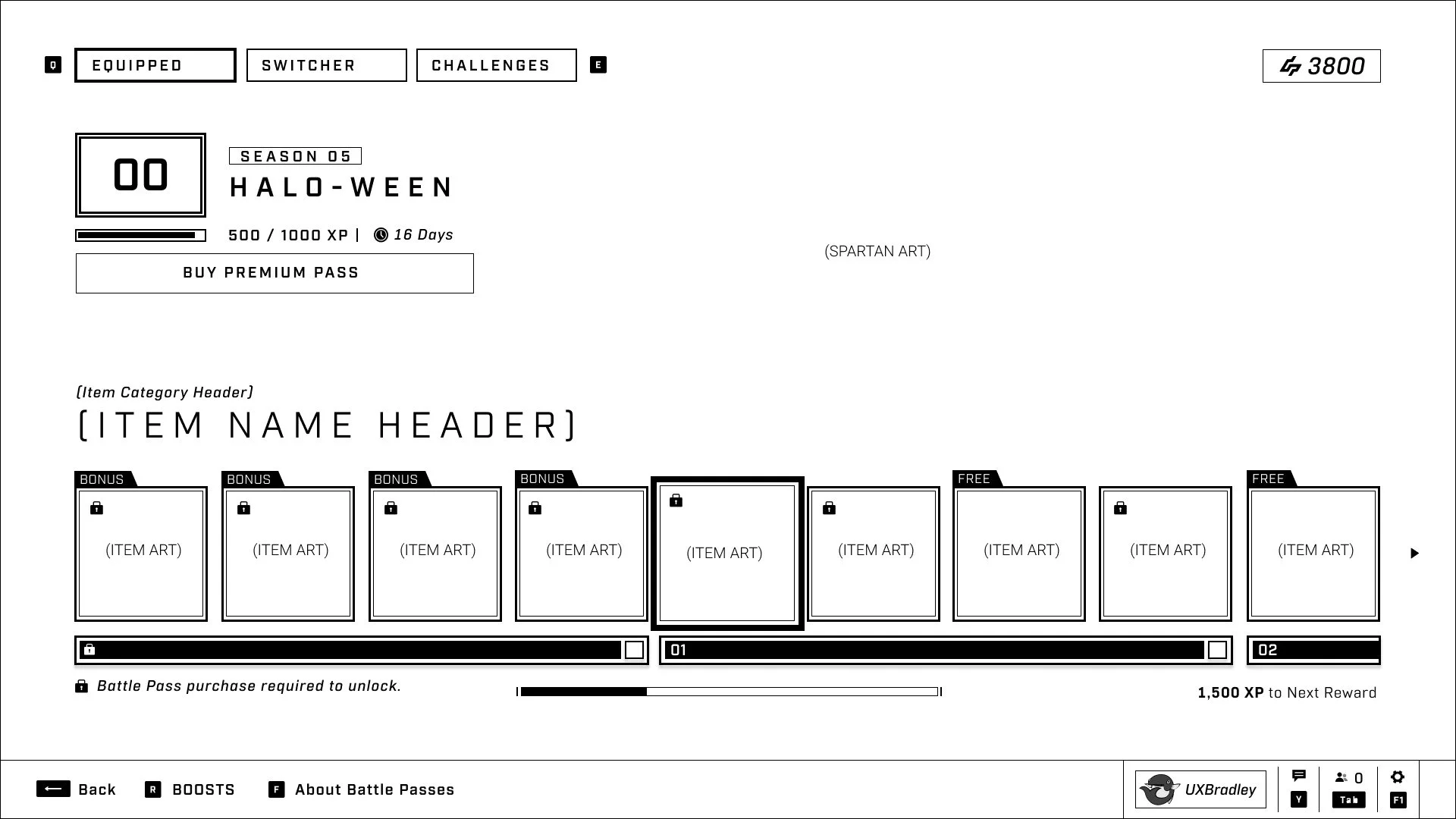
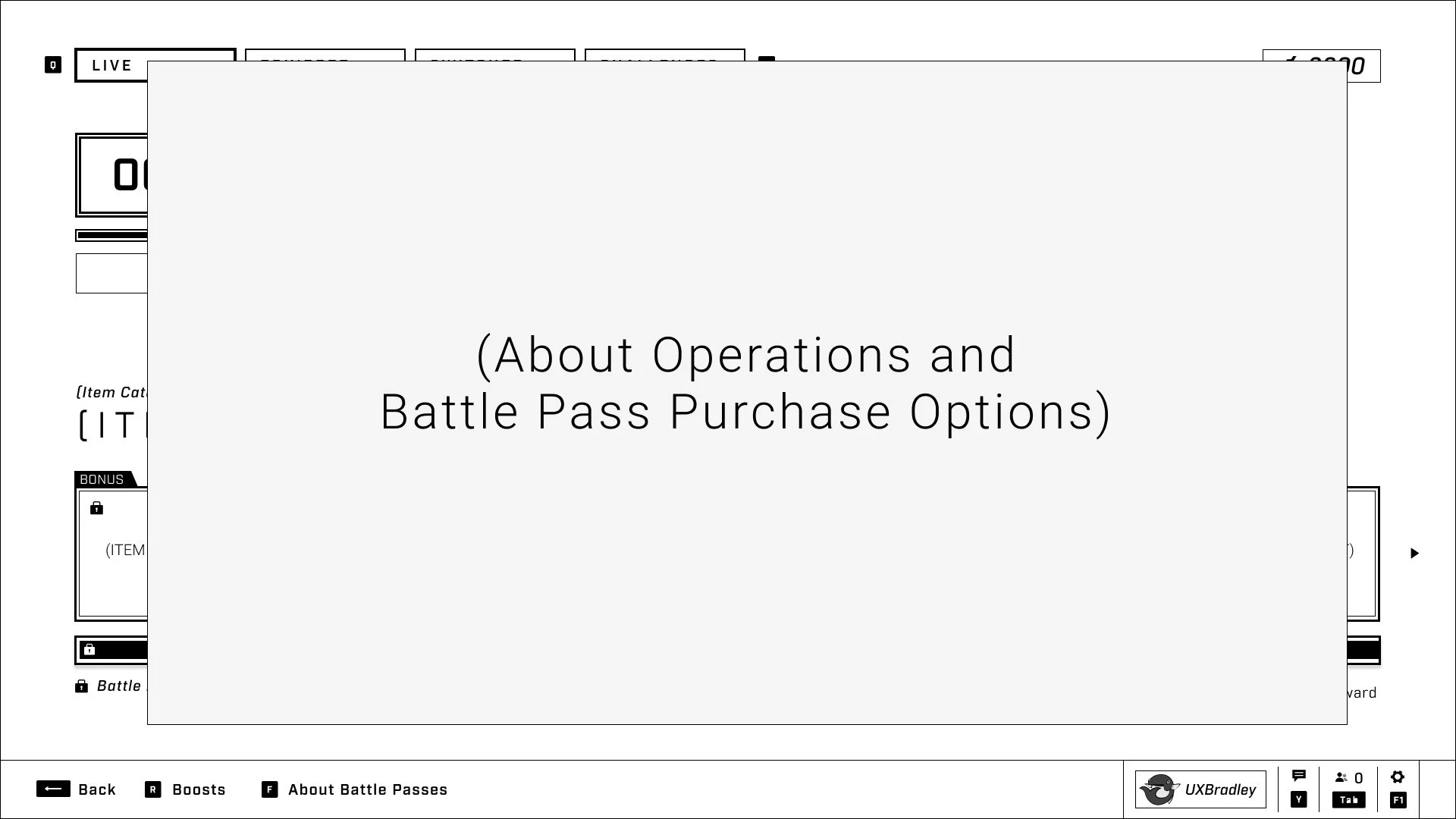
When the user arrives at the EQUIPPED Battle Pass tab, they will be able to:
- See the LIVE Battle Pass within the Equipped tab, as it should already be auto-equipped for every user at the start of the Battle Pass's live period
- See how many days are left for the LIVE Battle Pass
- See how many credits they have
- Look through the rewards available for the LIVE Battle Pass
- Find out more information about Operations and Battle Pass Purchase Options (Through About Battle Passes which will pop up an EXPLAINER Interstitial)
- Have access to the purchase flow (through the Purchase Battle Pass button which will pop up the PROMO / Operations Upsell Interstitial)
-
When the Battle Pass is equipped, the user will also have access to Boosts
- When the user has not yet purchased the equipped Battle Pass, boosts are available from the help bar
- When the user has purchased the equipped Battle Pass, boosts are available through a button above
- This scenario should only apply to the LIVE Battle Pass as that is the only time where a user is able to equip an Operation that they have not yet purchased.
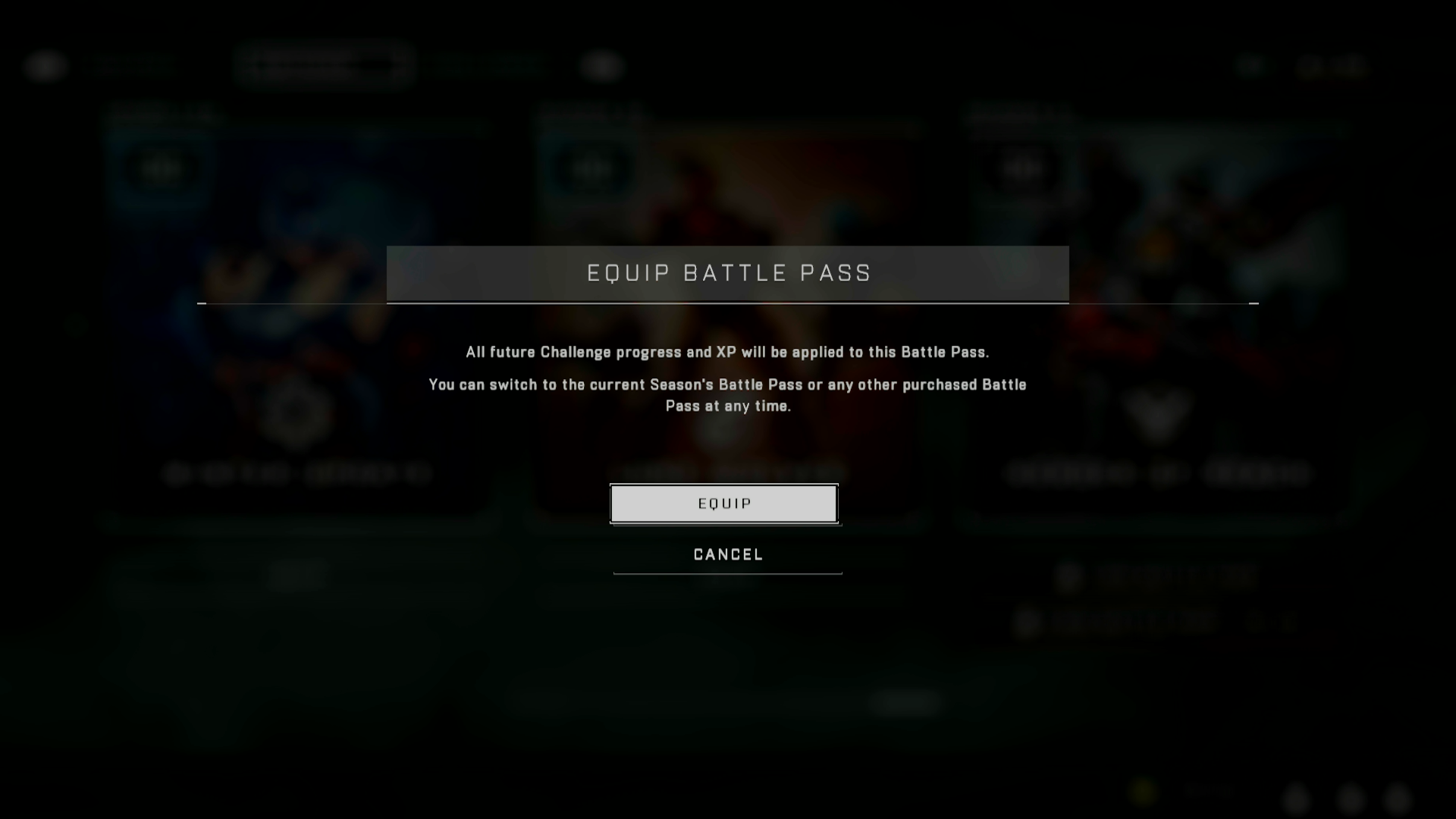
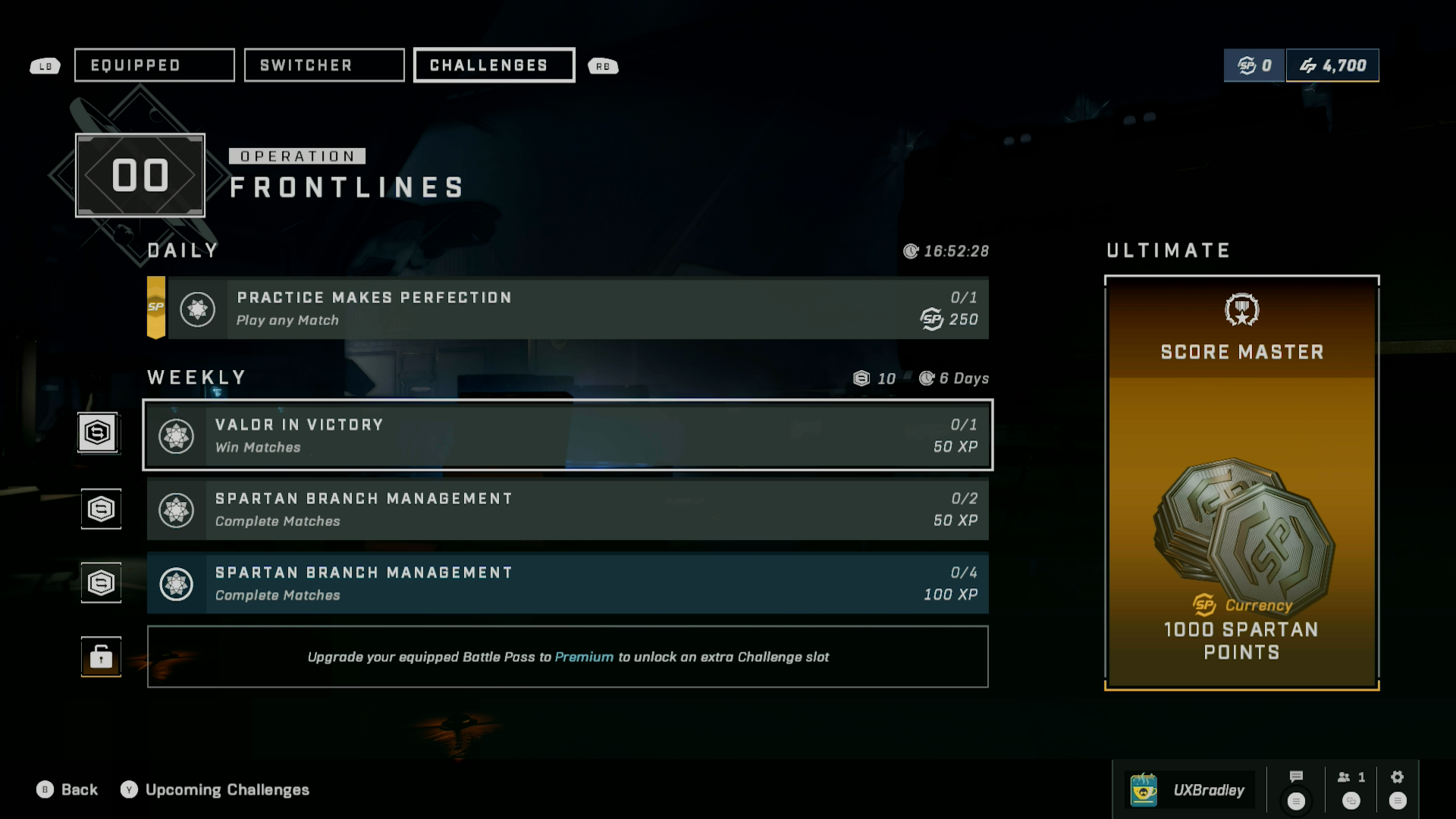
User Flow: Main Menu → (user clicks on Challenges Widget) → Challenges Tab
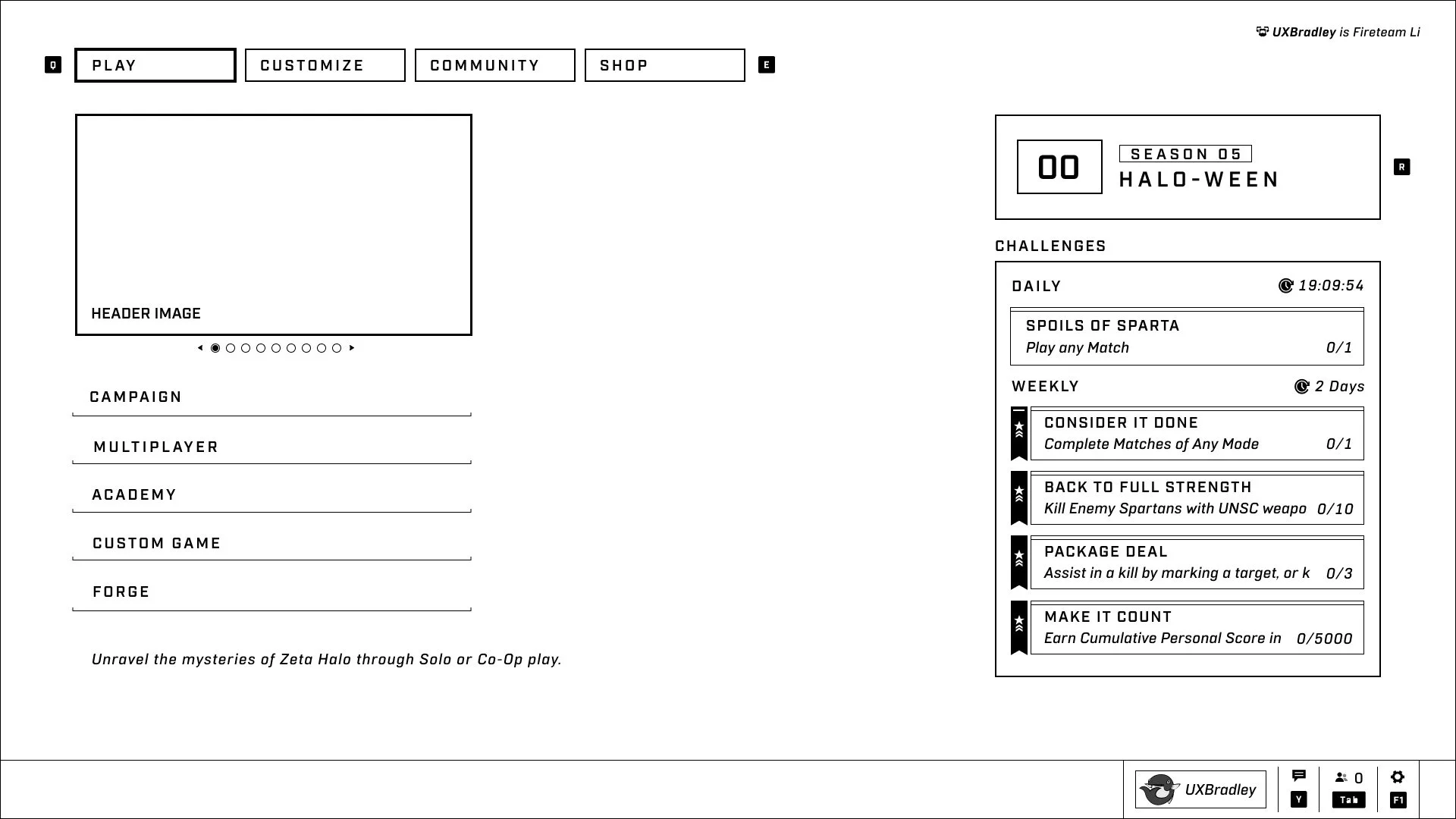
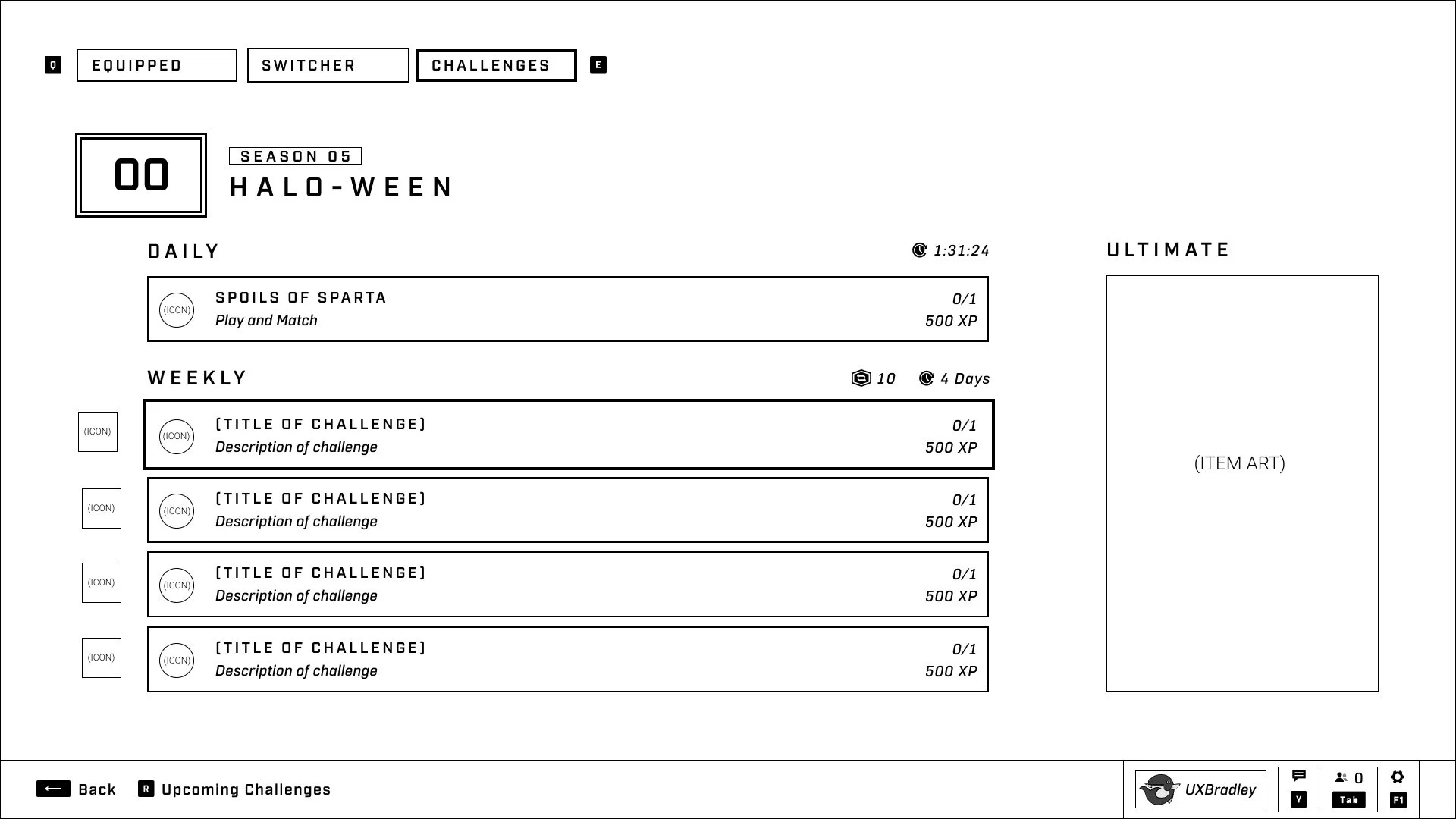
As part of Operations and removing the Summary screen from the user flow, we will be bringing the challenges widget back to the Main Menu.
Clicking into the Challenges Widget will take the user to the Challenges tab, which aside from being housed within the tab system for the different Operations screens (Live, Equipped, Switcher and Challenges) is pretty much the same as it is currently.
User Flows:
- Main Menu → Progression Widget → (User goes to LIVE Battle Pass or Equipped Tab) → (User switches to Switcher Tab)
- Main Menu → Operations Upsell Interstitial → (User goes to Equipped Tab) → (User switches to Switcher Tab)
- Main Menu → SHOP → (User Clicks Battle Passes Option) → Switcher Tab
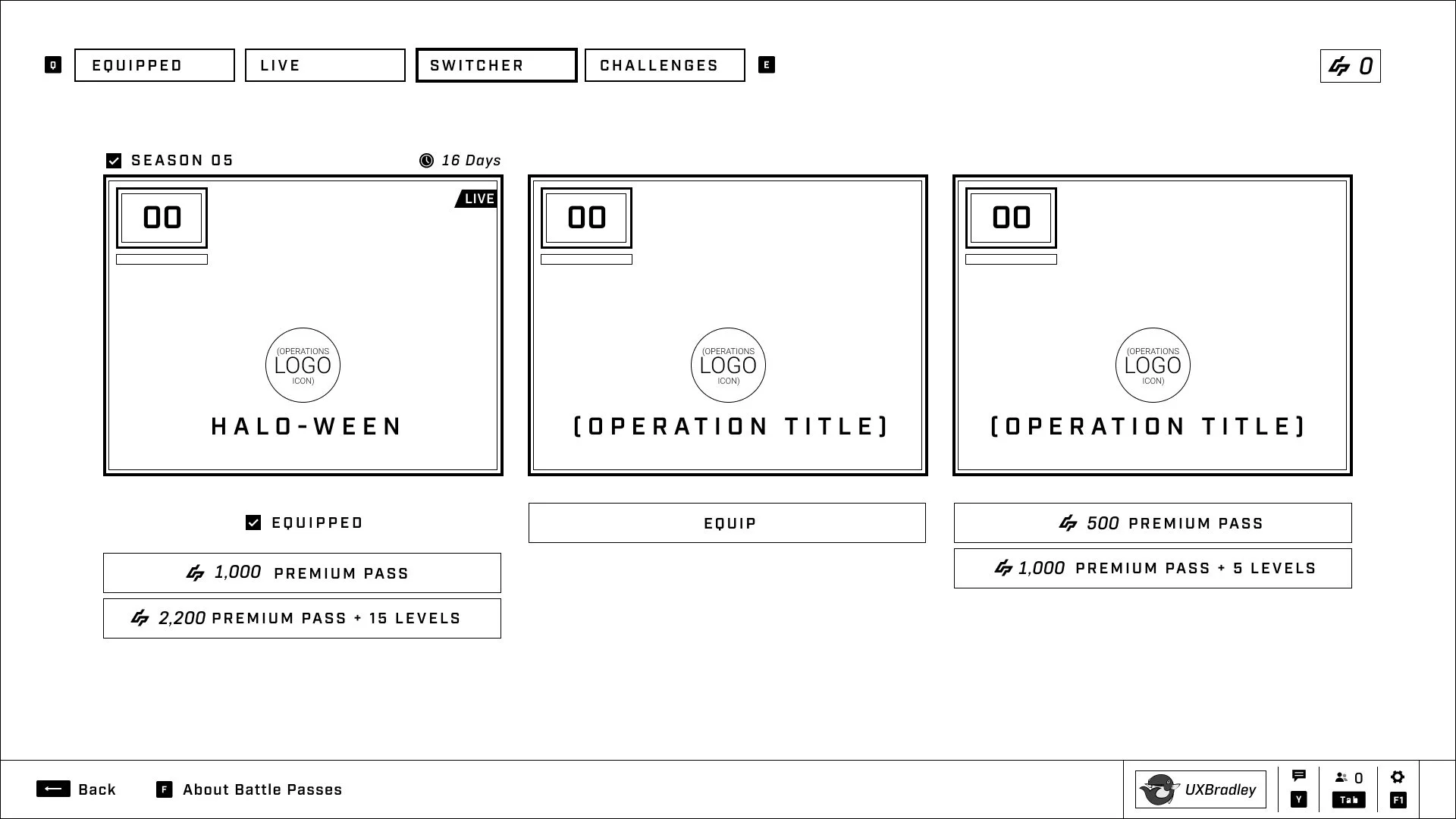
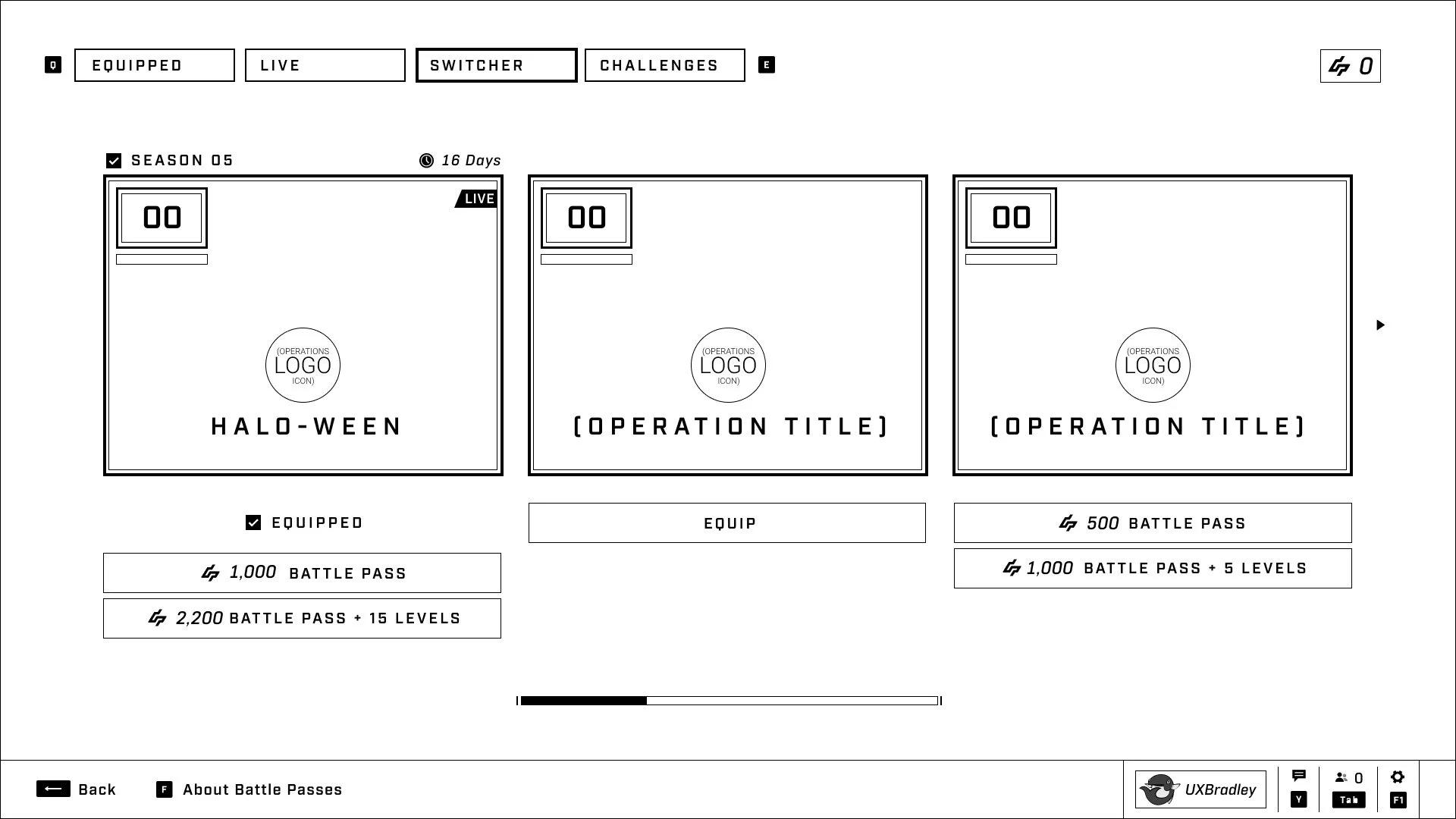
Users are also able to switch between and equip Battle Passes from the Switcher tab.
- Users can only equip LIVE Battle Pass or Battle Passes they have purchased and own.
- Users are able to purchase the Battle Passes they don't already own from the Switcher tab.
- Users can see which Battle Passes they have purchased by looking through the Battle Pass switcher.
- When there are more than three Battle Passes, users are able to scroll to see more of them. (This is existing functionality)
User Flows:
- Main Menu → Progression Widget → (User goes to LIVE or Equipped Tab) → (User switches to Switcher Tab) → (User Selects Specific Battle Pass)
- Main Menu → Operations Upsell Interstitial → (User goes to Equipped Tab) → (User switches to Switcher Tab) → (User Selects Specific Battle Pass)
- Main Menu → SHOP → (User Clicks Battle Pass Option) → Switcher Tab → (User Selects Specific Battle Pass)
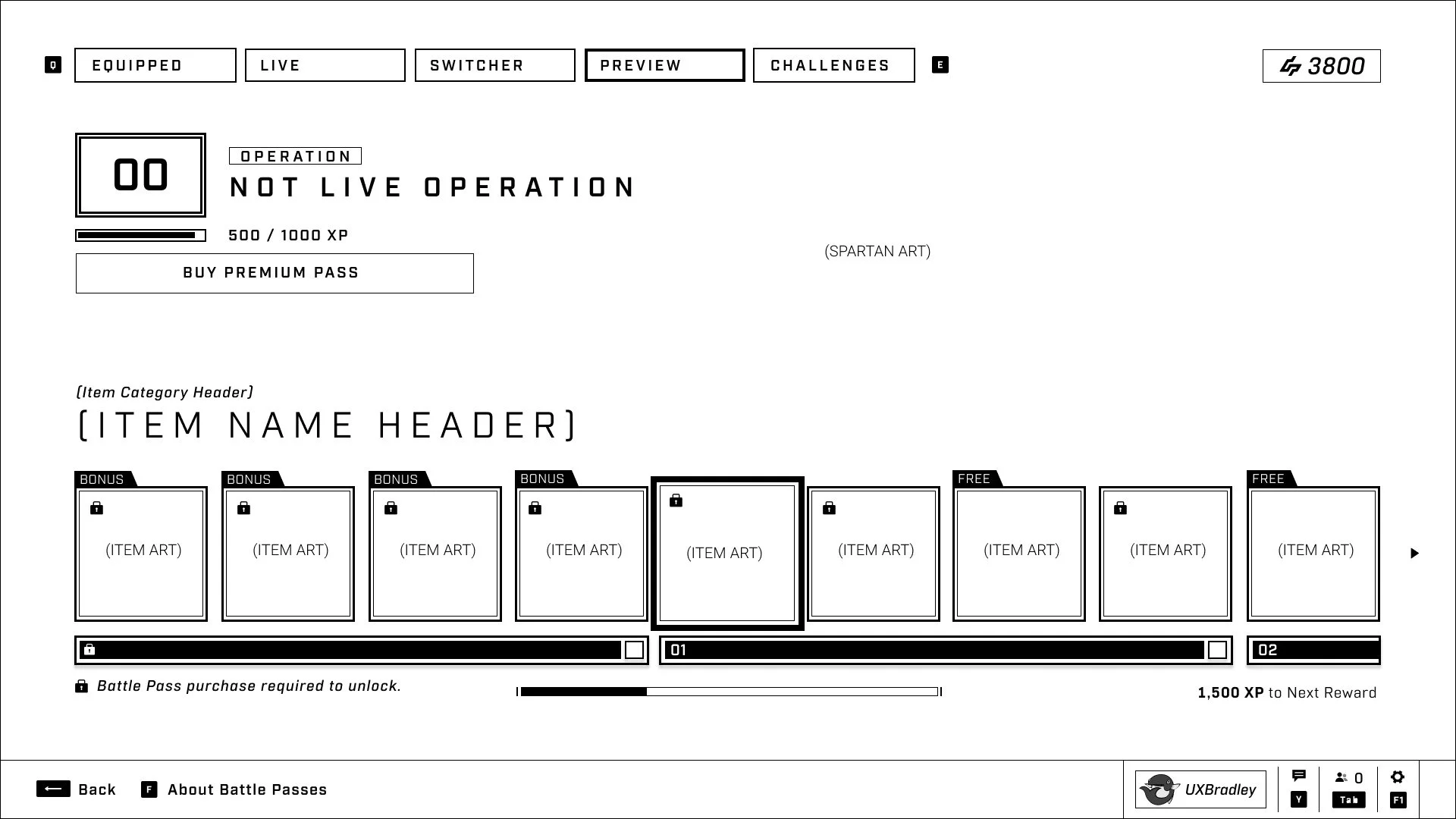
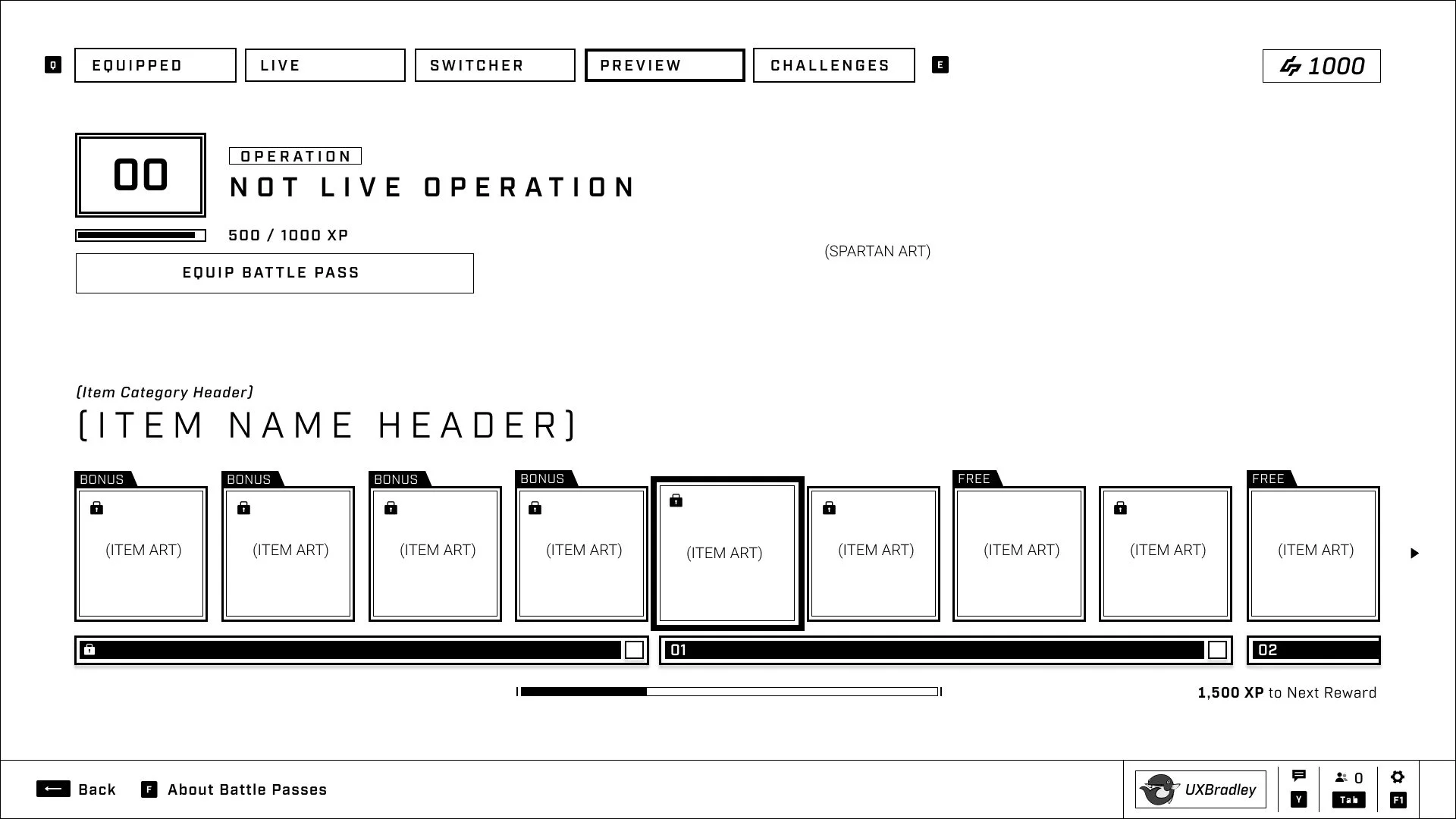
When the user chooses a specific Battle Pass to look at, they will go to the Battle Pass's reward screen and a temporary preview tab will appear.
Users will be able to:
- Navigate between the tabs to look at information if they want to
- Equip the Battle Pass (if it is not already equipped and the user has purchased it)
-
Purchase the Battle Pass (if they have not already purchased it)
-
This button will pop up the purchase interstitial related specifically to this Battle Pass
- If this is an older Battle Pass, it will pop up the Upsell Screen from before Season 5
-
This button will pop up the purchase interstitial related specifically to this Battle Pass
Note that Operations that are not Seasons do NOT have a season prefix to their titles.
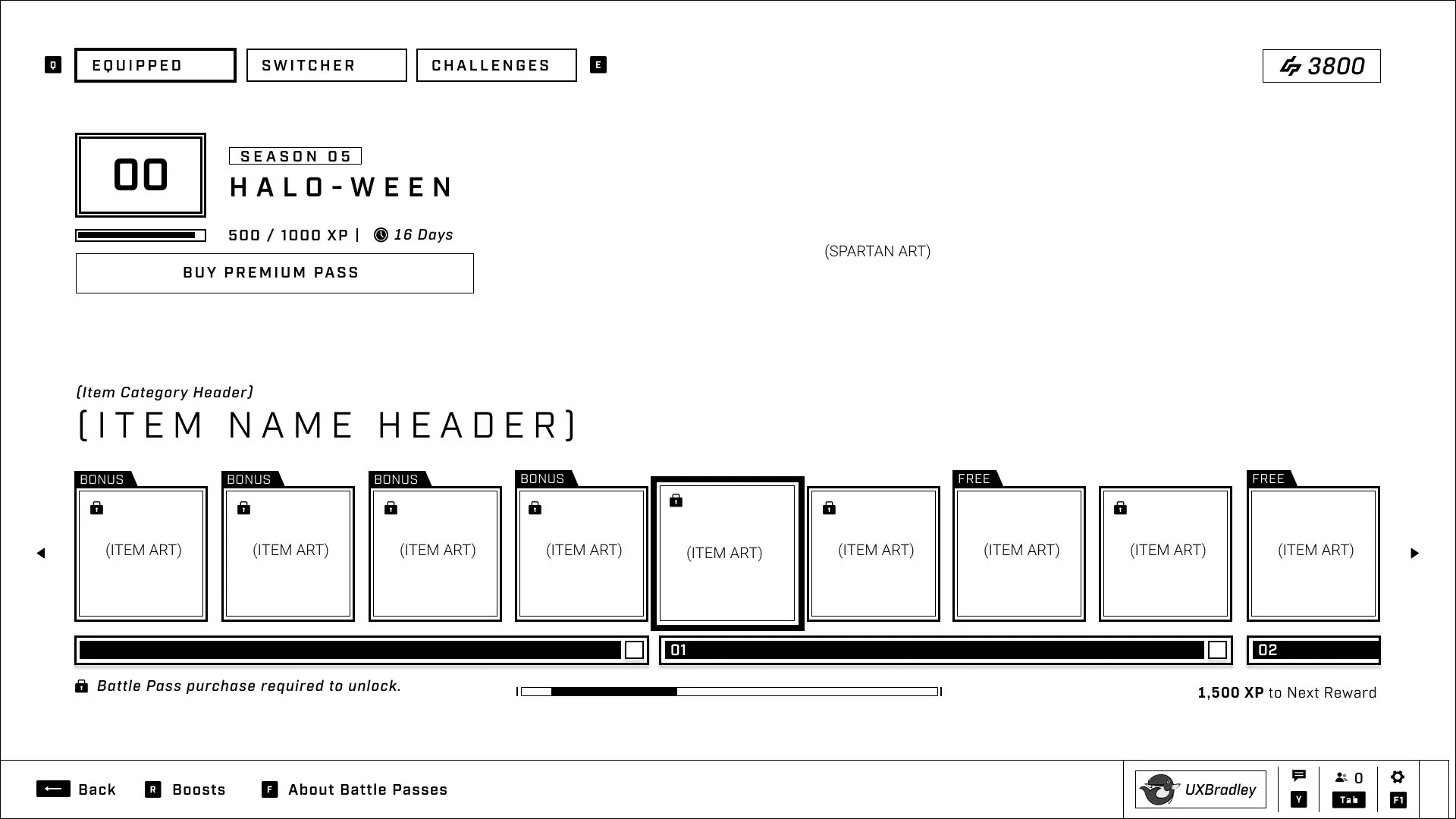
This is the state of the EQUIPPED tab when:
- The LIVE Battle Pass has been auto-equipped, making it the EQUIPPED (but also the LIVE) Battle Pass
- When the LIVE and EQUIPPED Battle Pass are the same, we do not show the LIVE tab
- The user has not yet purchased the Battle Pass
- Since the Battle Pass is equipped, the user is able to access boosts from the helpbar.
- Note that upon entering the screen, the focus is automatically on the first item of the NEXT level the user can unlock.
-
This specific scenario is showing when there are more than 4 bonus items available. In this case the user will need to manually scroll to the left to see the rest of the items.
- Spoke to the Product Owner about this scenario and this should be an edge case as we normally should not have more than 4 bonus items available to the user.
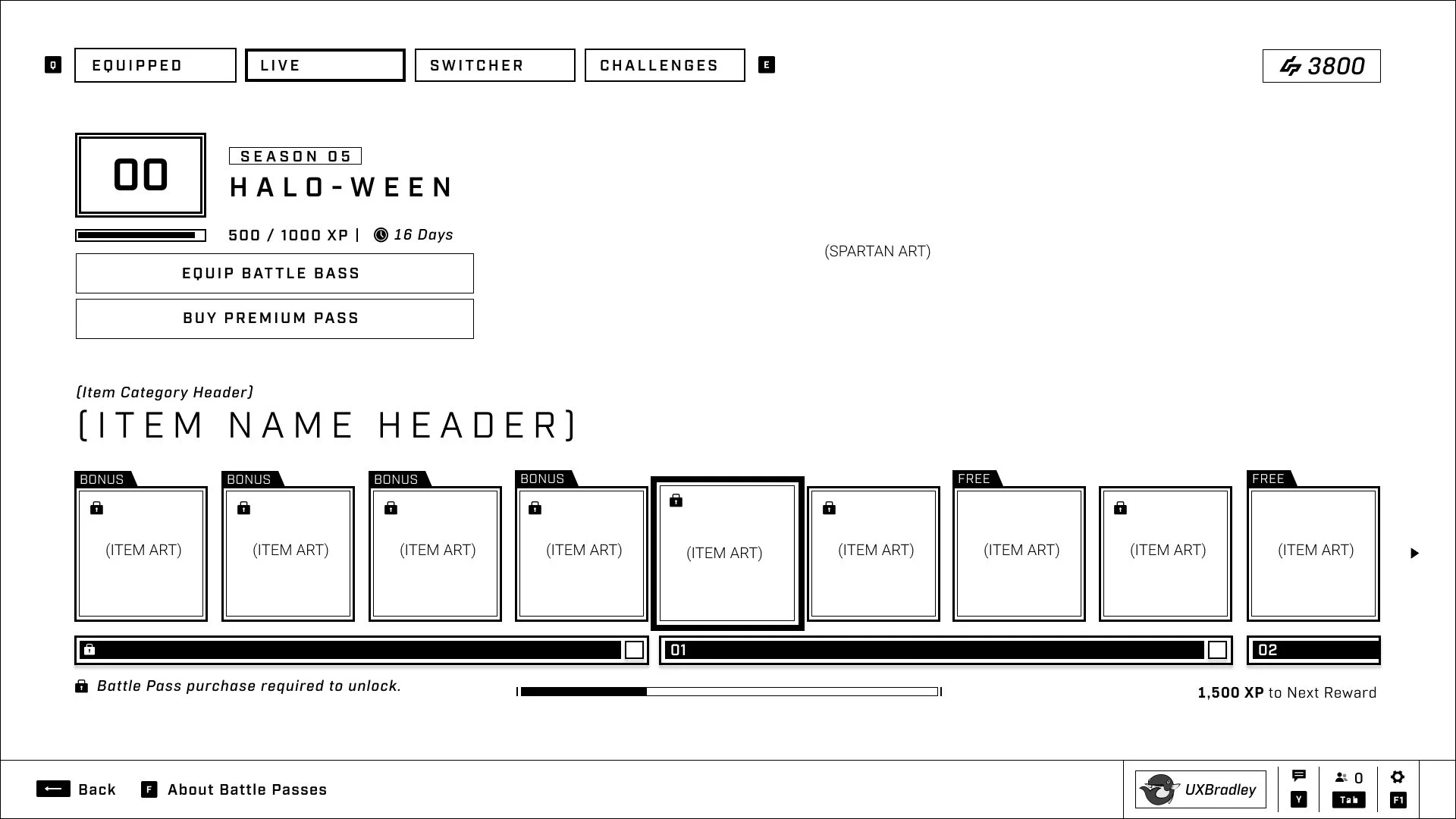
This is the state of the LIVE tab when:
- The user has not yet purchased this Battle Pass
- The LIVE and EQUIPPED Battle Pass are NOT the same
- Note that this is showing a SEASON battle pass, so it has the season label above.
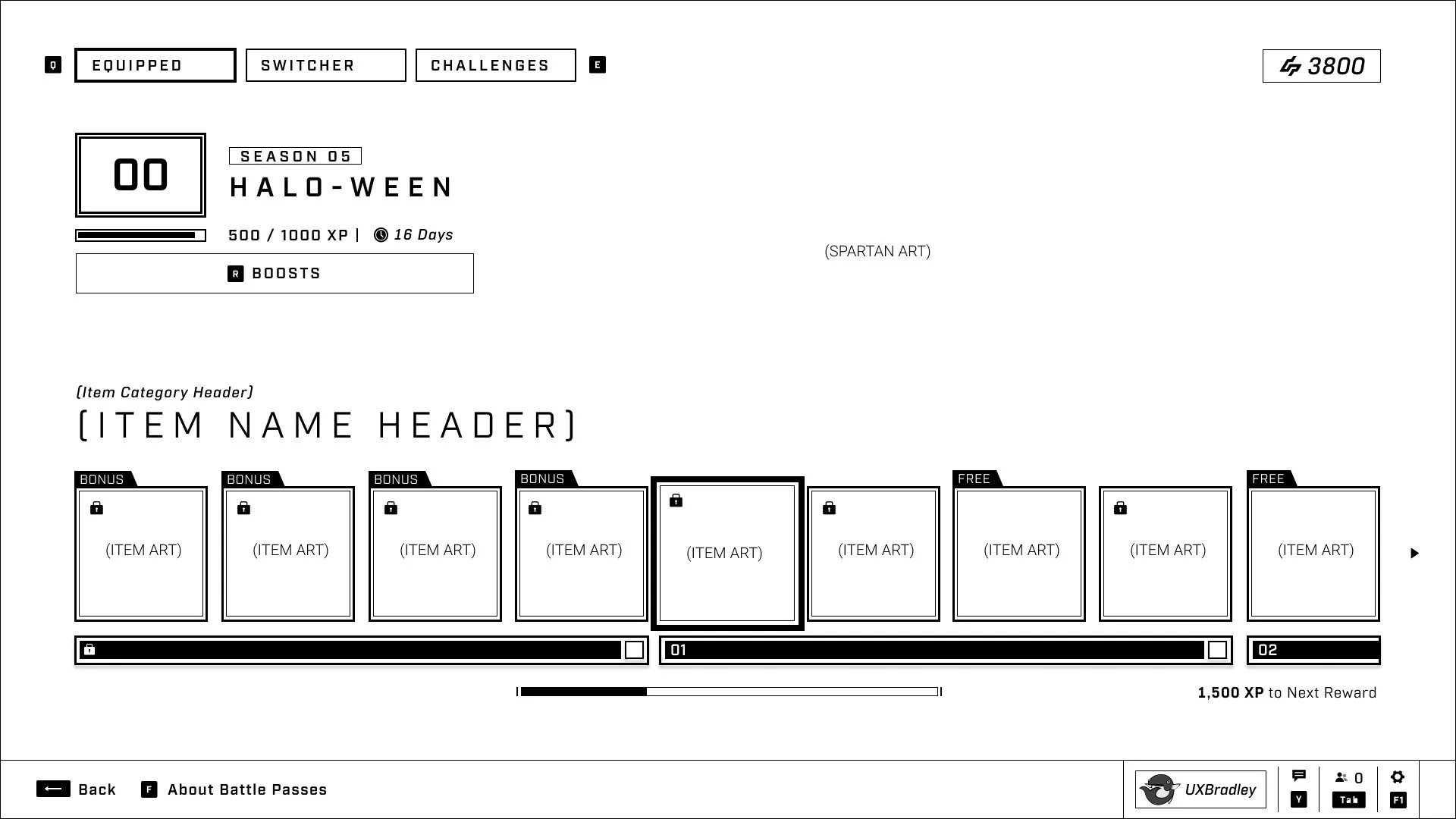
This is the state of the EQUIPPED tab when:
- The user has purchased this Battle Pass
- The LIVE and EQUIPPED Battle Pass are the same
- The user has completed levels 1 to 3 and the auto-focus when they enter this screen has moved the user's reward track to start at Level 04 (the level they are currently on) and is showing the first reward of the next level. (Level 05)
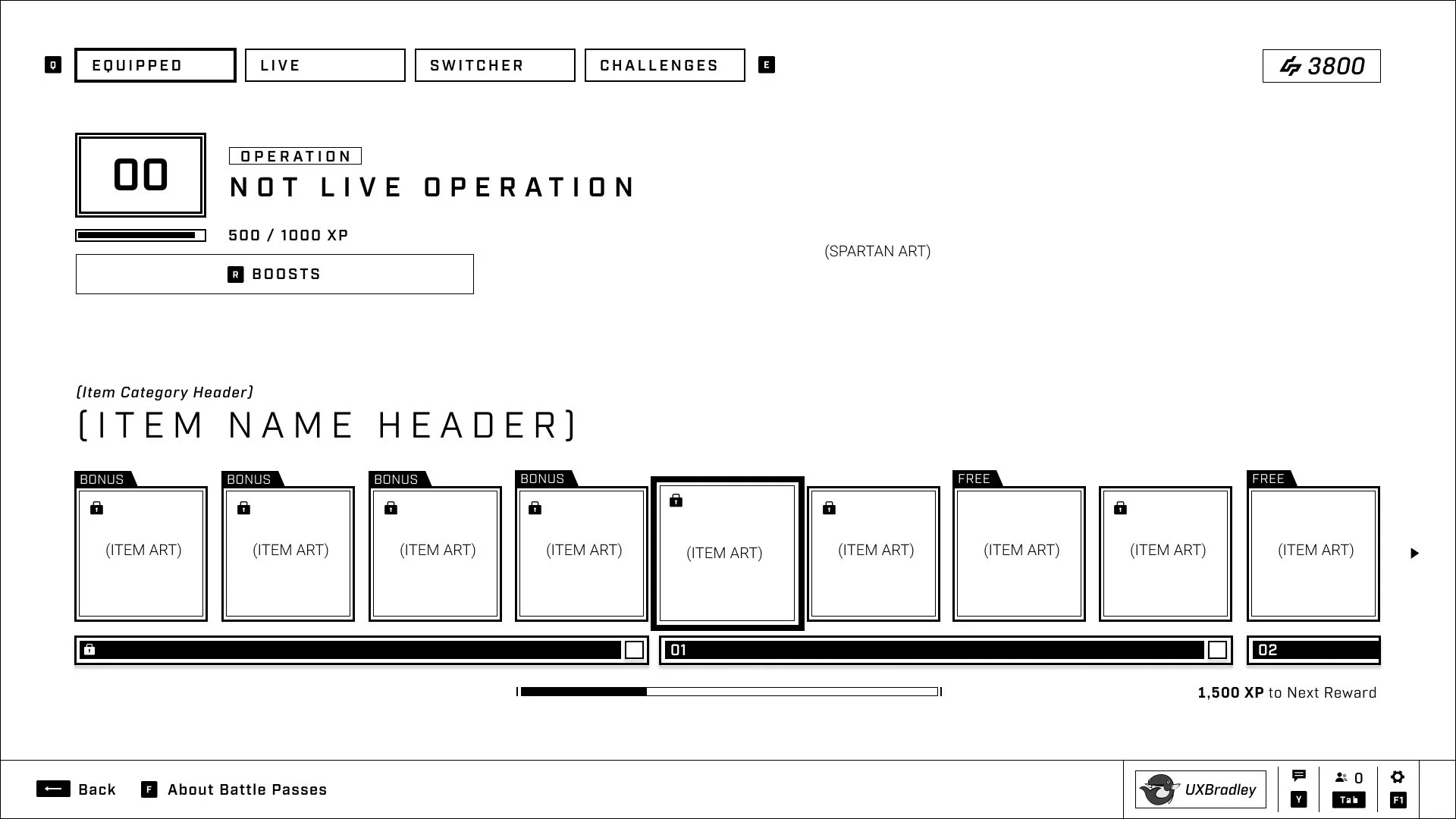
This is the state of the EQUIPPED tab when:
- The EQUIPPED Battle Pass is not the LIVE Battle Pass
- The user has already purchased and owns this Battle Pass
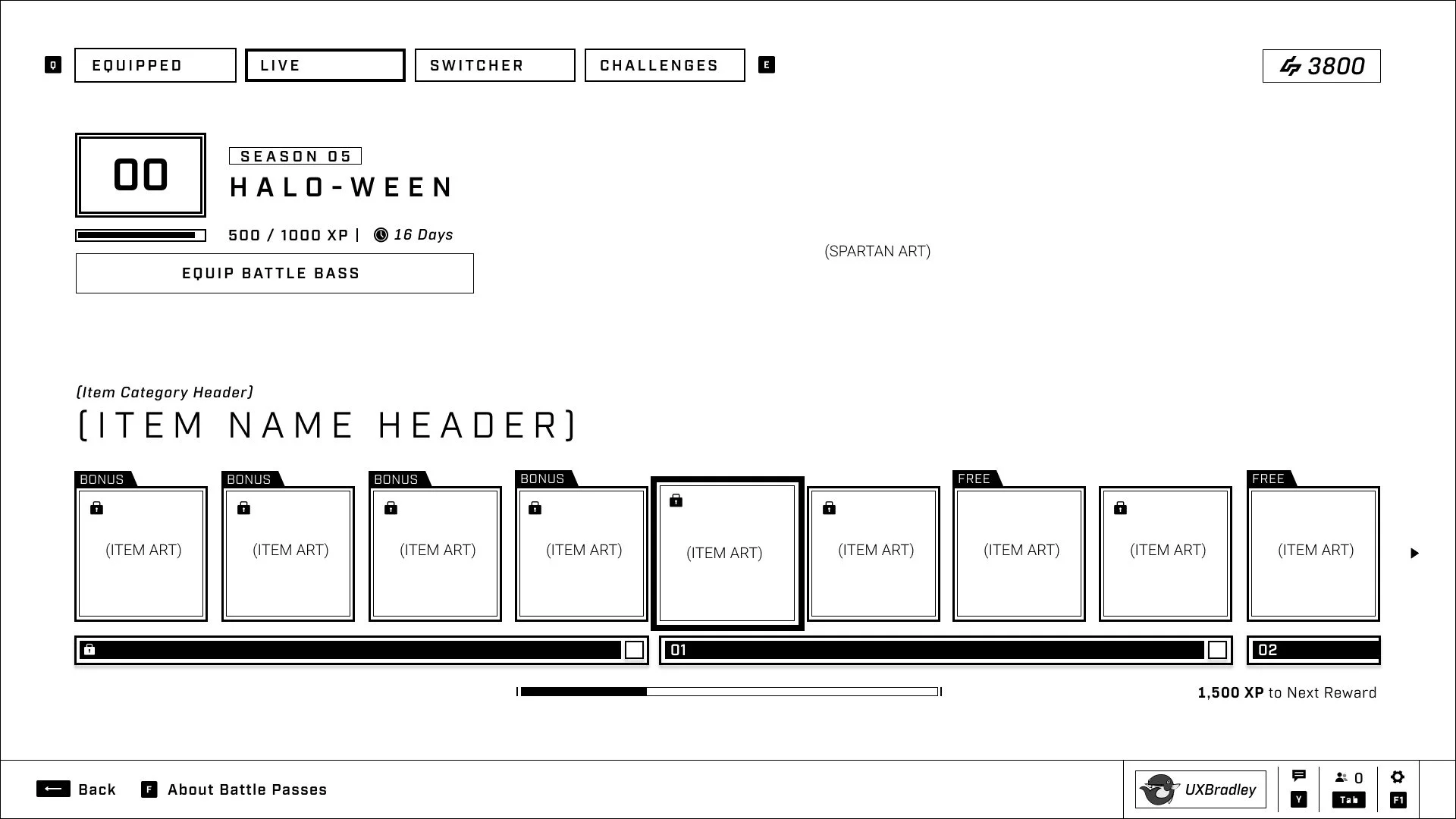
This is the state of the LIVE tab when:
- The user already purchased and owns the LIVE Battle Pass
- The LIVE Battle Pass is not the EQUIPPED Battle Pass
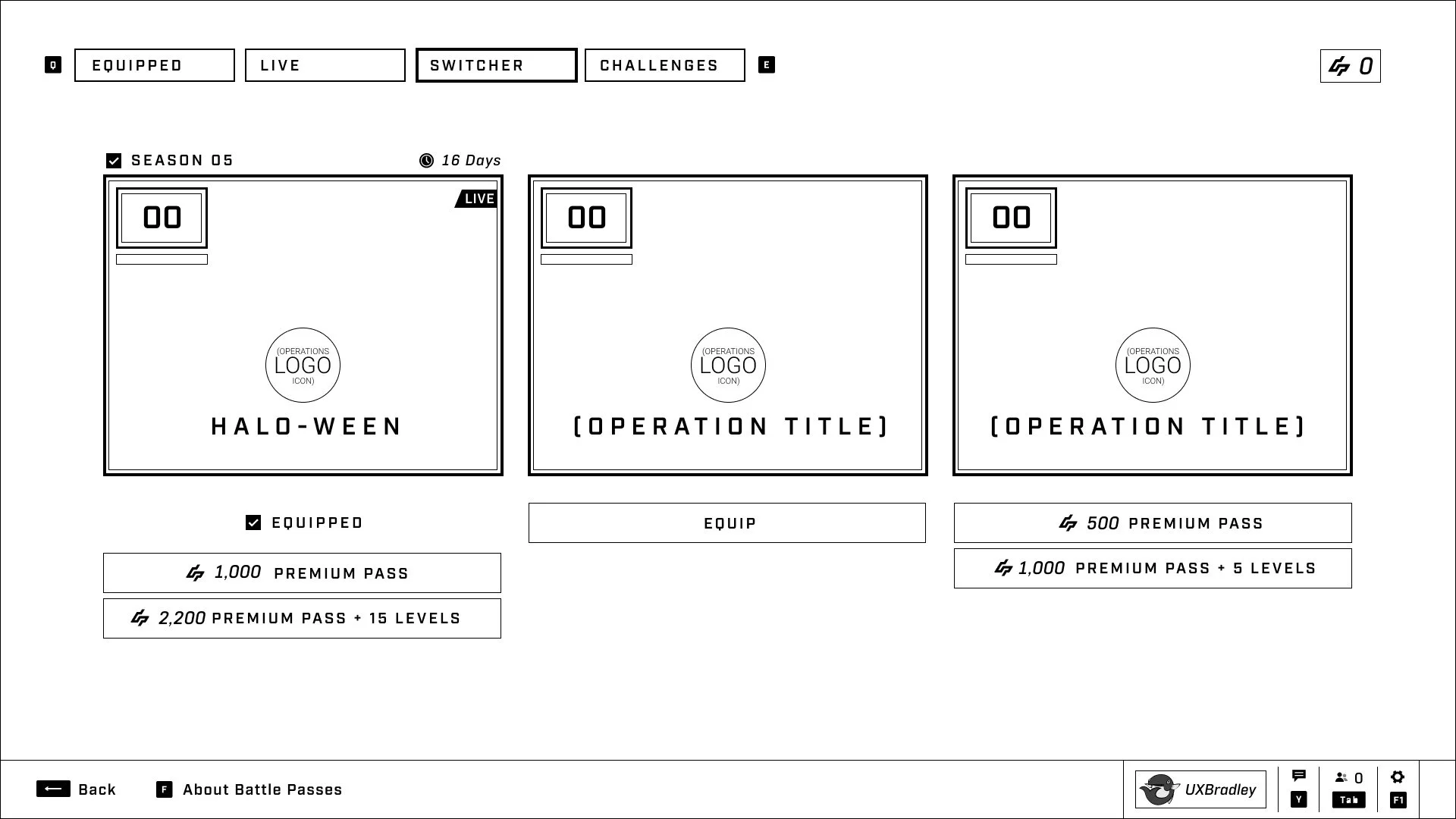
This is the state of the Switcher when:
- The LIVE Battle Pass is the one that is equipped
- The user has not purchased the 1,000 credit option (grants ownership of the Battle Pass)
- The user has not purchased the 2,200 credit option (grants ownership of the Battle Pass + free levels)
- Note that the prices of the Battle Pass purchase options between a Season (Large Operation) and Small Operation are different.
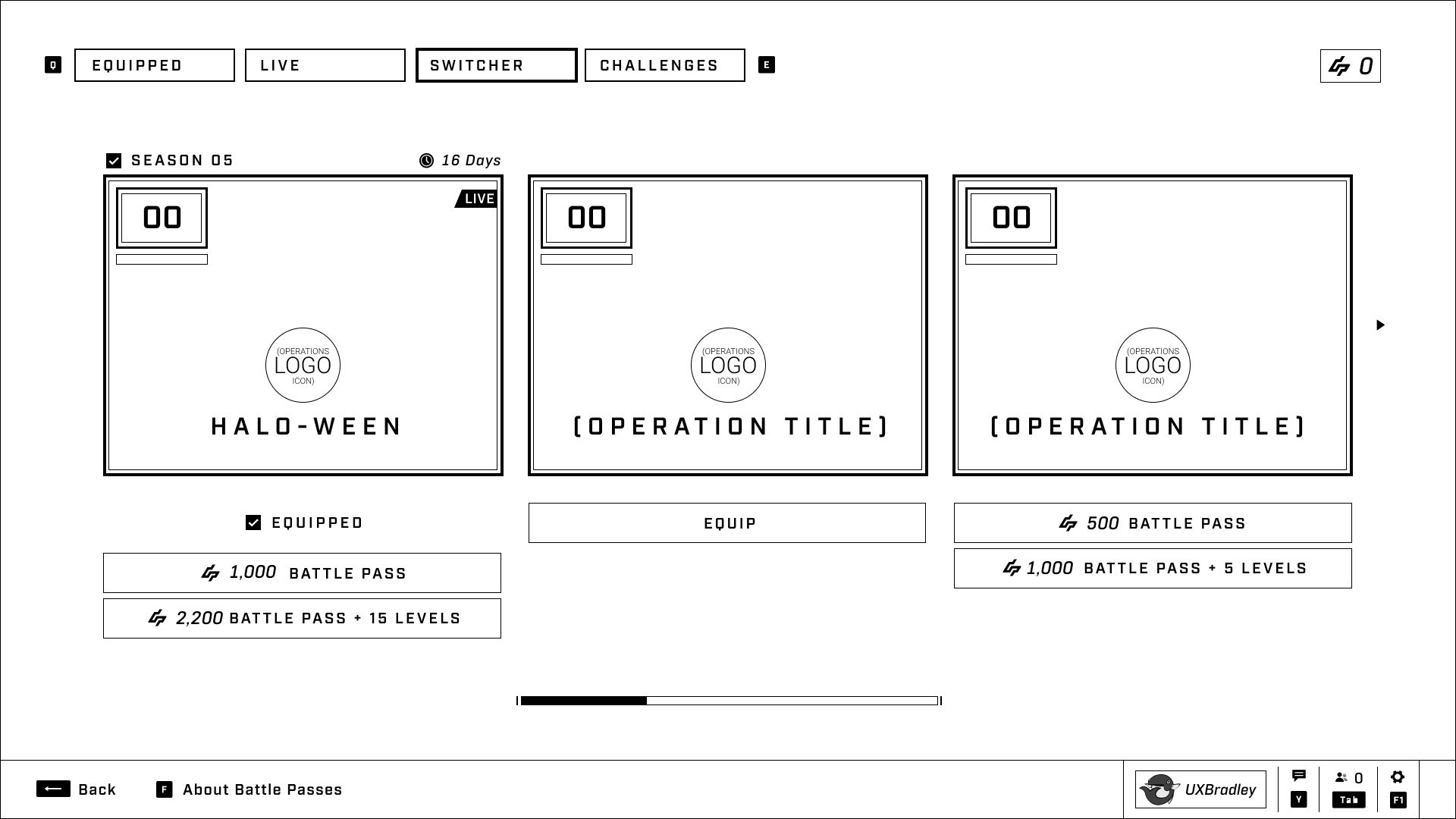
This is the state of the Switcher when:
- The LIVE Battle Pass is the one that is equipped
- The user has not purchased the LIVE Battle Pass
- There are more than three Battle Passes in the collection
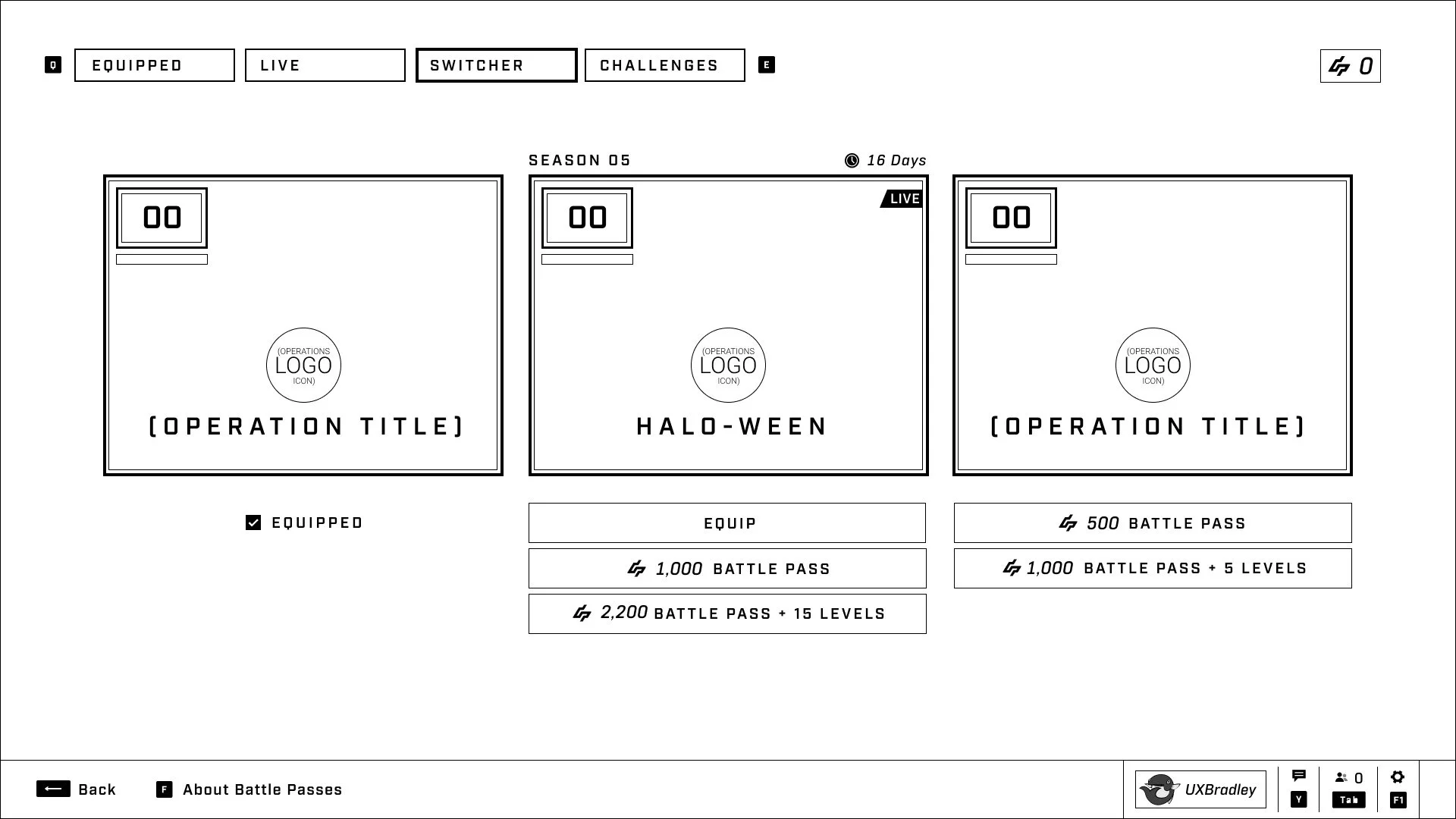
This is the state of the Switcher when:
- The Battle Pass that is equipped is not the LIVE Battle Pass
- The user has not purchased the LIVE Battle Pass
- There are more than three Battle Passes in the collection
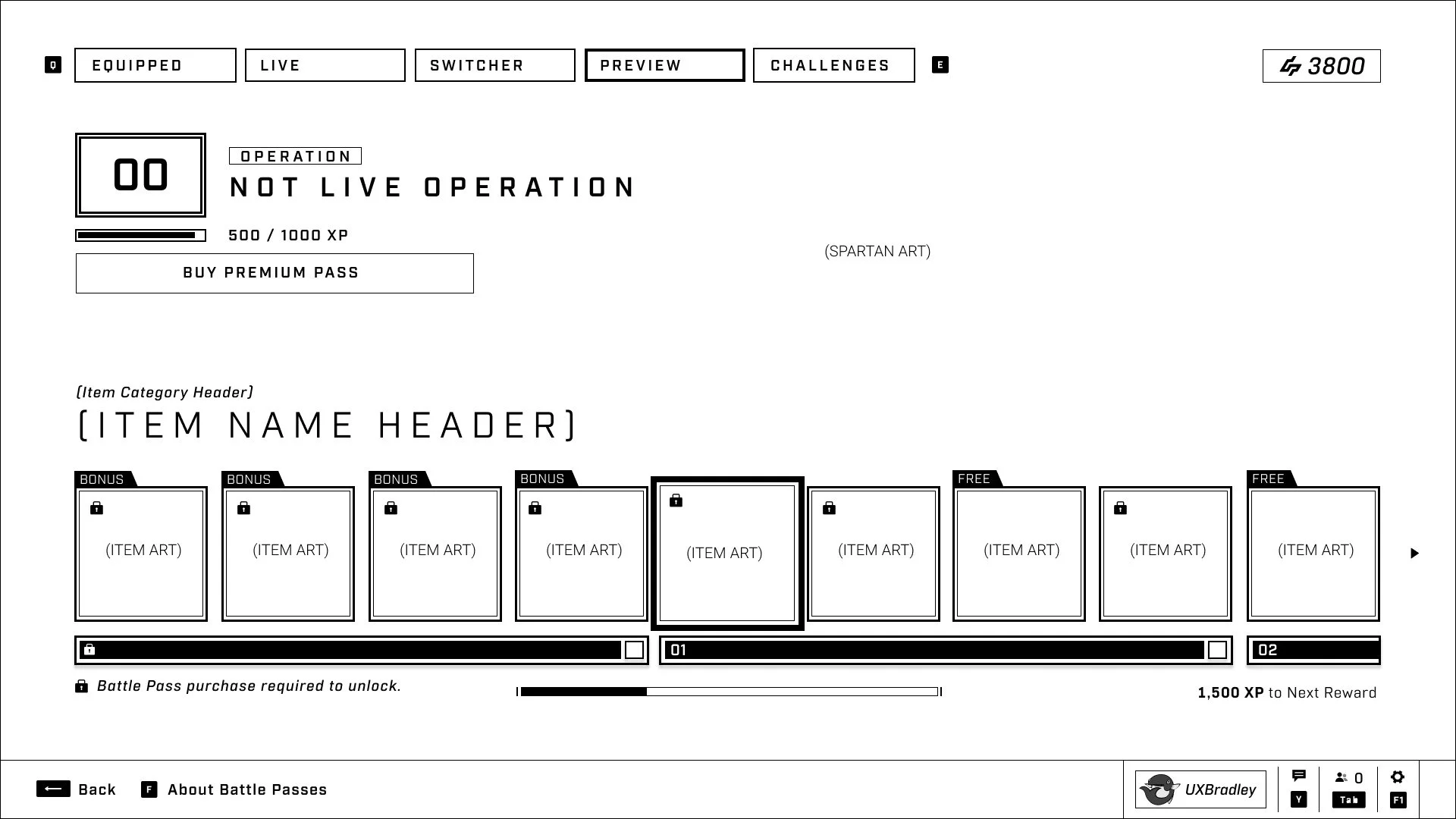
The preview tab appears when:
- The user has selected a Battle Pass to view or purchase (assuming it is NOT the current LIVE or EQUIPPED Battle Pass but one of the other options from within the switcher)
Users will be able to navigate between the tabs with this temporary preview tab open to compare between them if they wish.
Once the user backs out and exits this view, the preview tab will disappear.
This shows the selected Battle Pass in the state where the user has not purchased it yet.
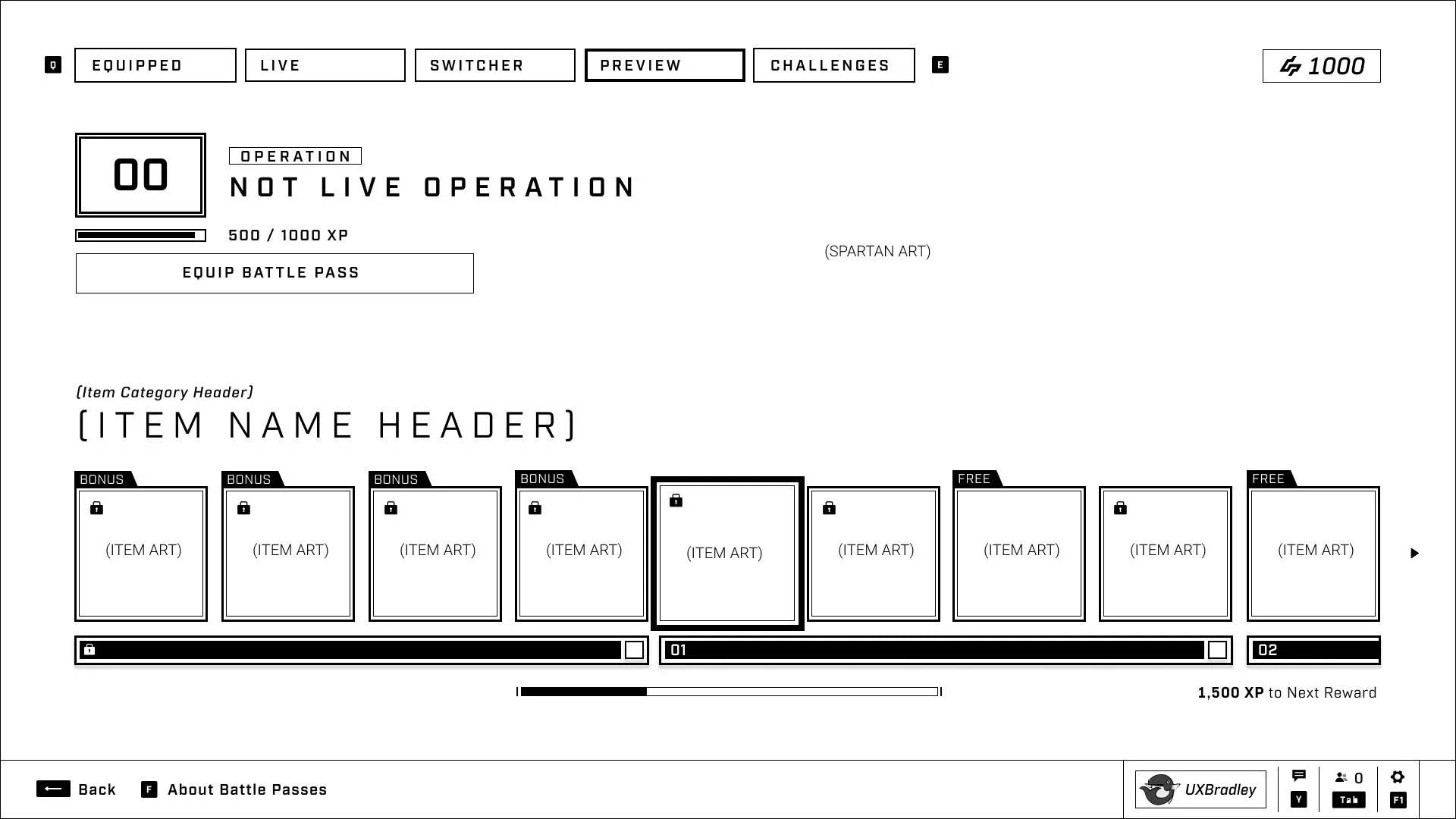
This is the state of the PREVIEW tab when:
- The selected Battle Pass that the user is viewing is not the LIVE or EQUIPPED Battle Pass
- The user has purchased and owns this Battle Pass but does not have it equipped
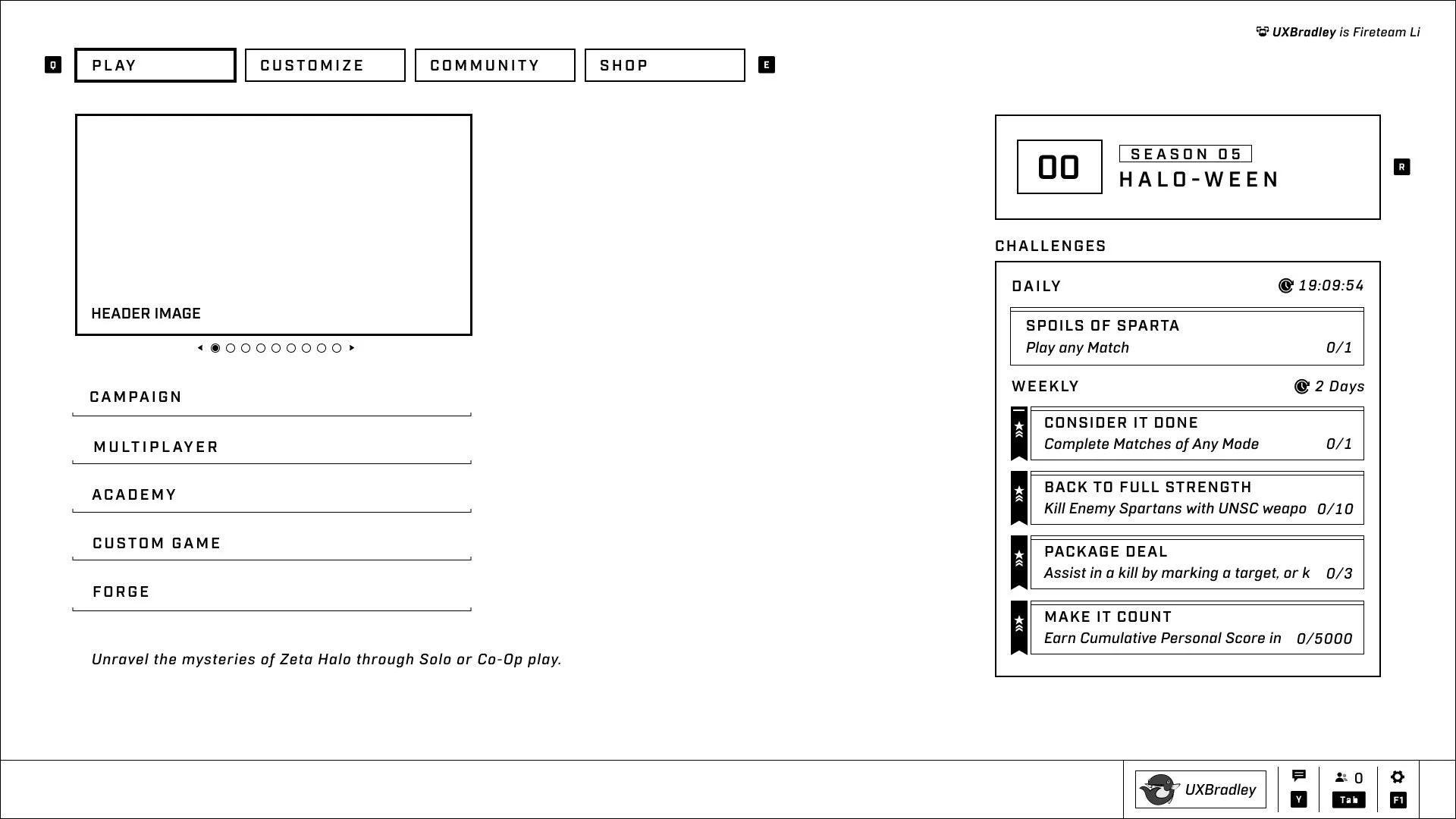
This is the state of the Progression Widget when:
- The user has a Season Battle pass equipped (the label above shows Season XX)
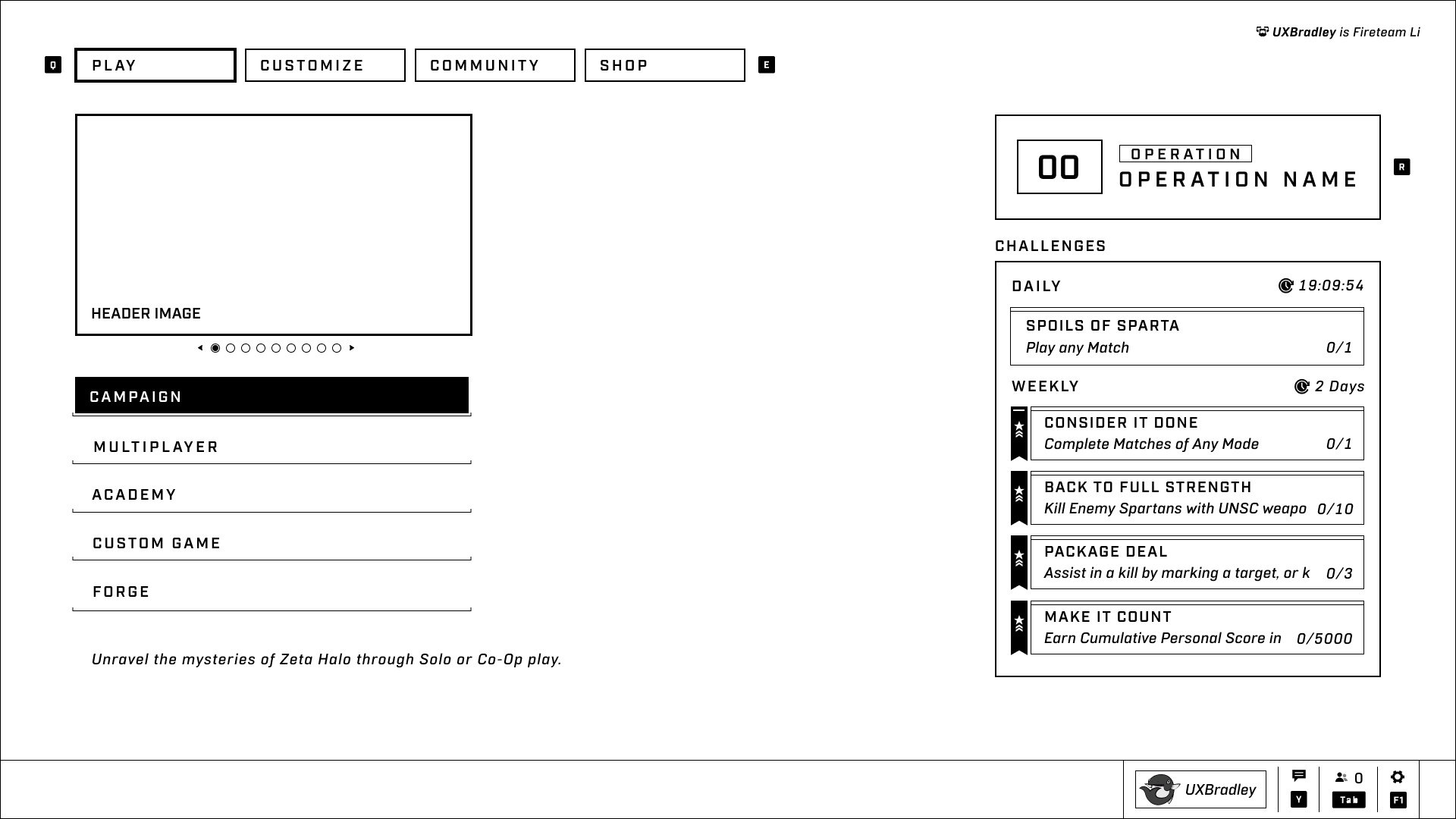
This is the state of the Progression Widget when:
- The user has a Operation Battle Pass equipped (the label above shows Operation)
In any situation where the purchase button is available to the user, these rules apply.
- The user has maxed out all of the levels in their Battle Pass
- This only applies to the button that lets the user purchase the Battle Pass and additional Level Skips
- The user has maxed out all of the levels in their Battle Pass
- If the user's remaining levels to earn is under the number of Levels they will be automatically earning by purchasing the Battle Pass + Levels, they can choose to do that anyway and waste the overflow levels
- Example: I only have 5 levels left before I max out my Battle Pass, but I don't feel like doing the last 5 levels and purchase the Battle Pass + 15 Levels. I will be granted 5 levels and waste 10 of them
- The user finds out about Operations and Seasons (through multiple paths but mainly the Interstitial)
- The LIVE Battle Pass for the Operation or Season is auto-equipped.
- The user buys the LIVE Battle Pass or doesn't.
- The user plays the content
- The user finishes the Battle Pass or doesn't
Some Questions identified during Stakeholder Review on 06 Mar 2023:
Some Questions Identified during Review on 21 Feb 2023 –
-
[Unanswered]
Where do the past Seasons go?
- We need to follow up on this. There is some expectation that past seasons would go away and be re-bundled.
- Community will need to be made aware of whatever decision is made here.
-
[Unanswered]
Is it possible to categorize these by years?
- We should return to this question when we have a better idea of how the past content should be.
-
[Unanswered]
Could we make our Operations Completion more visually rewarding? (It’s a lot of text)
- Players will see this message after they are given the final Reward Moment, so there are some visual flares around it.
Some Questions identified during Stakeholder Review on 06 Mar 2023:
-
[Answered]
Some confusion around Live & Equipped Tabs for the reward tracks. What’s the correct order, how should this be represented, and what should players see first in this list?
- Since the NEW LIVE operation is auto-equipped, users will only see the LIVE tab if they manually equip an older Operation that they have purchased and own. Meaning that the EQUIPPED tab is the first tab / furthest on the left except in the scenario described.
Some Questions Identified during Review on 21 Feb 2023 –
-
[Answered]
How do the UX Questions relate to the Idealized Flow?
- Effectively, MVP flow is just getting the minimum in for our transition from Seasons to Operations.
-
Idealized Flow answers the remaining UX Questions from the overview and provides a better experience.
- We likely can knock out the MVP spec and then get to some of the Idealized Flow within
- We should keep this in mind as we move further forward.
-
[Answered]
Sub navigation within the Idealized Operations Page. Where does this exist?
-
This goes from the Progression Widget on the Main Menu.
- Summary Screen and Upsell Screen are gone.
-
This goes from the Progression Widget on the Main Menu.
-
[Answered]
What is the difference between the MVP vs Idealized Flow?
- We’d be reducing work in some areas and increasing work in other places if we went with Idealized Flow
- We’d still need to do the majority of the MVP work, we’d just need to exclude it on some of those screens.
-
[Answered]
Should we allow players to permanently turn off interstitials.
- No, we trigger for players once and they won’t see again unless new content is available or they go find it to re-open.
-
[Answered]
How do we handle auto-equipping of the most recent Operations?
- ALL new LIVE Operations will be auto-equipped at the start of the live period for the Operation
-
[Answered]
Do we want to use the area above the card on the switcher page where the season text could be contained?
- The Season text has returned
-
[Answered]
If an Operation is no longer LIVE, are there still two purchase options?
- Yes, users have both purchase options
-
[Answered]
Do we want for players to re-access the Interstitial for a given operation so players can see an "overview" of what that operation contains?
- Users will be able to access the Interstitial for a given operation when they haven't purchased it yet
- FOLLOW UP QUESTION - Do we want users to be able to see the Interstitial regardless? Recommendation is no.
UX Tech Team:
- Need UX Tech to validate the feasibility of implementation for Season 5
Development Team:
- Need development team to validate the feasibility of implementation for Season 5
- Need development team to call out dependencies and risks.
As of 21 Mar 2023:
- Some of our buttons may require scrolling when they are processed through Localization. Let’s ensure we are setting character limits so Writers and Localization teams know how long we can go.
- Ensure upcoming branding review around L/M Operations contains Marketing ([Name redacted for portfolio presentation]).
-
Operations team need to align with Monetization team features that involve potential UX changes to the screens here. Specifically around:
- Skipping Battle Passes
- Operations team need to work with Franchise writers for final nomenclature well before Content Complete of 1.5 so text can be fully locked.
- Operations team will need to follow up with Analytics to ensure we have the data needed with Operations feature to maintain current metric reporting (for comparison with retail).
| ID | Date | Author | Description |
|---|---|---|---|
| 8 | 24 Nov 2023 | @bradleygrey | Retroactively adding document status to the top of the page. UX phase was completed and handed off in May |
| 7 | 03 May 2023 | @bradleygrey |
Due to some issues / bugs that were encountered in implementation – the Challenge Widget now does not hide on the Main Menu and is always visible. Decision was made by [Name redacted for portfolio presentation] on 03 May 2023. Solution was agreed on by:
|
| 6 | 01 May 2023 | @bradleygrey |
Archived v05: [Links redacted for portfolio presentation] Main Changes:
|
| 5 | 17 Apr 2023 | @bradleygrey |
Please refer to [Links redacted for portfolio presentation] to see the differences to UI elements VS what's shown in the wireframes. This product has moved into the UI Art and Implementation phases. Functionality and design notes in this spec are still valid. Also updated the purchase button text based on decisions made here: [Links redacted for portfolio presentation] |
| 4 | 06 Apr 2023 | @bradleygrey | Per a question about purchase button behavior from [Name redacted for portfolio presentation] and a discussion with [Name redacted for portfolio presentation], [Name redacted for portfolio presentation] and [Name redacted for portfolio presentation] – the "Behavior of Purchase Buttons + Boosts" section was added to address the question and discussion results. |
| 3 | 23 Mar 2023 | @bradleygrey | Season 03 updated some of the UI elements. Wireframes were not accurate to the Season 03 retail build as of 23 Mar 2023. They were update to be accurate. |
| 2 | 22 Mar 2023 | @bradleygrey | Product Owner made the call to make the Challenges Widget hidden until the user's focus is on the Progression Widget. |
| 1 | 21 Mar 2023 | @bradleygrey |
Completed third iteration, versioned out to this spec. Archived previous versions:
V02 contains Stakeholder review feedback. V03 contains UR session notes & feedback. V04 wireframes were not accurate to Season 03 retail build. Main Changes:
|