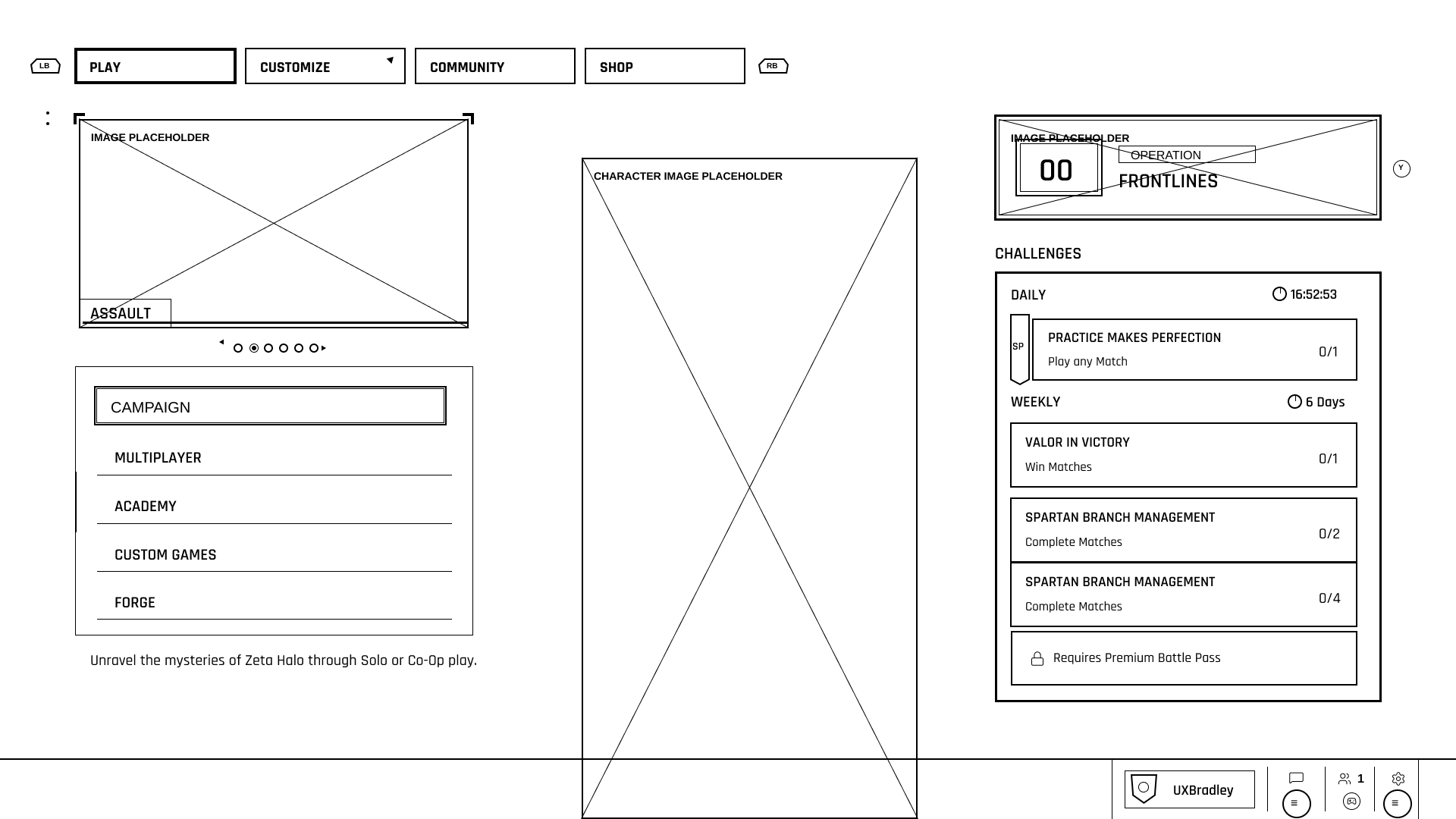
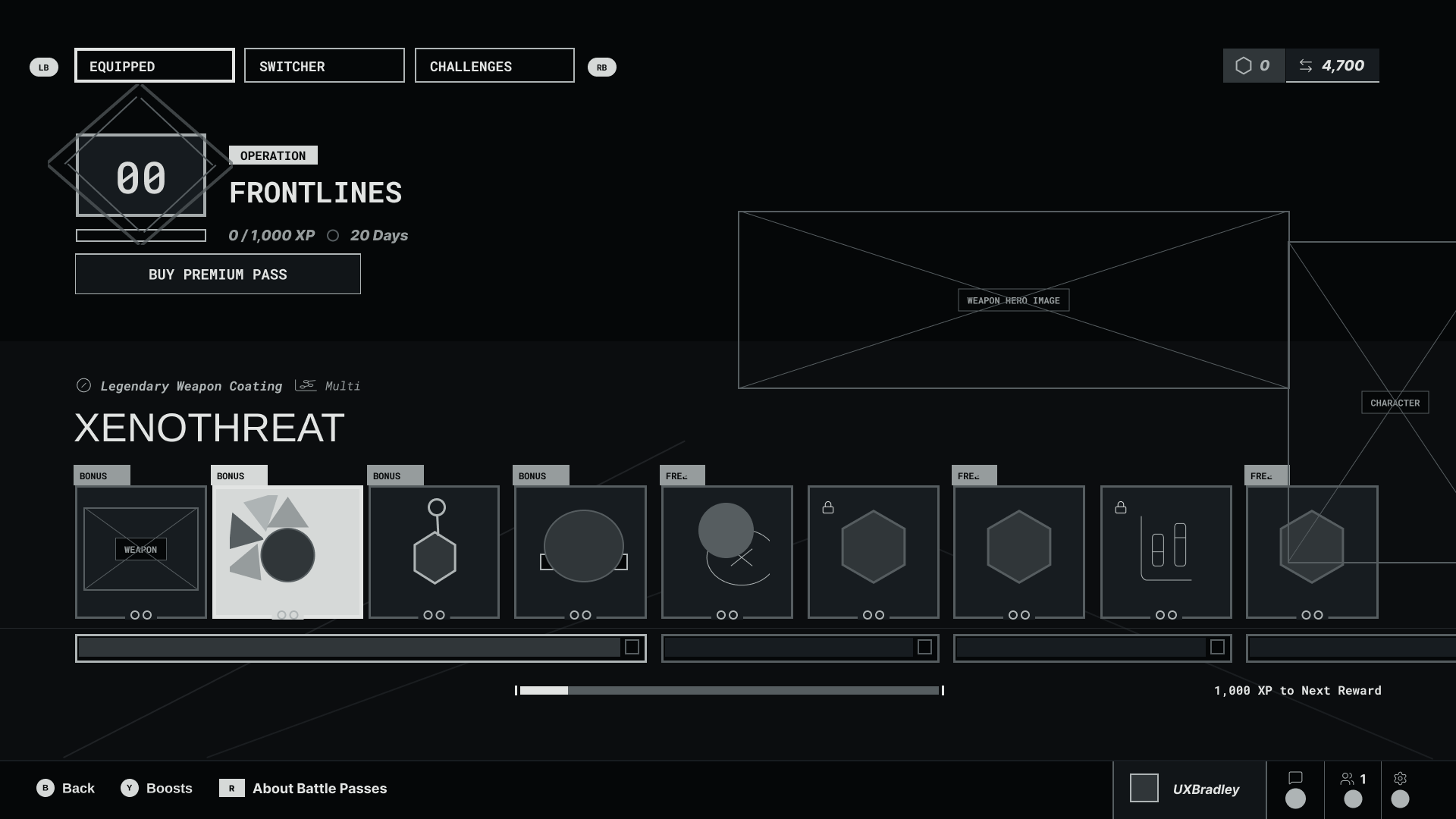
Screenshots to Wireframes
THE WINNING PROMPT (so far)
❝ Create a detailed, fully editable wireframe from the attached screenshot.
Fidelity requirements
Match the screenshot’s frame dimensions exactly. Reproduce every UI element at its exact position, size, spacing, and proportion. Do not redesign, simplify, improve, normalize, reorganize, or reinterpret anything. Preserve unusual and custom silhouettes. Trace them as continuous editable vector paths—not combinations of approximate rectangles, triangles, or decorative lines. Match borders, inset borders, selected states, tabs, segmented bars, icons, controls, and small details precisely. Align each text layer’s upper-left origin with the source text. Keep text editable; minor glyph differences caused by font availability are acceptable. Preserve the exact number of visible items and their clipping at the frame edges.
Wireframe styling
Use a white background with black lines and fills. Remove color, gradients, shadows, textures, and visual effects. Ignore photographic content, but preserve its exact occupied bounds using simple outlined placeholders. Keep all interface labels and content visible and editable.
Accuracy
Treat the screenshot as the sole source of truth. Build at the screenshot’s native pixel dimensions. Ensure the result aligns with the source when both are overlaid at 100% opacity. Do not modify or omit elements merely because they appear decorative or insignificant. Deliver only the completed editable wireframe. White background with black lines. Don't fill anything in with black. ❞
THE RESULTS
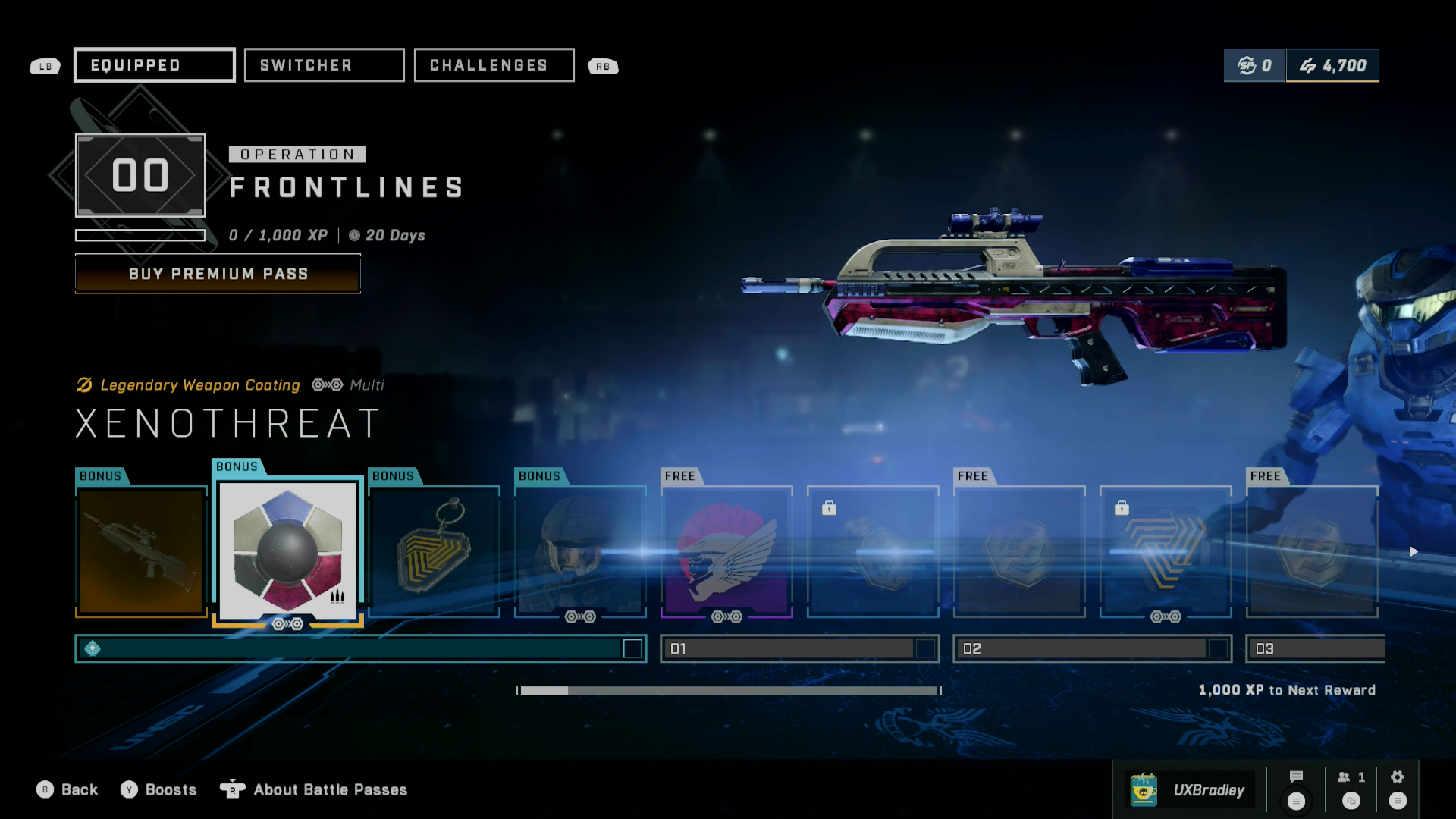
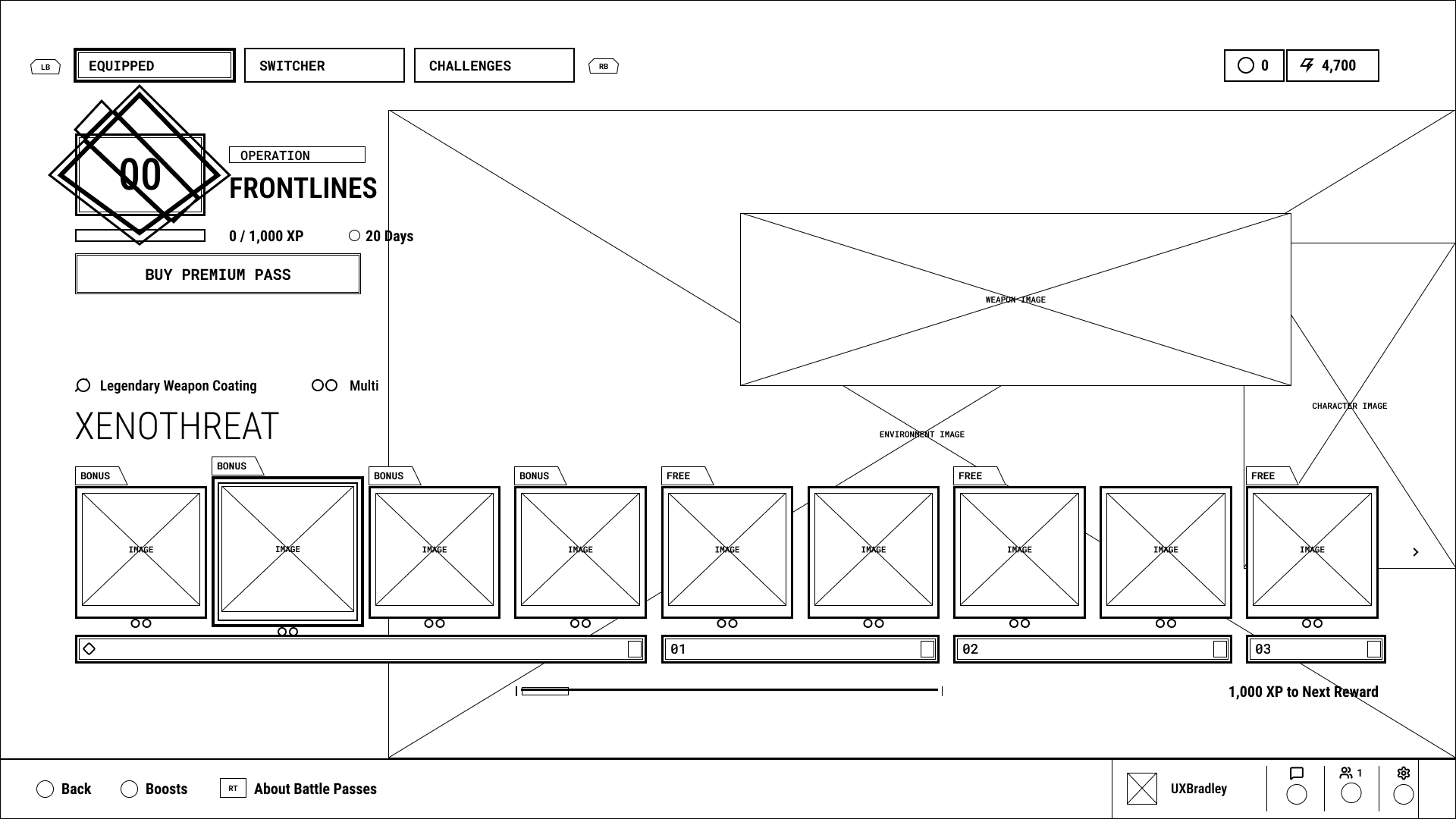
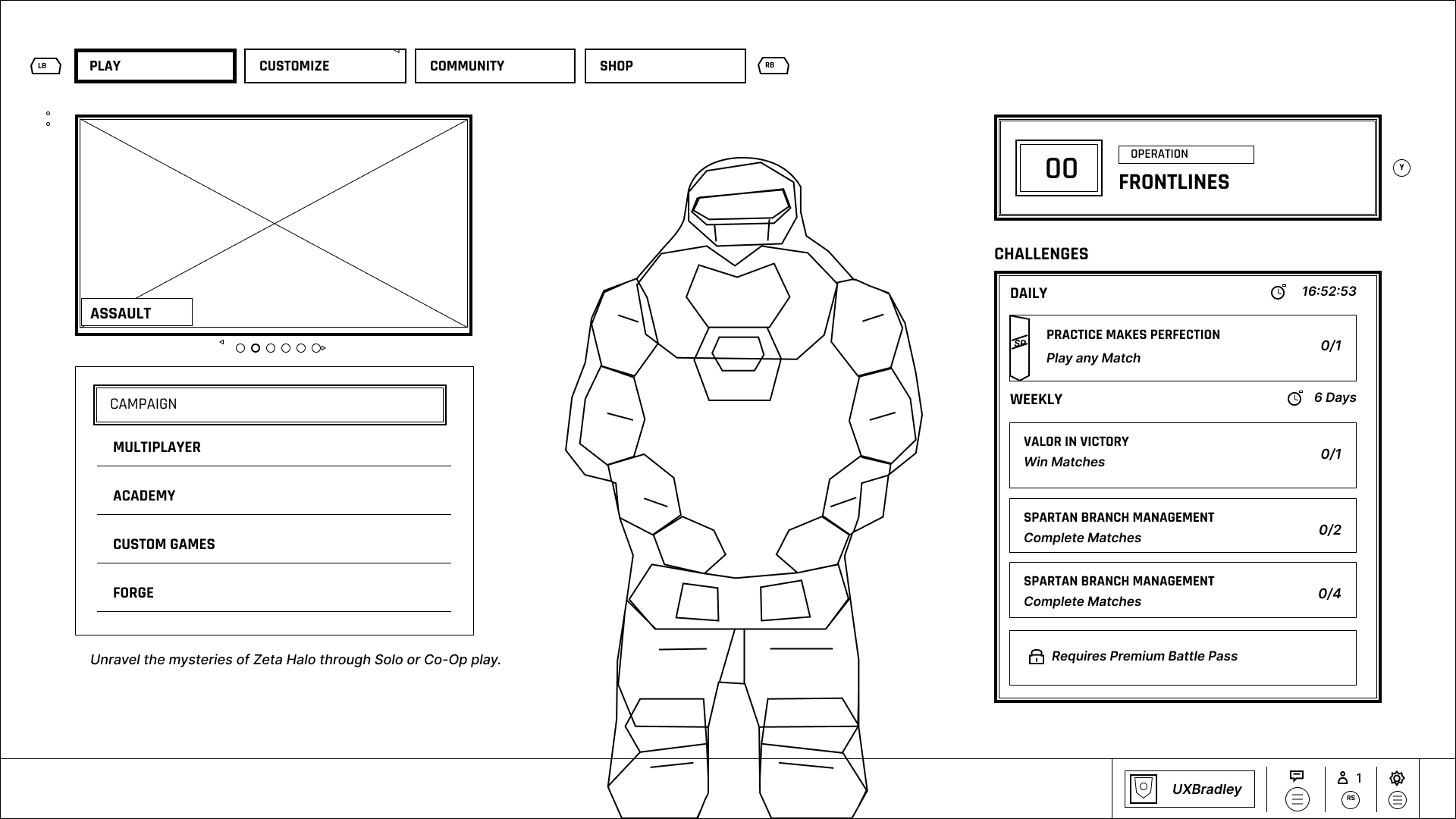
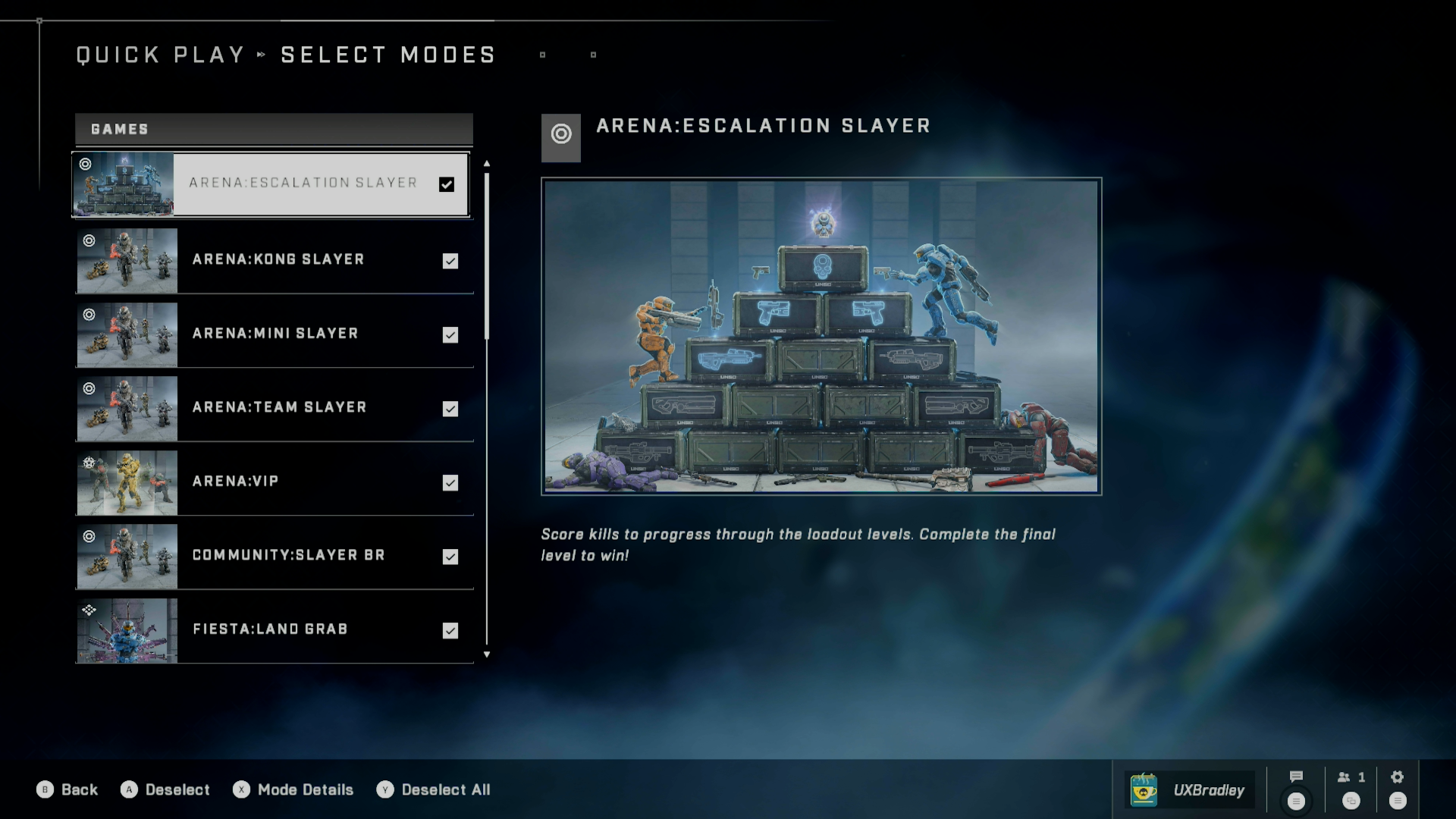
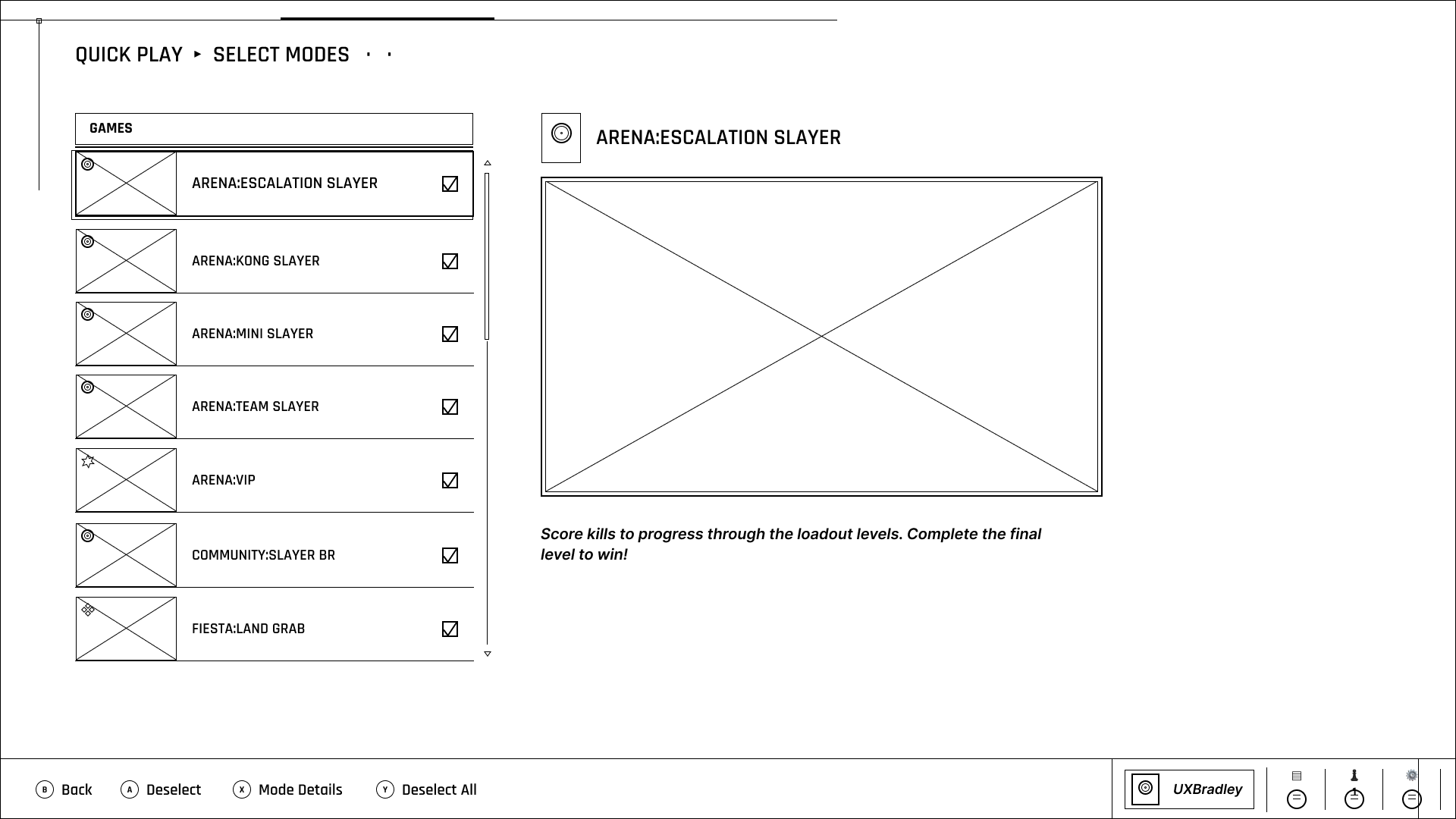
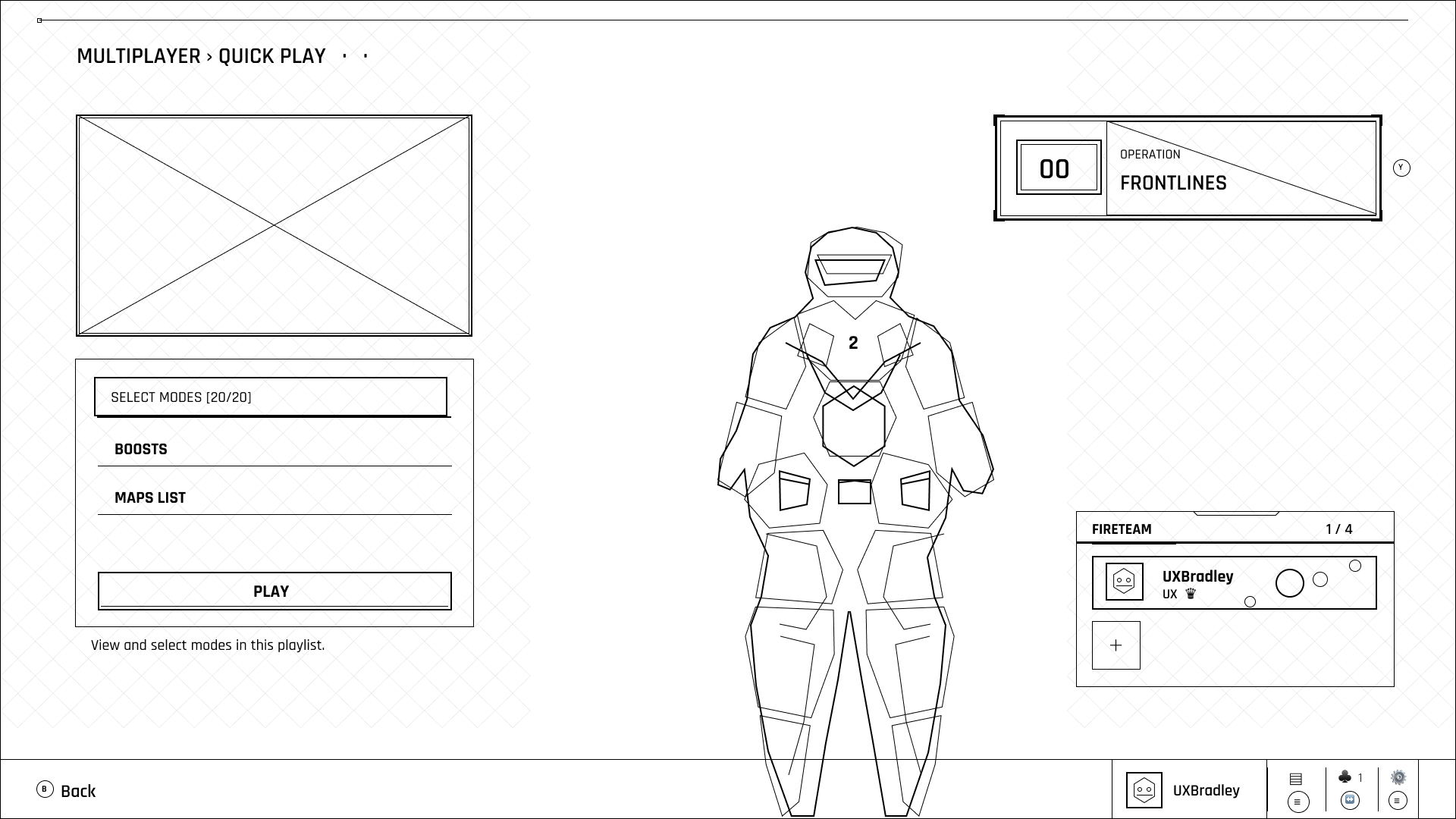
These are the wireframes generated from Figma Agent using the winning prompt. I’ve put them next to their original screenshots.
Wireframes have not been cleaned up or edited after generation.
This is as close as I got to the level of detail and quality I wanted from the wireframes. It’s still not quite there yet as I strive for pixel perfection but it was getting closer!


The first Prompt
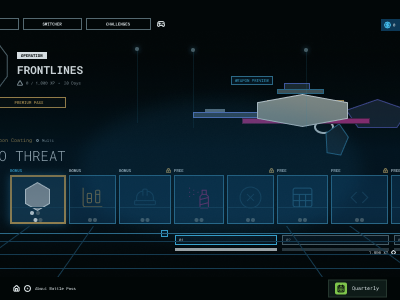
From the original research, this was the first prompt and result generated from it.
It was done by uploading the screenshot into the Figma Agent chat box with the prompt.
❝ Using the provided screenshot as the source, recreate the screen as a detailed, editable wireframe. Preserve the structure of the original interface as closely as possible, including layout, hierarchy, spacing, alignment, proportions, navigation, panels, controls, lists, buttons, tabs, progress indicators, labels, visible text, selection states, and other meaningful UI elements.
Replace decorative imagery or finished visual assets with clearly labeled placeholders where necessary, but do not remove the UI structure surrounding them.
Do not redesign, simplify, improve, reorganize, or reinterpret the interface. The goal is not to create a generic approximation of the screen. The wireframe should be a faithful structural recreation of the existing product.
Use editable text, shapes, containers, icons, and interface elements rather than a flattened image wherever possible.
The final wireframe should contain enough detail that it could be used as a working baseline for designing changes to the existing screen without repeatedly referring back to the original screenshot. ❞
The Iterations
For the second attempt I tried a different method by first giving the Figma Agent an example of the type of wireframe output I was looking for.
Prompt #2
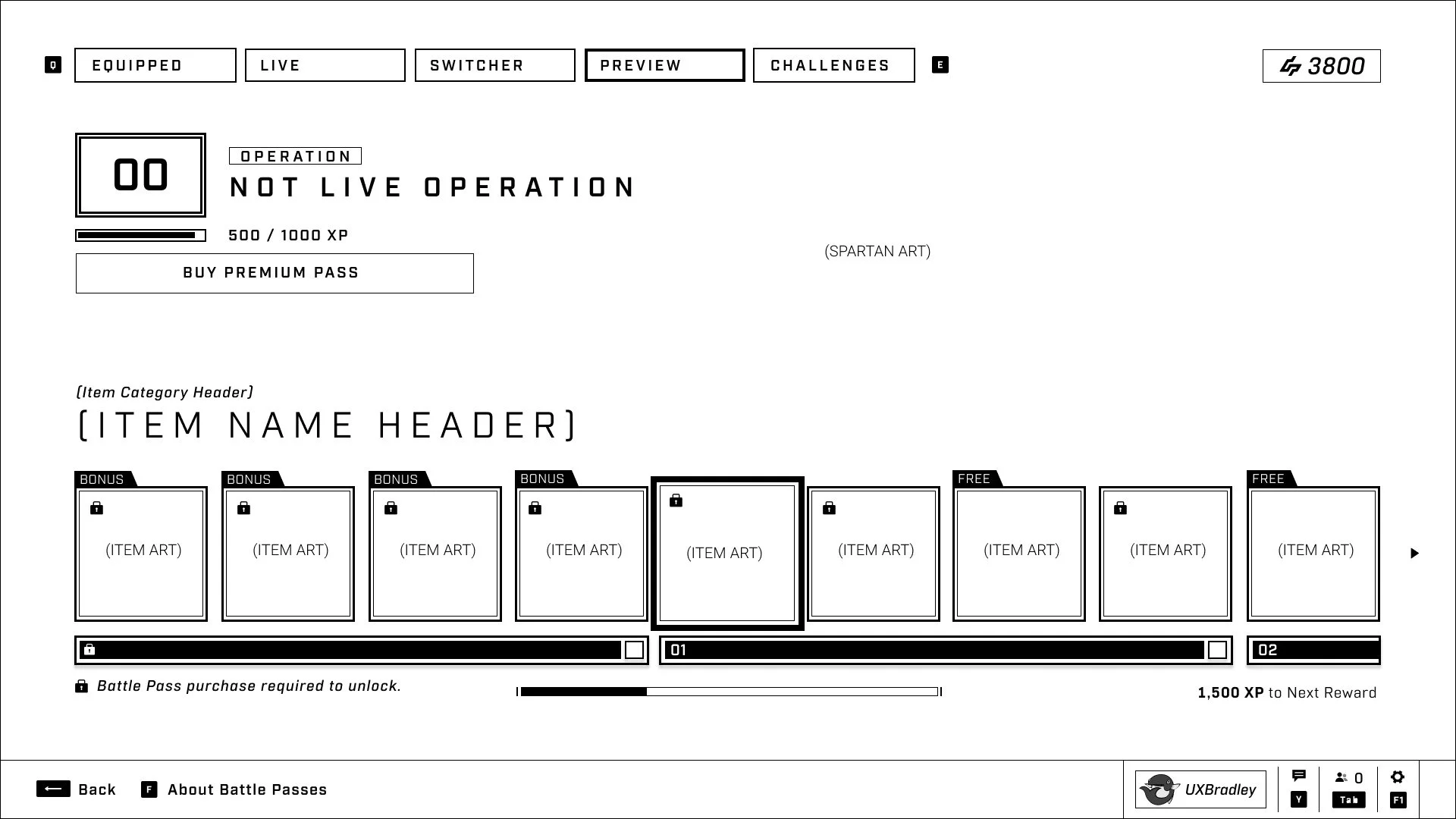
❝ Create a wireframe from this screenshot. Prioritize capturing the UI elements and ensure that they are pixel perfect. The size of the frame should match exactly the size of the screenshot. It should be monochrome and ignore photographic images.
It needs to be a detailed, editable wireframe. Do not redesign, simplify, improve, reorganize or reinterpret the interface. ❞
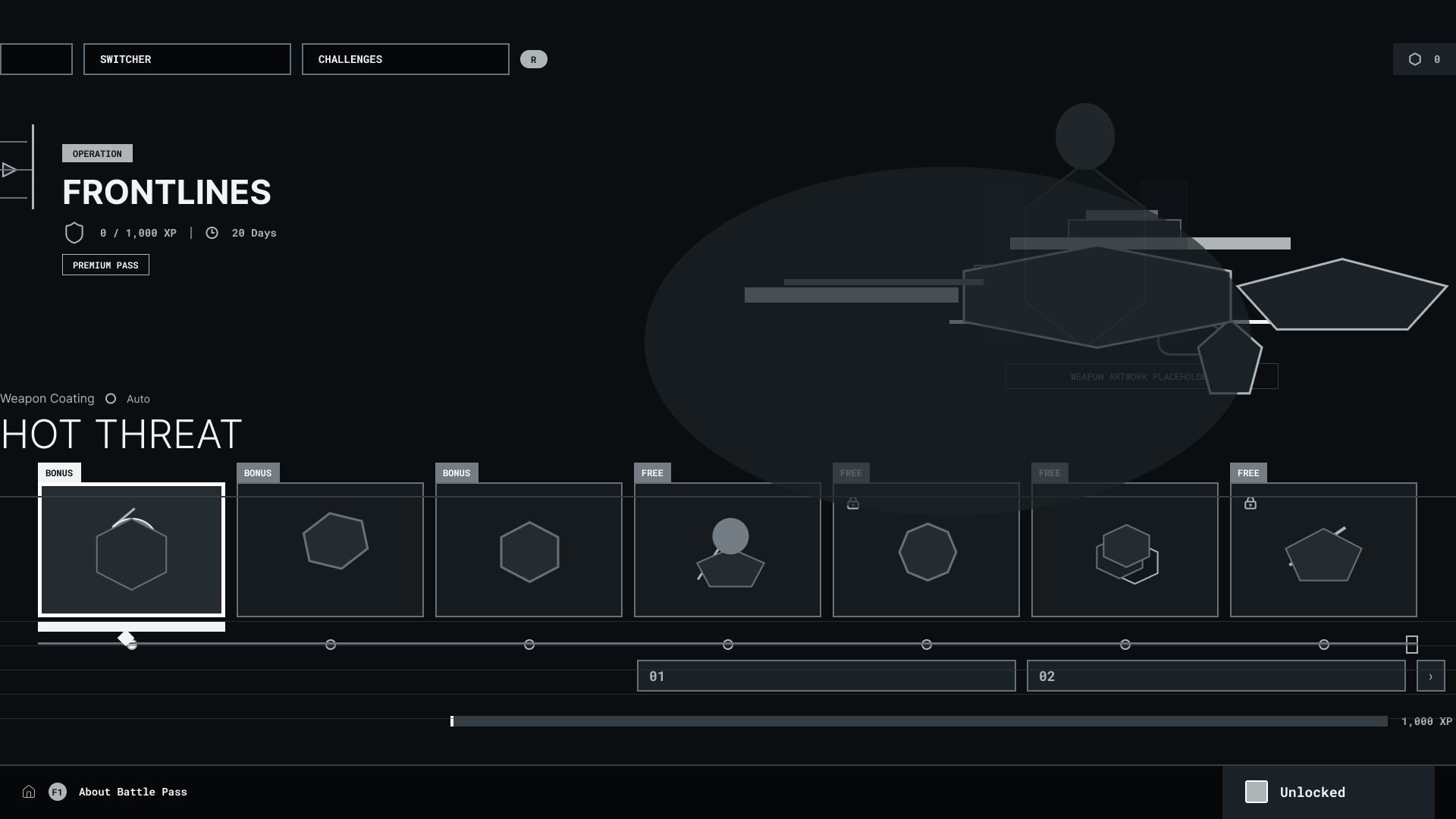
❝ Let's do a second attempt, but this time make sure that it's a black and white wireframe where the background is white and the lines are black.
The last version was not pixel perfect and did not match the screenshot 100% Are we able to get closer to the original image and only capture the UI elements? ❞
PROMPT #3
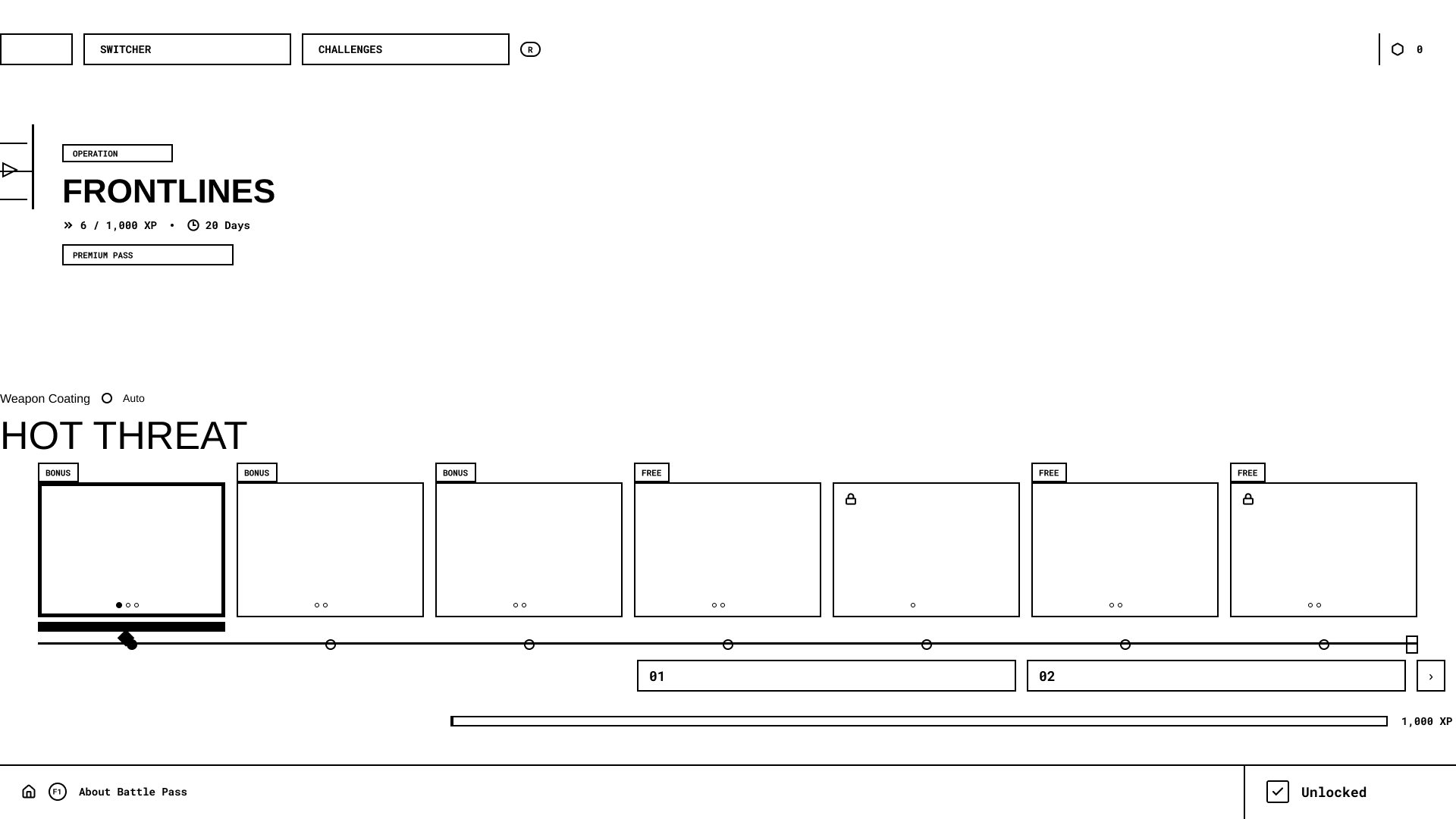
I noticed that the left side of the screenshot wasn't making it into the wireframe. This time I put the screenshot into the Figma file, selected the image and then ran the prompt.
❝ Create a wireframe from this screenshot. Prioritize capturing the UI elements and ensure that they are pixel perfect. The size of the frame should match exactly the size of the screenshot. It should be black and white and ignore photographic images. The background should be white while the lines are black.
It needs to be a detailed, editable wireframe. Do not redesign, simplify, improve, reorganize or reinterpret the interface.
Match each UI element, shape and line 100% to the pixels of the image ❞
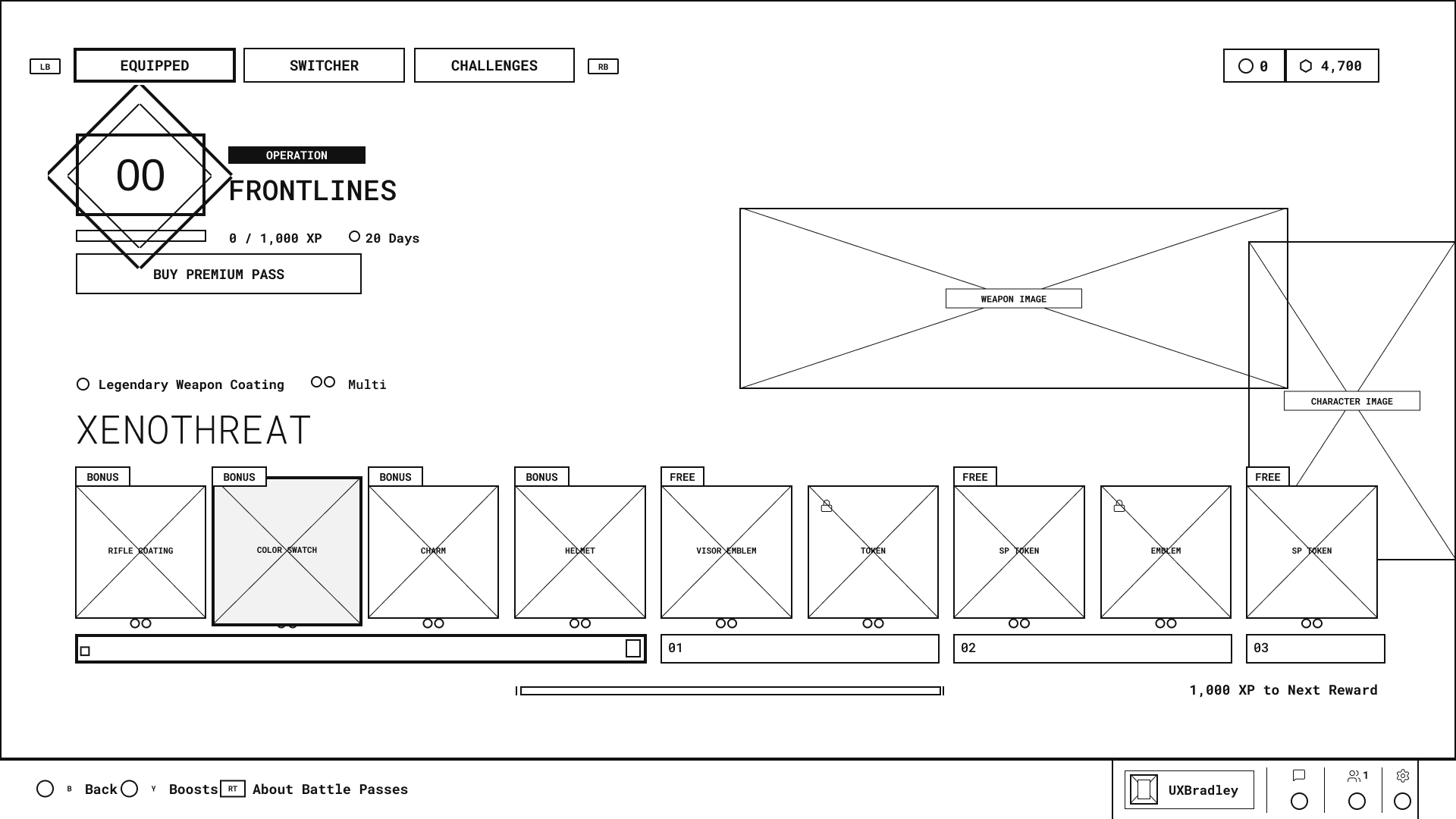
❝ Couple of issues:
- The tabs along the top of some of the boxes right under where it says " XENOTHREAT" aren't the correct shape. We need to make sure that we're matching the shapes exactly. They need to be traced properly
- The bars underneath the row of square boxes is missing details such as the squares on the far right of bar 1 and 2
- The buttons in the last bar on the page aren't correct either. The spacing is not correct and the letters aren't ON the buttons. As well, the press left trigger button for About Battle PAss isn't the correct shape
We need to trace these things 100% pixel accurate ❞
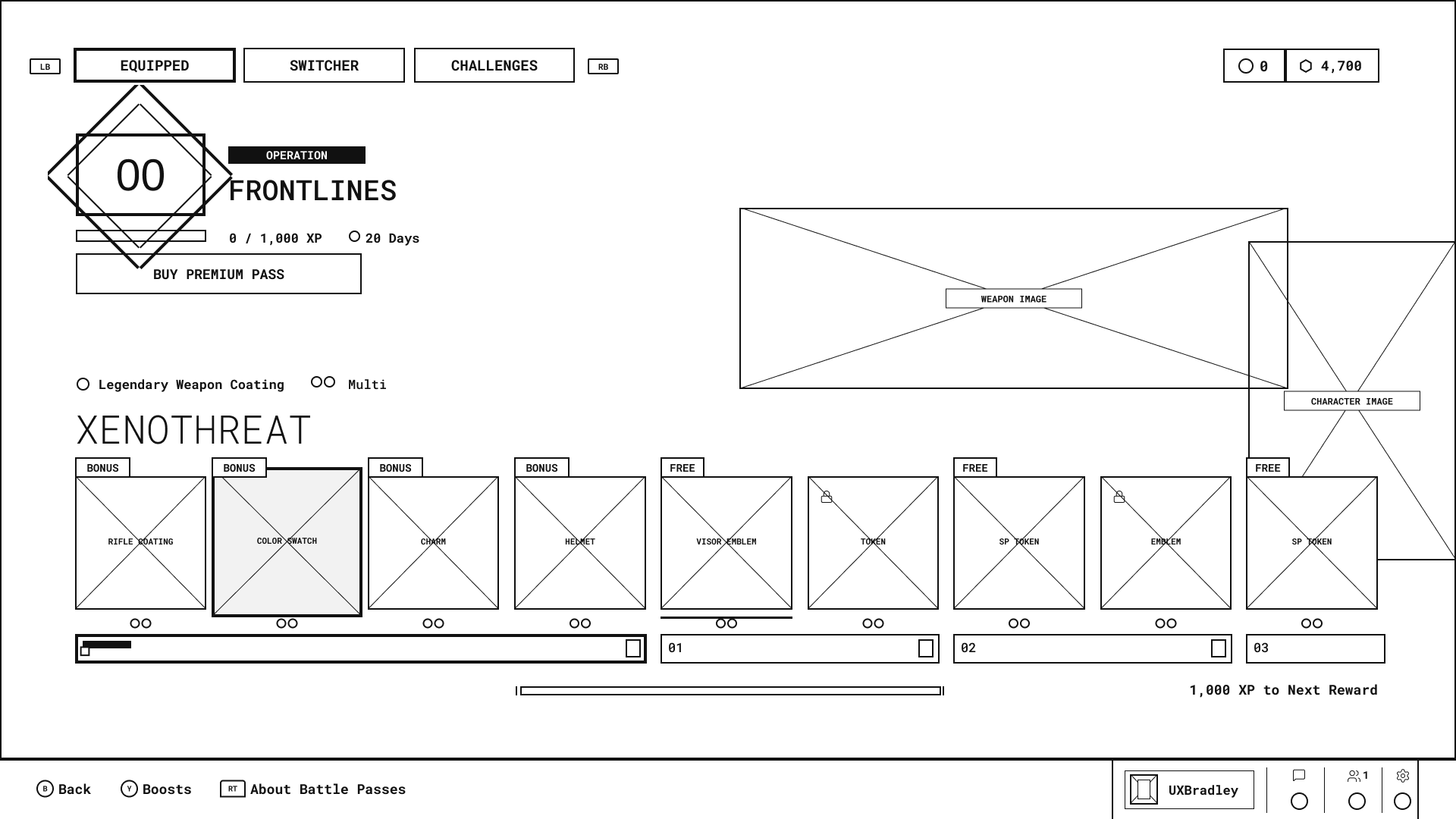
I asked ChatGPT to suggest a prompt to try and get more accurate wireframes.
❝ Keep the current wireframe exactly as-is except for the BONUS and FREE labels above the reward cards.
Rebuild each BONUS/FREE label as one continuous filled tab shape attached directly to the top-left edge of the reward card.
The tab geometry should be:
- flat horizontal top edge
- flat vertical left edge
- flat horizontal bottom edge
- one diagonal edge on the far right that slopes inward from the upper-right toward the lower-left
The entire tab should be a single polygon/path, not a rectangle plus a separate triangle or diagonal line.
The shape should resemble a small trapezoidal banner with a clipped/angled right side:
Keep the label very small, approximately the same height as the BONUS/FREE tabs in the reference.
Do not add decorative triangles, detached wedges, arrows, folded corners, chevrons, or extra diagonal strokes.
Important: the angled edge is simply the right boundary of the filled black label shape.
Preserve everything else unchanged. ❞
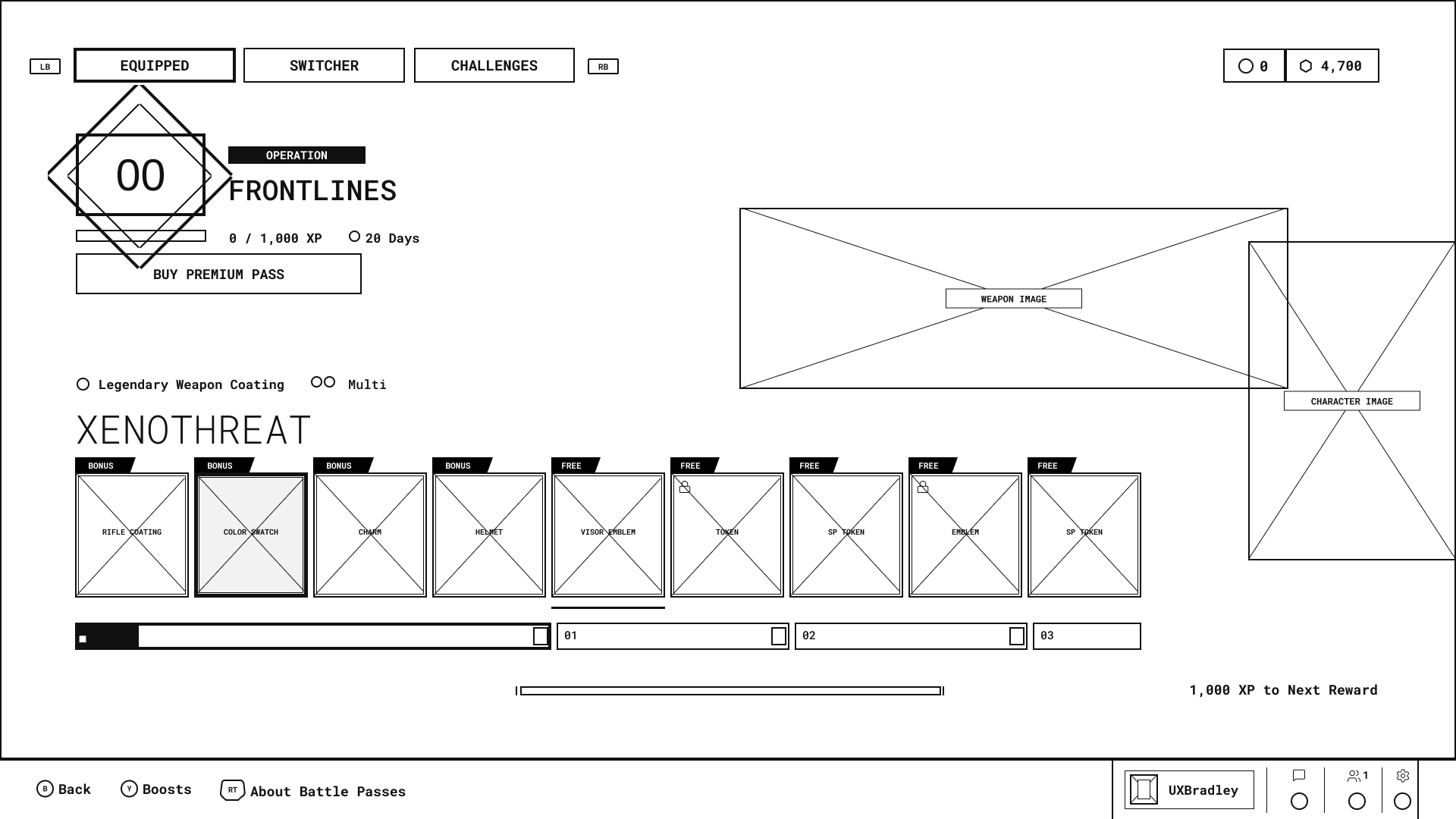
PROMPT #4
I figured this might be as good as it was going to get and stopped at this point to ask the Figma Agent to write me a new prompt to use and test with the other screenshots.
I tried the prompt it wrote me with the same previous screenshot in a fresh file to see what happens and got one with a dark background. That's what led to the very small adjustment in the winning prompt, which I then ran all the screenshots through and got pretty consistently similar results.
❝ Create a detailed, fully editable wireframe from the attached screenshot.
Fidelity requirements
Match the screenshot’s frame dimensions exactly.
Reproduce every UI element at its exact position, size, spacing, and proportion.
Do not redesign, simplify, improve, normalize, reorganize, or reinterpret anything.
Preserve unusual and custom silhouettes. Trace them as continuous editable vector paths—not combinations of approximate rectangles, triangles, or decorative lines.
Match borders, inset borders, selected states, tabs, segmented bars, icons, controls, and small details precisely.
Align each text layer’s upper-left origin with the source text. Keep text editable; minor glyph differences caused by font availability are acceptable.
Preserve the exact number of visible items and their clipping at the frame edges.
Wireframe styling
Use a white background with black lines and fills.
Remove color, gradients, shadows, textures, and visual effects.
Ignore photographic content, but preserve its exact occupied bounds using simple outlined placeholders.
Keep all interface labels and content visible and editable.
Accuracy
Treat the screenshot as the sole source of truth.
Build at the screenshot’s native pixel dimensions.
Ensure the result aligns with the source when both are overlaid at 100% opacity.
Do not modify or omit elements merely because they appear decorative or insignificant.
Deliver only the completed editable wireframe. ❞