[UX | Research | Cross-Platform] Social Features
| Document Status | COMPLETED |
|---|
Overview
To support Cross-Platform efforts, I am taking a look at how the cross-platform player experience works in other titles and how "seamless" the experience feels.
Related Research
- [UX | Research | Cross-Platform] Sign In + Account Linking
- [UX | Research | Cross-Platform] Sharing Across Platforms
Social Features
Here is what I will be investigating in each of the game titles for this research document.
- Friends Lists & Interactions
- How do I add friends to my friends list?
- If I add my friend on one platform, will I be able to see them on the other platforms?
- Will friends I have friended on my platform show up in my friends list in the game?
- How do I remove friends?
- If I added my friend on one platform, can I remove them from another platform?
- Can my friends see me?
- Can I see my friends?
- Is there any indication of which platform my friends are on?
- Can I invite friends from within the game?
- Can I join friends from within the game?
- Which account name / username do they see?
- Communication
- Is there text chat?
- Is there voice chat?
- The following games do not have voice chat:
- Minecraft
- Genshin Impact
- The following games do not have voice chat:
- What happens if I mute someone?
- What happens if I block someone?
- Can I play on two platforms at the same time?
- If I don't link my account, do I lose access to some social features?
- The following games do not require players to link their accounts to access social features:
- Fortnite
- Borderlands 3
- Destiny 2
- The following games do not require players to link their accounts to access social features:
- XBOX only investigations
- What happens if I'm in a local party?
- The following games don't support 2 players playing on the same console:
- Minecraft
- Fortnite
- Destiny 2
- Genshin Impact is not available on the XBOX platform
Common Trends
These are common trends seen across the different titles investigated.
- Positive Trends:
- The userflows, screens and experiences for Social Features across platforms are nearly identical (with the exception of the specific controls to access actions and menus)
- Platform friends are already available on the friends list without needing to be added again
- Joining & Inviting friends is very prominent and easy to find / access in the games
- If the friend misses the notification for an invitation to join a game / add a friend, there is a place within the game for the player to go to respond
- There is one username that is displayed in game, regardless of what platform the player is playing on
- Example: Minecraft shows the XBOX profile of the player over their character / avatar regardless of what the platform account name is
- There is one location within the game to see and manage friends
- Some games let the player know that they have been disconnected from a game because they logged in on a different platform with their account
- Neutral Trends:
- Players can account-level friends for easier cross-platform interactions (Example: Players have friends on XBOX already but if they add them as Battle.Net friends, it's easier to invite / join them on any platform the player is playing on)
- Players can mute / unmute or block / unblock players by selecting them from a search list, friends list or while interacting with them
- Negative Trends:
- Text chat or voice chat controls and access are hidden / hard to find (or nonexistent)
Highlights
These are some of the highlights from across the different titles investigated. (Some of these are also mentioned in the individual game sections below, but I wanted to group them up here as well)
- Battle.Net and Epic Games Launcher allow players to accept friend invites without having to launch the game
- Destiny 2 has very clear, prominent messaging for actions that the player takes
Lowlights
These are some of the lowlights from across the different titles investigated. (Some of these are also mentioned in the individual game sections below, but I wanted to group them up here as well)
- Minecraft does not have a friends list where the player can go to one place and see all of the friends or manage them
- "Remove Friend" in Minecraft on certain platforms is hidden
- It's not clear where Fortnite text chat is available or how to access it when the player isn't on the Main Menu
- What username people see changes between platforms on Fortnite (if the friend's usernames are not consistent between platforms you have to remember who that person is in your friends list)
- Borderlands 3 has text and voice chat on PC but not on consoles, there is also no messaging to let either person know that messages / communication is not going through to the other side
Friends on Platforms
Research Set Up
- Have at least one friend added to each platform that supports friends lists to see if the platform-level friend will show up in my game friends list
- XBOX
- Playstation
- Nintendo Switch
- STEAM
- Epic Games
- Battle.Net
XBOX
Screenshots from 04 Dec 2023
| Set Up | |
|---|---|
 |
I will be looking for my XBOX friend (UXTestFriend) in the games available on XBOX:
|
| Minecraft | |
 |
Can I see my XBOX friend? NO |
| Fortnite | |
|
Before opening Fortnite for the first time on UXTestFriend XBOX account, friends list view on UXBradley XBOX account: 
After opening Fortnite for the first time on UXTestFriend XBOX account, friends list view on UXBradley XBOX account: 
Testing to see what happens if I have a Epic Games friend (GideonSterling) who is online playing Fall Guys instead of Fortnite (I switched over to my Sterling Seb XBOX Profile for this investigation): 
|
Can I see my XBOX friend? YES, BUT...
|
|
Screenshots from 06 Dec 2023 on XBOX: 

|
06 Dec 2023 UpdateI was doing a different investigation on the friends list in Fortnite when an action I took triggered a message on screen about Auto-Importing friends from the platform friends list. In Settings → Account and Privacy → Social Privacy there's a setting for "Auto Import Friends" which is OFF by default. Having this setting "ON" seems to still only show friends who have played Fortnite before on their XBOX.
|
| Diablo IV | |
 |
Can I see my XBOX friend? YES |
| Borderlands 3 | |
 |
Can I see my XBOX friend? YES |
| Destiny 2 | |
 |
Can I see my XBOX friend? YES |
Playstation
Screenshots from 04 Dec 2023
| Set Up | |
|---|---|
 |
I will be looking for my Playstation friend (PS-UXTestFriend) in the games available on Playstation:
|
| Minecraft | |
 | Can I see my Playstation friend? NO |
| Fortnite | |
 |
Can I see my Playstation friend? NO
|
| Diablo IV | |
 |
Can I see my Playstation friend? NO
|
| Borderlands 3 | |
 | Can I see my Playstation friend? YES |
| Destiny 2 | |
 | Can I see my Playstation friend? YES |
| Genshin Impact | |
|
This is what my friends list looks like before Playstation friends have opened Genshin Impact: 
This is what it looks like after friends have played Genshin Impact: 

|
Can I see my Playstation friend? YES, BUT...
|
Nintendo Switch
Screenshots from 04 Dec 2023
| Set Up | |
|---|---|
 |
I will be looking for my Nintendo Switch friend (ninTestPal) in the games available on Nintendo Switch:
|
| Minecraft | |
 | Can I see my Nintendo Switch friend? NO |
| Fortnite | |
 |
Can I see my Nintendo Switch friend? NO
|
STEAM
Screenshots from 04 Dec 2023
| Set Up | |
|---|---|
 |
I will be looking for my STEAM friend (st-UXTestFriend) in the games available on STEAM:
|
| Borderlands 3 | |
 | Can I see my STEAM friend? YES |
| Destiny 2 | |
 | Can I see my STEAM friend? YES |
Epic Games Launcher
Screenshots from 04 Dec 2023
| Set Up | |
|---|---|
 |
I will be looking for my Epic Games friend (e-UXTestFriend) in the games available on Epic Games Launcher:
|
| Fortnite | |
 | Can I see my Epic Games friend? YES |
| Destiny 2 | |
 |
Can I see my Epic Games friend? NO
|
| Genshin Impact | |
 | Can I see my Epic Games friend? NO |
Battle.Net
Screenshots from 04 Dec 2023
| Set Up | |
|---|---|
 |
I will be looking for my Battle.Net friend (bbUXTestPal) in the games available on Battle.Net Launcher:
|
| Diablo IV | |
 | Can I see my Battle.Net friend? YES |
Minecraft
Highlights
- The player's XBOX Profile displays in game over their character / avatar no matter what platform the player is playing on
- Emotes have a text chat entry associated to them so even if someone doesn't see the animation play, they can see the text in chat
Lowlights
- There isn't really a friends list that I can look at and see all of my friends
- I have to find the person through "Add Friend" to see if I have them friended if I'm not in a realm and trying to invite someone to the realm
- "Remove friend" is hidden on some platforms
Adding & Removing Friends
| Media | Notes |
|---|---|
|
Screenshots from 05 Dec 2023 on XBOX: 
Accidentally searching for the wrong Gamertag: 

Searching for the correct Gamertag: 


My friend is using my wifi and started a game so now I see the LAN Game but I don't see friends in this friend list: 
iOS (Apple): 


Android: 


Playstation: 


Nintendo Switch: 


|
How do players add friends to their friends list?The player does not need to add the friend on every platform. I was adding / removing and being added and removed per platform for the investigation. On XBOX:
Nintendo Switch has the same userflow, screens and experience as Playstation 5. The following platforms have the same userflows, screens and experiences as XBOX.
Playstation 5:
IMPORTANT Because adding a friend uses the XBOX Gamertag, if a player does not link their accounts or is not on the XBOX or PC (WINDOWS) platform that uses the XBOX Gamertag by default, they will not be able to play with friends across different platforms |
|
On XBOX: 

|
Do players have to add friends to Minecraft that are already on their XBOX friends list?
|
|
On XBOX: 
My friend list view after my friend added me: 
PC (WINDOWS): 
Playstation: 
|
What does it look like when a player's friend adds them?On XBOX:
On PC (WINDOWS):
On Playstation 5:
The following platforms do not show any messages when friends add the player:
|
|
On XBOX: 


Playstation 5: 


|
How does a player remove a friend from their friends list?On XBOX:
On Playstation:
Can a player remove a friend they added to their friends list on a different platform than the platform they added the friend on?
|
Inviting & Joining Friends
| Media | Notes |
|---|---|
|
Screenshots from 05 Dec 2023 on XBOX: 


Share invite code option: 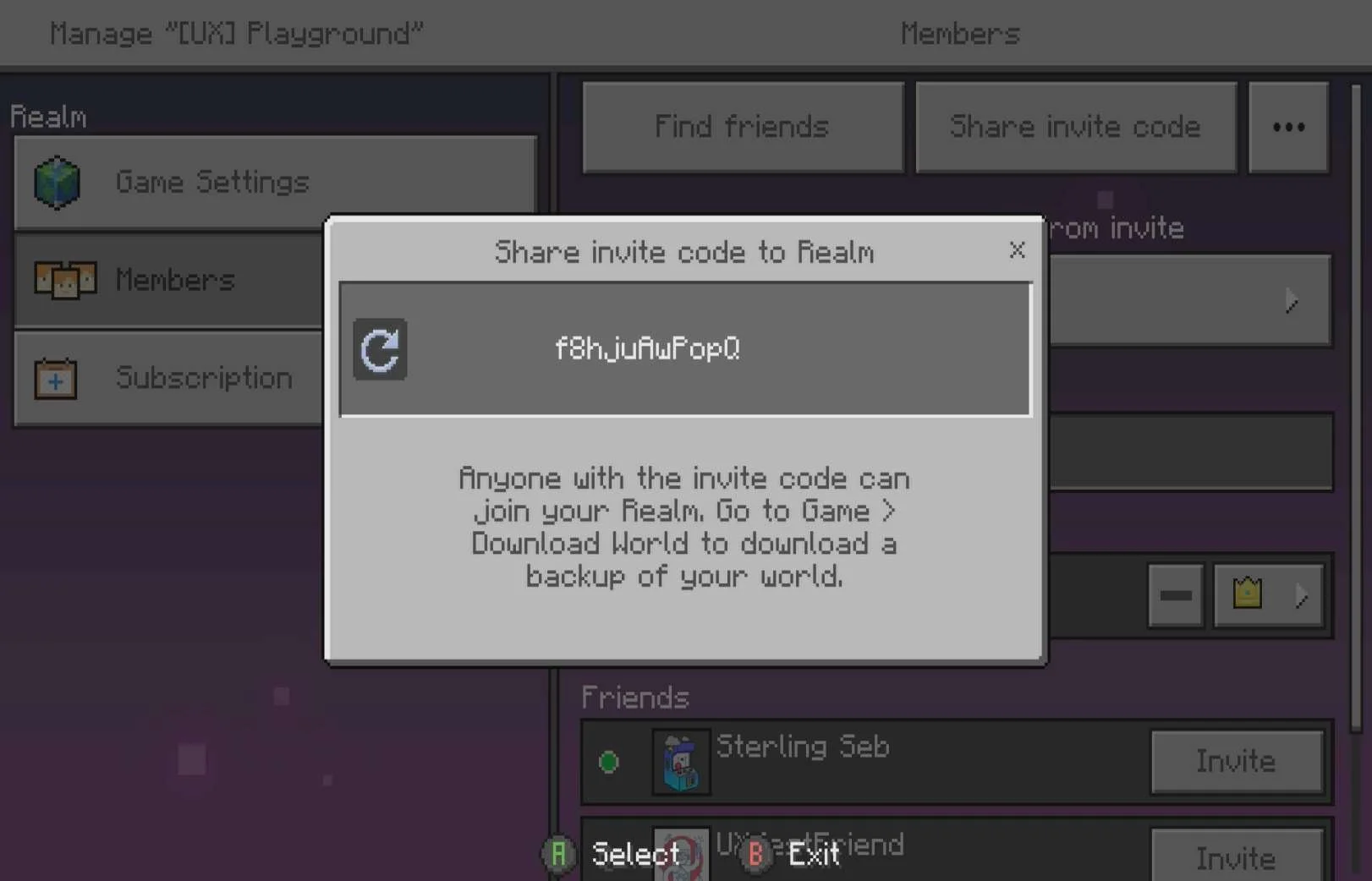
Find friends option: 
Invite from friends list inside this members screen: 
Once invited: 
Playstation 5: 

Nintendo Switch: 
|
Invite a player to become a member of a RealmOn XBOX:
On Playstation 5:
On Nintendo Switch:
|
|
On XBOX: 

|
Be invited to become a member of a RealmOn XBOX:
This userflow, screens and experience are the same across platforms. |
|
On XBOX: 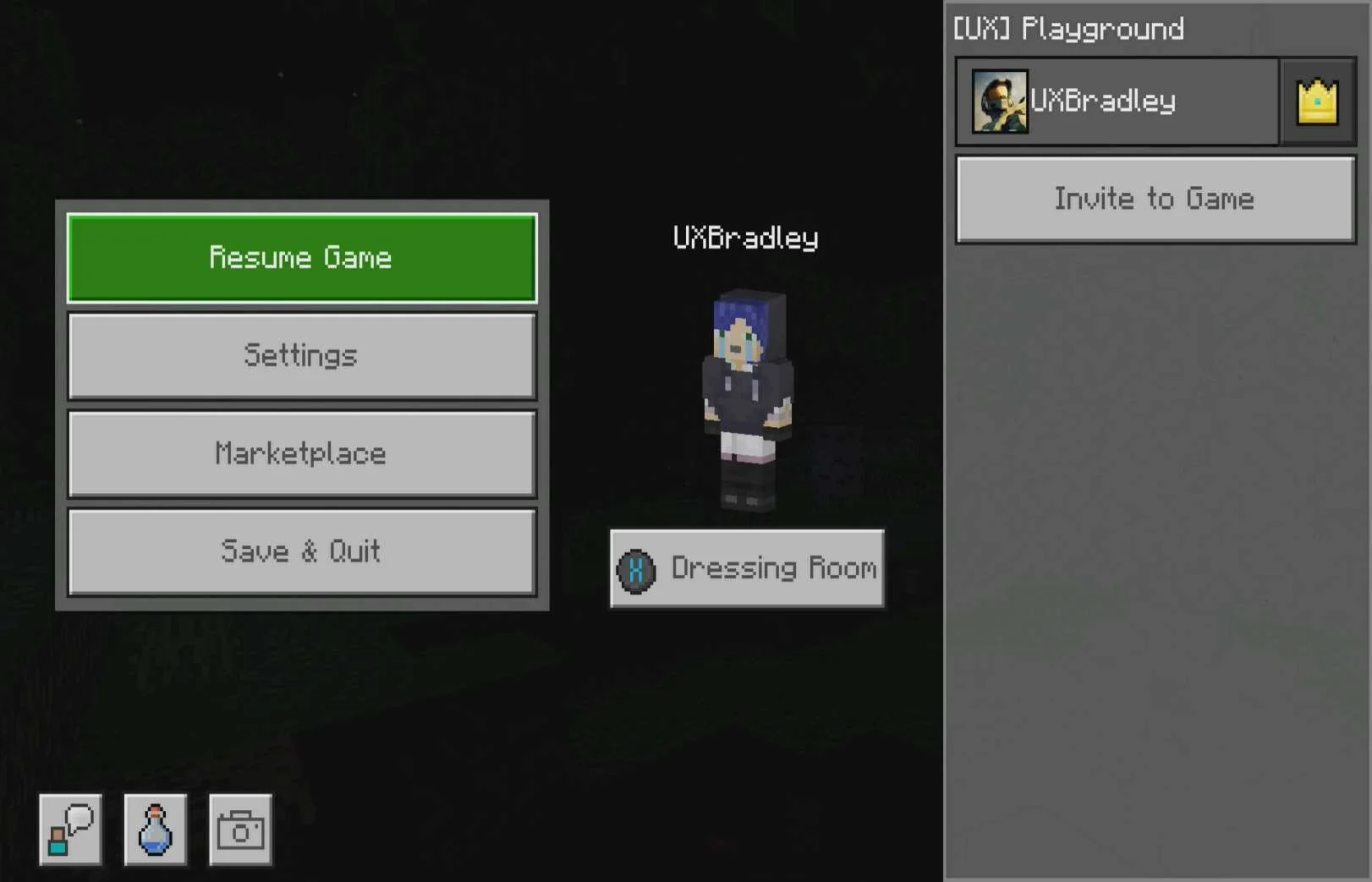

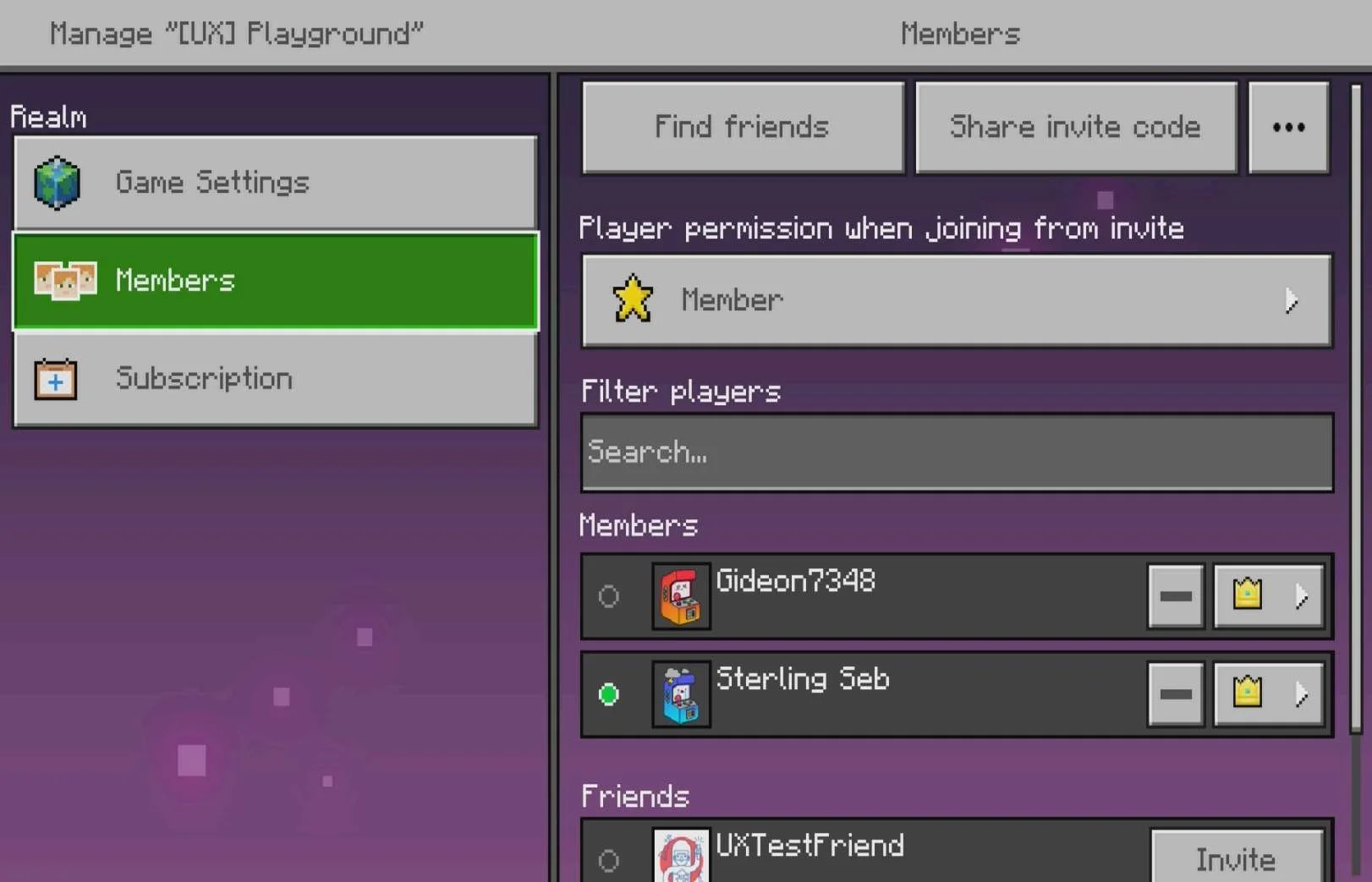
On Playstation 5: 


|
Invite players to play in the RealmInviting players to play in the Realm is slightly different than when players are being invited to play in a World. On XBOX:
On Playstation 5:
|
|
On XBOX: 


Playstation 5: 


Nintendo Switch: 
|
Invite players to a WorldWhen players are playing in a World instead of a Realm, the invite options are different. On XBOX:
On Playstation 5:
On Nintendo Switch:
|
|
On Playstation 5: 


|
Being invited to play in a Realm or a WorldThis investigation was done on Playstation 5:
|
|
On XBOX, looking at my friends list tab in Minecraft while my friend is playing in a Realm on Nintendo Switch: 
On XBOX looking at my friends list tab in Minecraft while my friend is playing in a World on Nintendo Switch: 
|
Joining a friend's game
|
Display Names in Game
| Media | Notes |
|---|---|
|
Screenshots from 05 Dec 2023 Playing on PC (WINDOWS) being viewed by my friend on XBOX: 
Playing on Playstation 5, being viewed by my friend on XBOX: 
Playing on iOS (Apple), being viewed by my friend on XBOX: 
Playing on Android being viewed by my friend on XBOX: 
Playing on Chromebook being viewed by my friend on XBOX: 
|
How do friends see the player across platforms?
|
Communication
| Media | Notes |
|---|---|
|
Screenshots from 05 Dec 2023 on XBOX:         |
Minecraft's Text ChatOn XBOX:
|
|
On Playstation 5: 


|
EmotesOn Playstation 5:
|
Muting & Blocking
| Media | Notes |
|---|---|
|
Screenshots from 05 Dec 2023 on Playstation 5:   |
Muting a playerOn Playstation 5:
|
|
On Playstation 5:   |
Blocking a playerOn Playstation 5:
|
Simultaneously Play on Two Platforms?
| Media | Notes |
|---|---|
|
On Playstation 5: 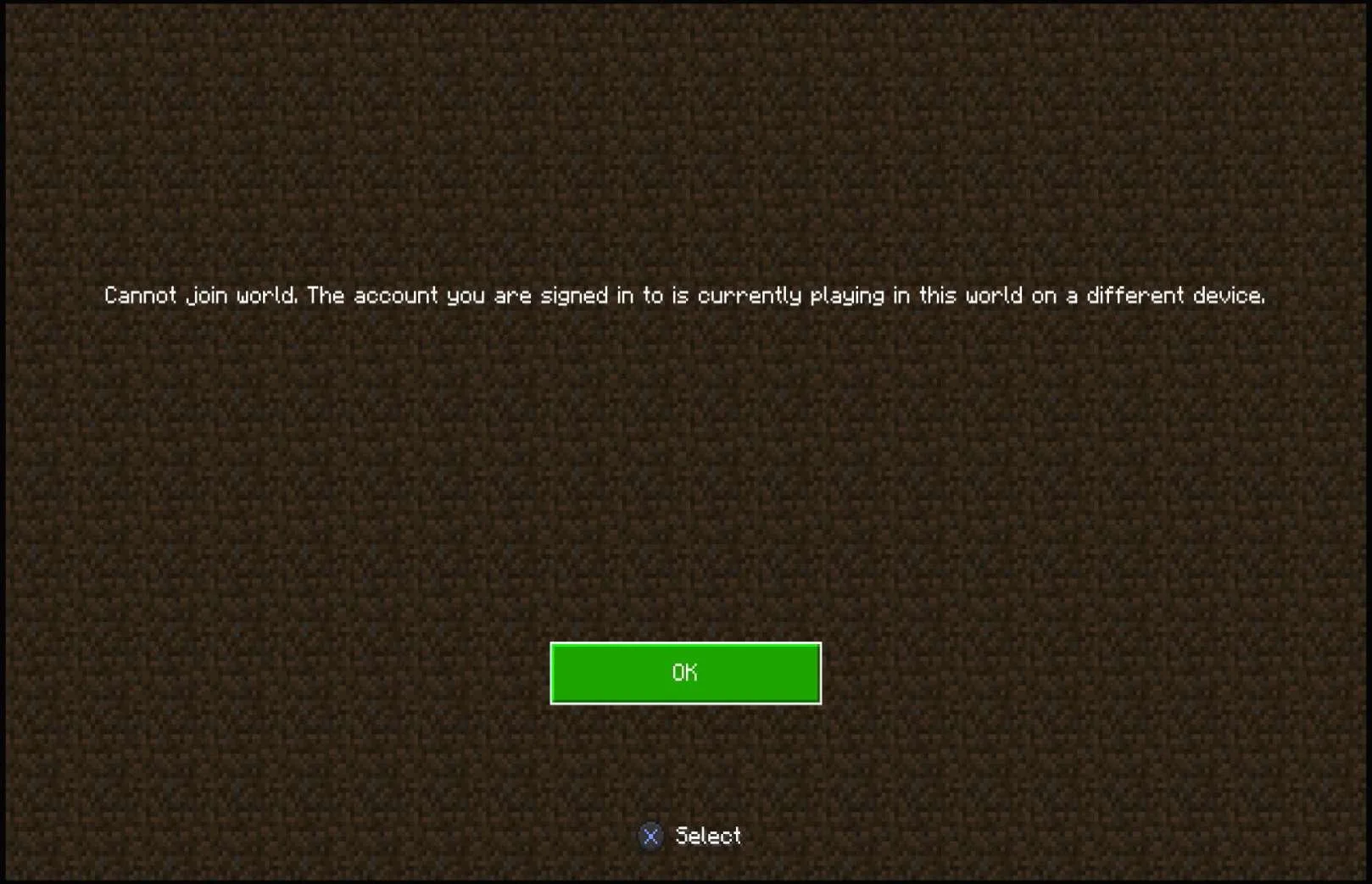
|
Can a player play Minecraft on two platforms at the same time?
|
Social Feature Restrictions for Unlinked Accounts
| Media | Notes |
|---|---|
|
On Playstation 5:     
iOS (Apple): 

|
Does the player lose access to social features if they don't link their Microsoft Account?On Playstation 5:
On iOS (Apple):
|
Fortnite
Highlights
- There's clear messaging for social interactions such as party invites, friend requests, etc
- There's one easy place for the player to go and see all of their friends
- Inviting and joining friends is quick and easy (there aren't many steps and the actions needed to complete the tasks are prominent and easy to find)
Lowlights
- The username I see associated with my friends changes depending on the platform that they're on and whether or not they've linked their accounts
- Access to text chat is not clear when the player is allowed to text chat, when they aren't (this can lead to thinking that it's not actually working)
- There's different icons to indicate what platform people are playing on, but it's not clear what shows up when or on what platform
Adding & Removing Friends
| Media | Notes |
|---|---|
Screenshots from 06 Dec 2023 on XBOX:              | How do players add friends to their friends list?On XBOX:
NOTE Adding a friend (specifically adding an EPIC FRIEND) will also add them as a friend to the player's overall Epic Games account. |
     PC (WINDOWS) Epic Launcher:      On Playstation 5:   Nintendo Switch:   Android:   | Receiving a friend requestOn XBOX:
|
    Playstation 5: 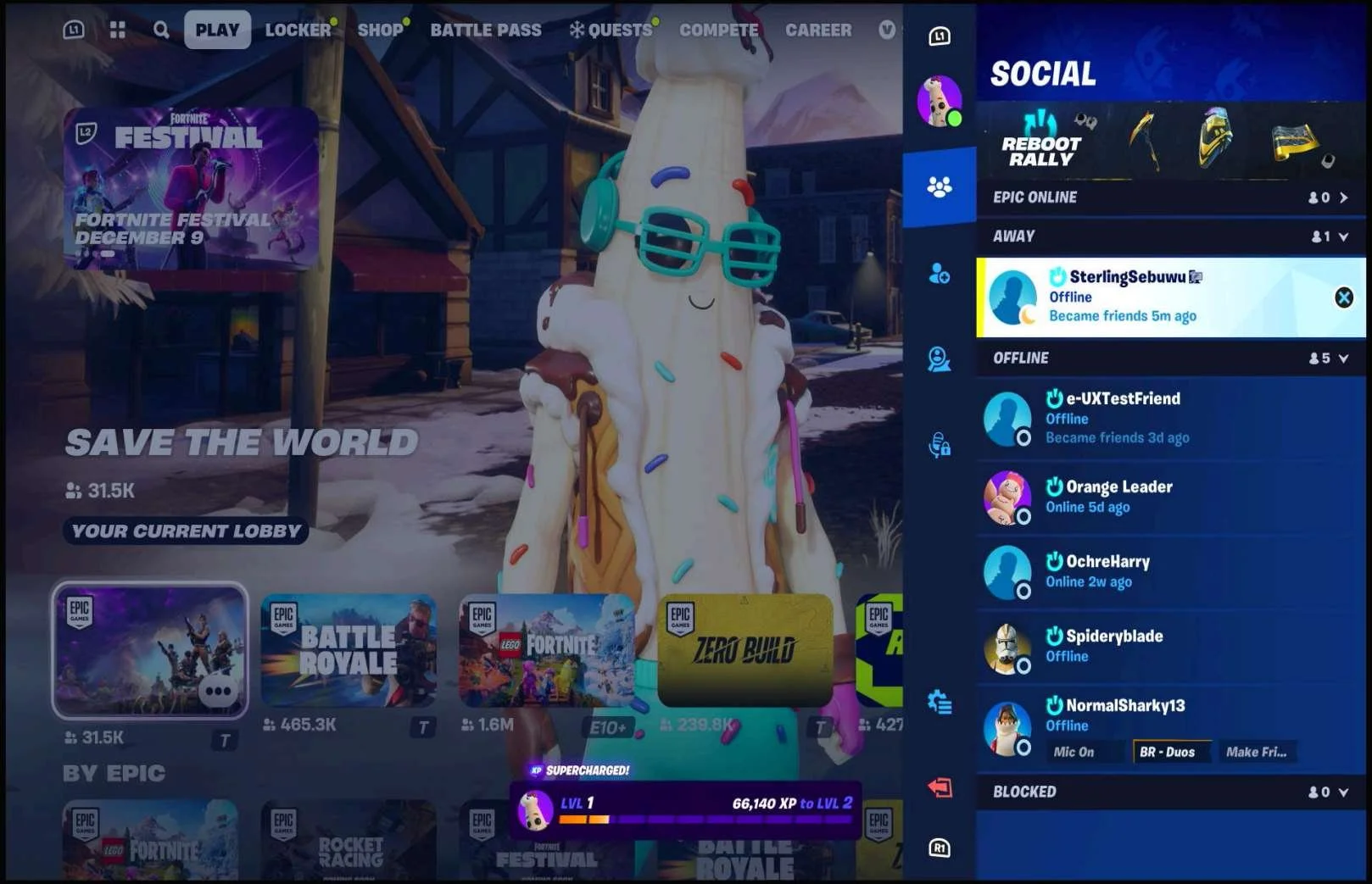    | How does a player remove a friend from their friends list?On XBOX:
On Playstation 5:
Can a player remove a friend they added to their friends list on a different platform than the platform they added the friend on?
|
Inviting & Joining Friends
| Media | Notes |
|---|---|
|
Screenshots from 07 Dec 2023 on XBOX: 


|
Inviting a friend to a party to play a gameOn XBOX:
|
|
On XBOX: 

If the player missed the banner: 

Reject the invite: 
On Android: 
| Being invited to a party to play a gameOn XBOX:
|
|
On XBOX: 


|
Joining Parties to play a gameOn XBOX:
|
|
On XBOX: 

|
Having a friend join your party to play a gameOn XBOX:
|
|
On XBOX when the player is the party lead: 
On XBOX when the player is not the party lead: 
When the player leaves the party: 

On XBOX removing a player from the party: 


If the player is not the party leader: 

On XBOX being removed from a party: 
|
Leaving PartiesOn XBOX:
Remove player from partyOn XBOX:
Be removed from partyOn XBOX:
|
|
On XBOX: 


|
Other notes about partiesOn XBOX:
|
Display Names in Game
| Media | Notes |
|---|---|
|
Screenshots from 07 Dec 2023 on XBOX: 


No XBOX friends online: 
Screenshots from 08 Dec 2023 on Playstation 5 


On Nintendo Switch: 
On PC (WINDOWS): 


On Android: 
|
Seeing which platform friends are playing onOn XBOX:
On Playstation 5:
On Nintendo Switch:
On PC (WINDOWS):
On Android:
|
|
Playing on Playstation 5 being viewed by my friend on XBOX: 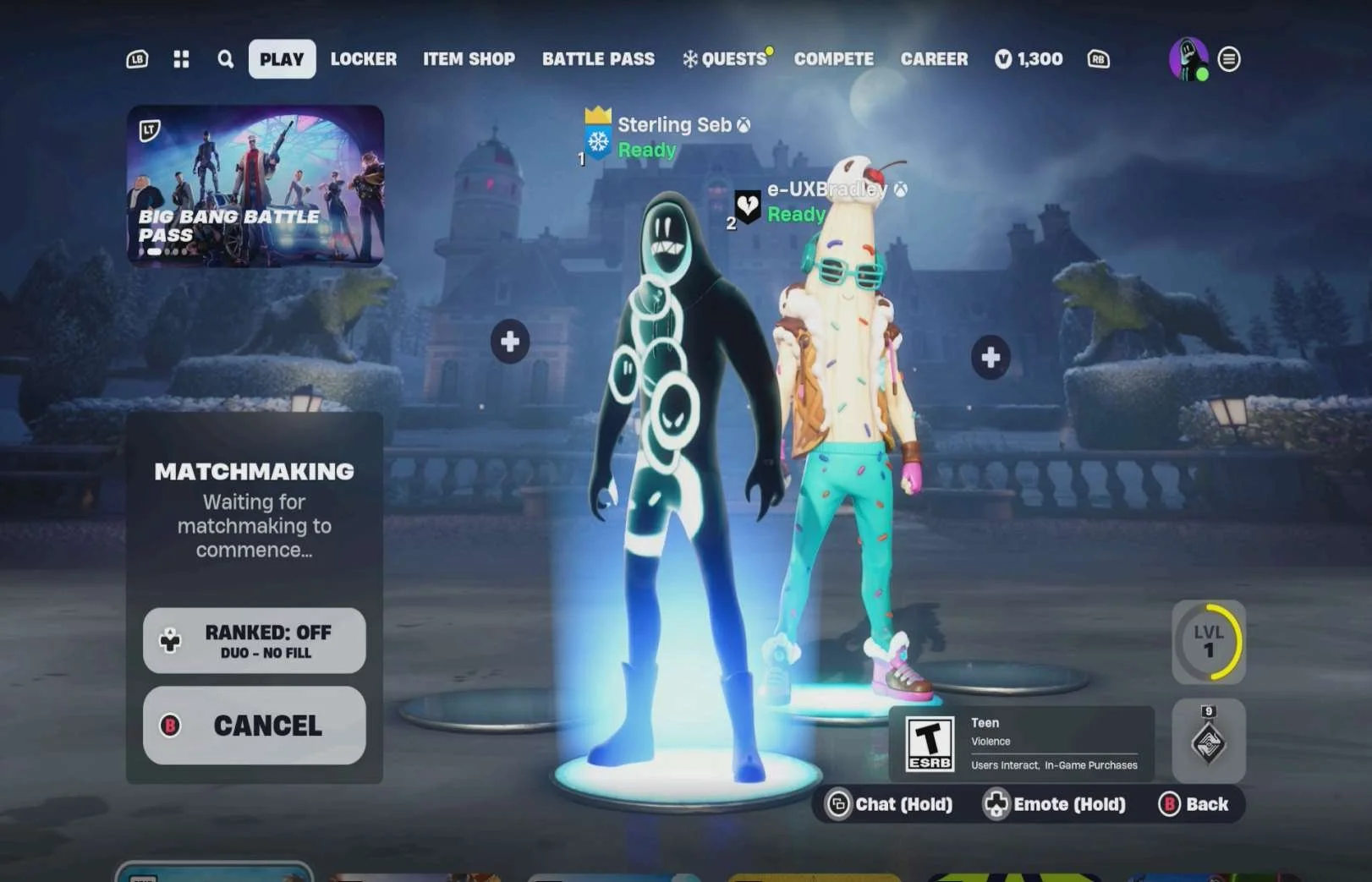

Playing on PC (WINDOWS) being viewed by my friend on XBOX: 
Playing on Nintendo Switch being viewed by my friend on XBOX: 
Playing on Android being viewed by my friend on XBOX:  Playing on XBOX being viewed by my friend on Playstation 5:  Playing on PC (WINDOWS) Epic Games Launcher being viewed by my friend on Playstation 5:  Viewing my friend on PC (WINDOWS) Epic Games Launcher while they are playing on Playstation 5:  Playing on Nintendo Switch being viewed by my friend on Playstation 5:   Viewing my friend on Nintendo Switch while they are playing on Playstation 5:  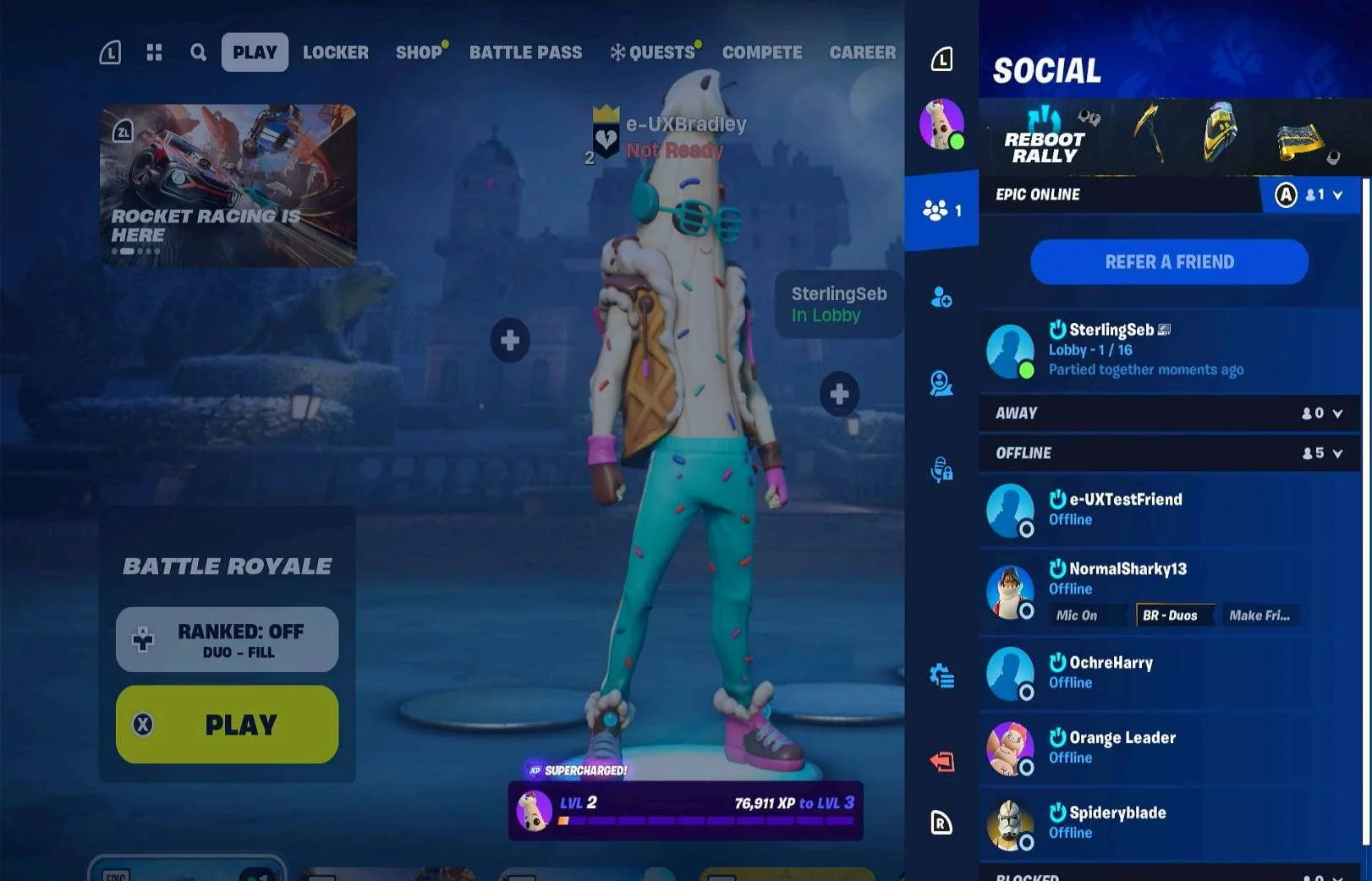 |
How do friends see the player across platforms?Being viewed on XBOX:
Being viewed on Playstation 5:
Comparing this to the investigation on what account names and icon combinations the player sees in the friends list that indicate which platform they're playing on, the displayed names and icons in this party view and what shows in game matches what the player would see in the friends list |
Communication
| Media | Notes |
|---|---|
Screenshots from 09 Dec 2023 on XBOX:     Whispering a friend:   No text chat in a PVP match:   No text chat in a PVE match:   Text Chat settings:    |
Text Chat in the lobbyOn XBOX:
Text Chat in a match
WhisperingOn XBOX:
Text Chat settingsOn XBOX:
NOTE The way the text chat behaves in terms of whether it pops up when a message is received in Party Chat (it seems to always pop up if the player receives a whisper), when the keyboard pops up automatically, etc is different between platforms. I did not detail out which platforms do specifically what but think it's important to call out the inconsistency. Otherwise, the base functionality of text chat is the same across platforms. |
On XBOX:        When someone is speaking:   On Playstation 5 (was having trouble getting this open on XBOX so had to switch to the other character / account that was also in this match):    On XBOX voice settings off:  Android "TOGGLE VOICE":  |
Voice ChatOn XBOX:
Party Channel:
Speaker notification:
During a Match:
Voice Settings Off:
Voice Chat Settings:
NOTE All platforms share the same userflows, screens and experience as XBOX (and Playstation for the Game / Party channel switch during a match) except for Android where instead of "PUSH TO TALK" it's "TOGGLE VOICE" |
Screenshot from 09 Dec 2023 on XBOX:   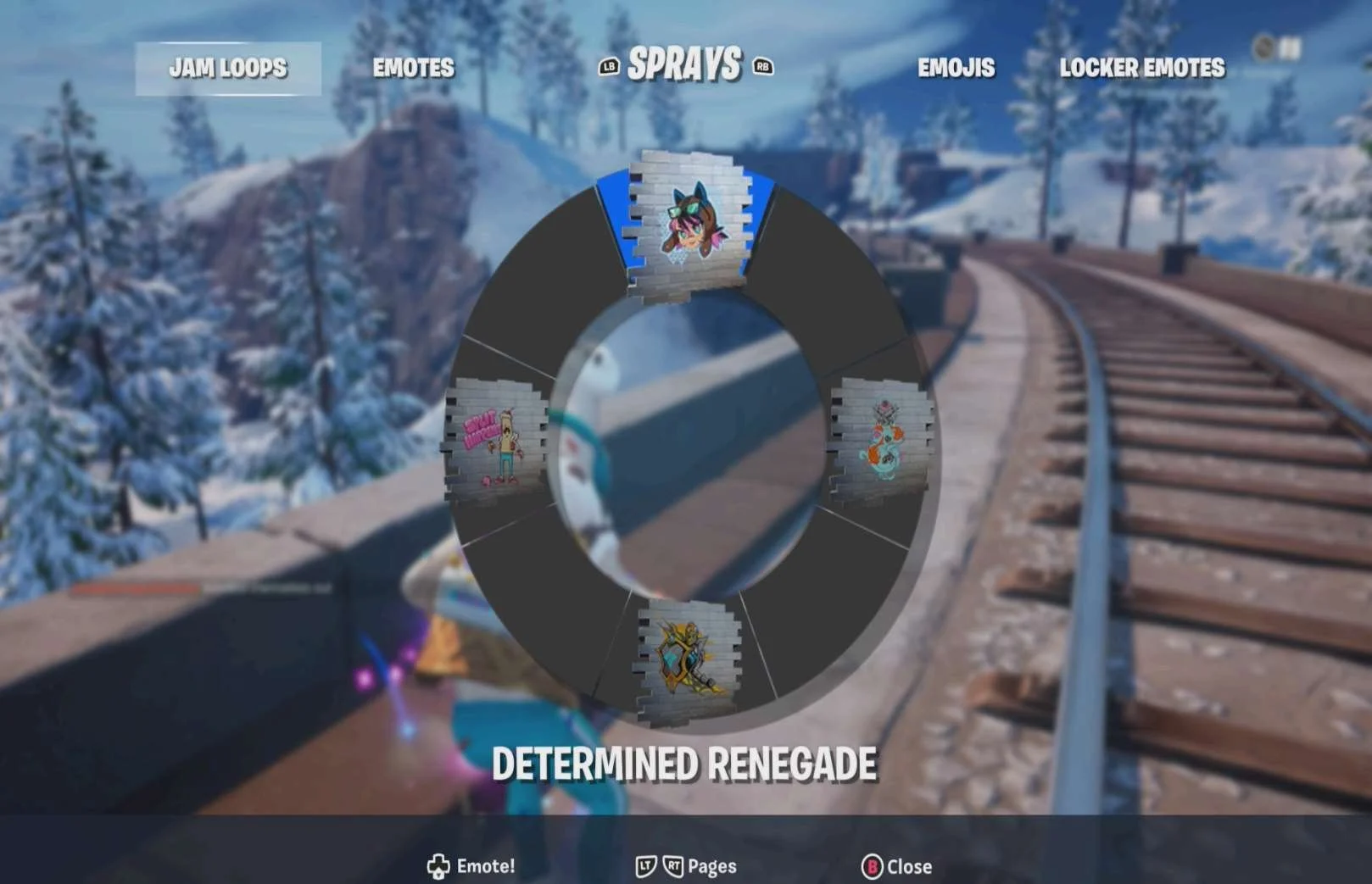 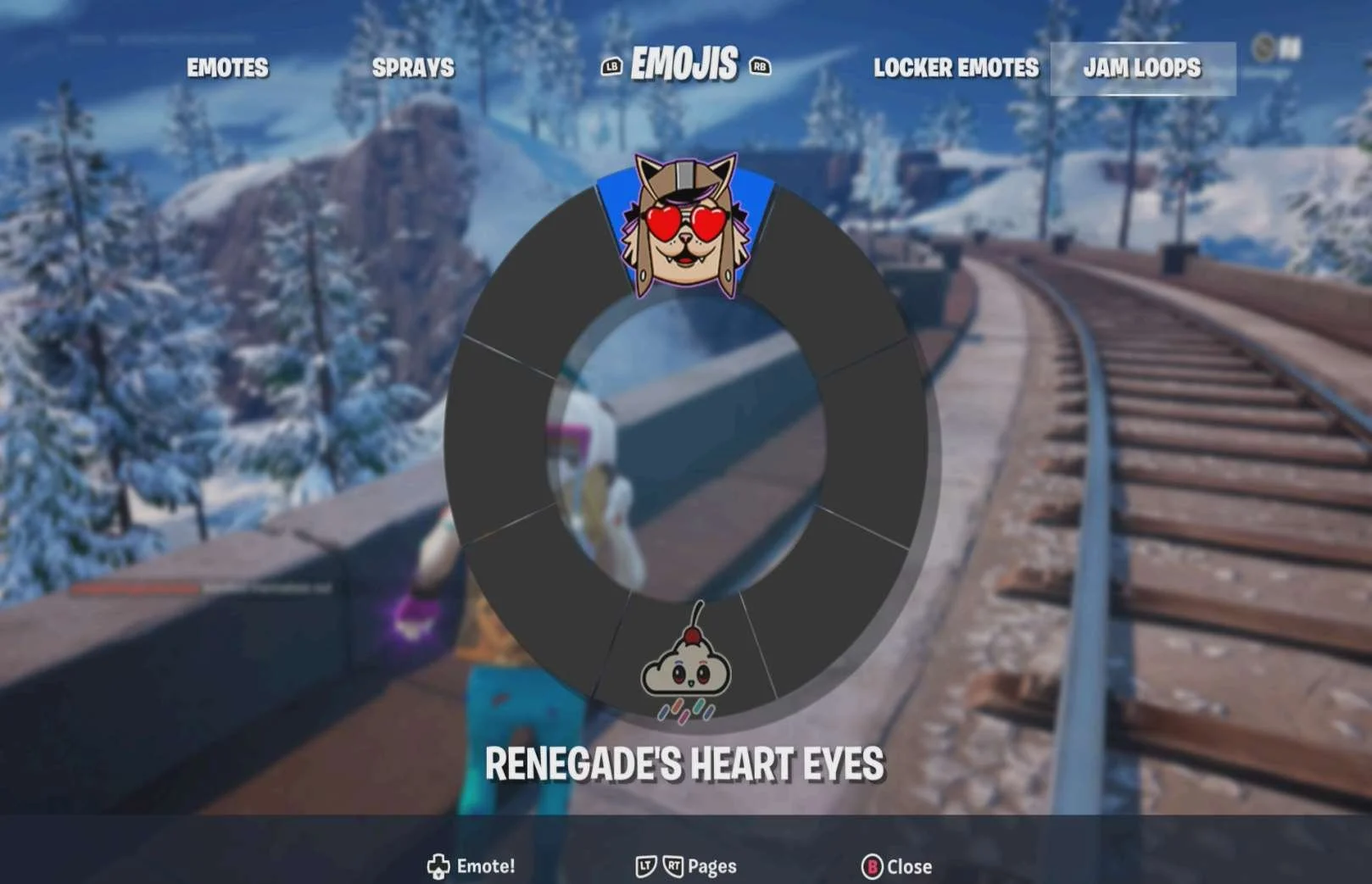    |
EmotesOn XBOX:
|
On XBOX:   |
Squad CommandsOn XBOX:
|
Muting & Blocking
| Media | Notes |
|---|---|
Screenshots from 09 Dec 2023 on XBOX:      |
Muting another playerOn XBOX:
|
On XBOX:      |
Blocking another playerOn XBOX:
|
Simultaneously Play on Two Platforms?
| Media | Notes |
|---|---|
Screenshots from 09 Dec 2023 on XBOX:  |
Can a player play Fortnite on two platforms at the same time?
|
Diablo IV
Highlights
- Platform friends are already available to the player for inviting / joining without having to be added again in game
- Actions to join / invite friends to play are easy to find and prominent
Lowlights
- Players have to know the entire Battle.Net username for a person they want to add, including the numbers that aren't normally seen in other instances
- Text chat is hidden inside an action wheel that is not prominent. Both the action to bring up the wheel and the text chat selection itself feels hidden and hard to find.
- Voice chat controls are available but not prominent
Adding & Removing Friends
| Media | Notes |
|---|---|
Screenshots from 09 Dec 2023 on XBOX:      On Playstation 5:   |
How do players add friends to their friends list?On XBOX:
On Playstation 5:
This is the same userflow, screens and experience on PC (WINDOWS) Battle.Net |
On XBOX:   On Playstation 5: 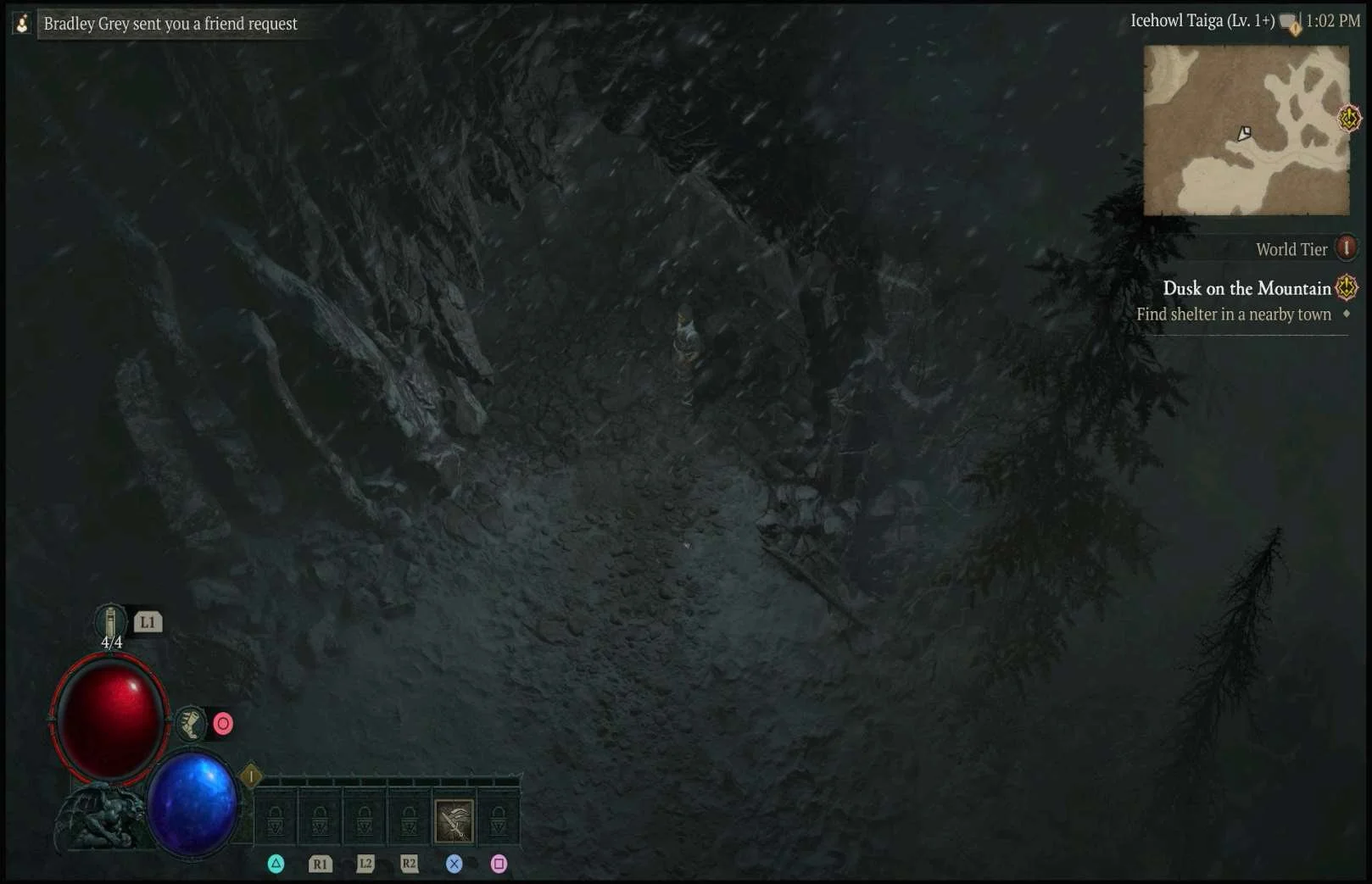  On PC (WINDOWS) Battle.Net:    |
Receiving a friend request
|
On XBOX:   On Playstation 5: 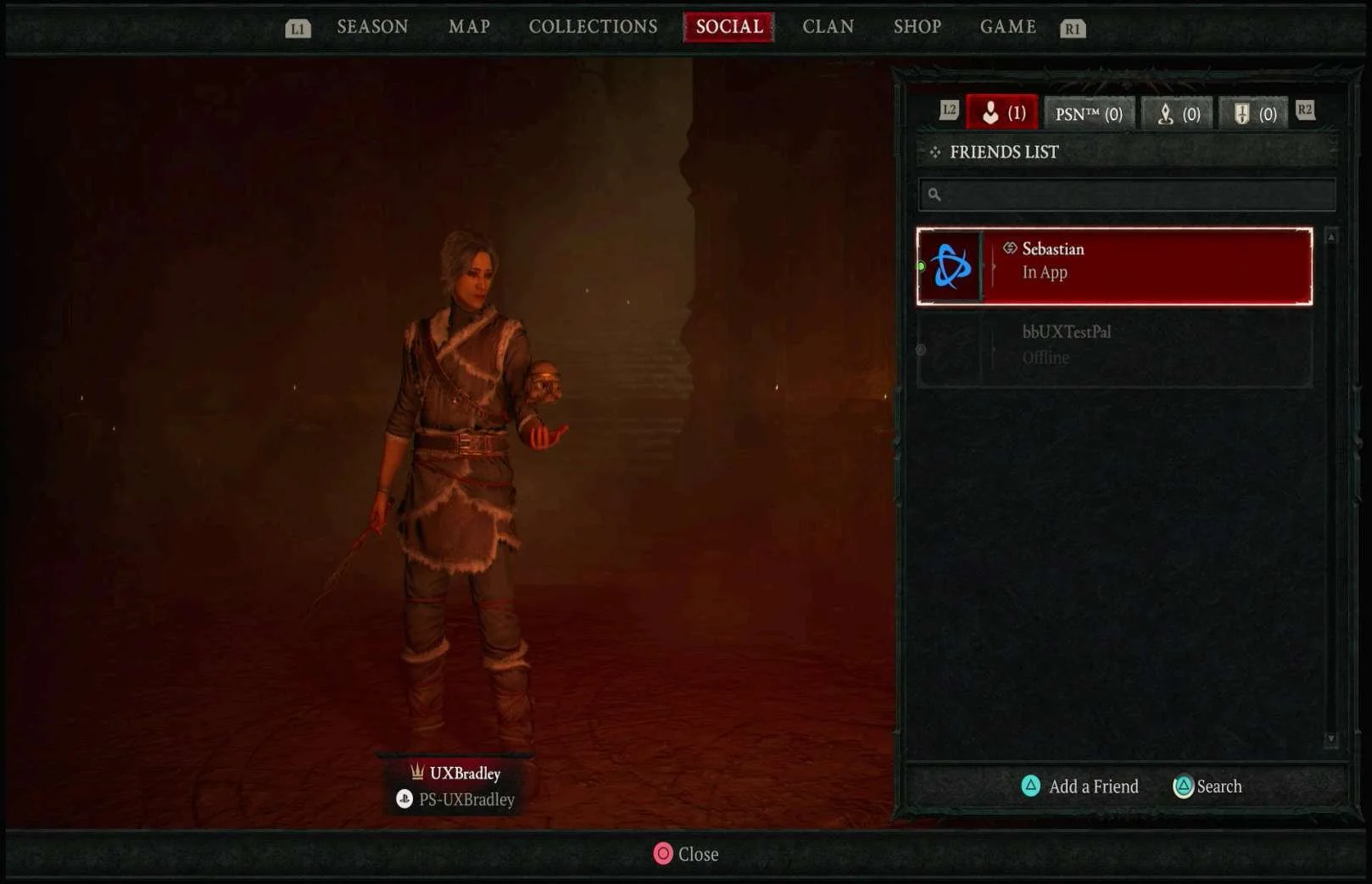   PC (WINDOWS) Battle.Net:  |
How does a player remove a friend from their friends list?
Can a player remove a friend they added to their friends list on a different platform than the platform they added the friend on?
|
Inviting & Joining Friends
| Media | Notes |
|---|---|
On XBOX:       |
Inviting a friend to join the party
|
On XBOX:  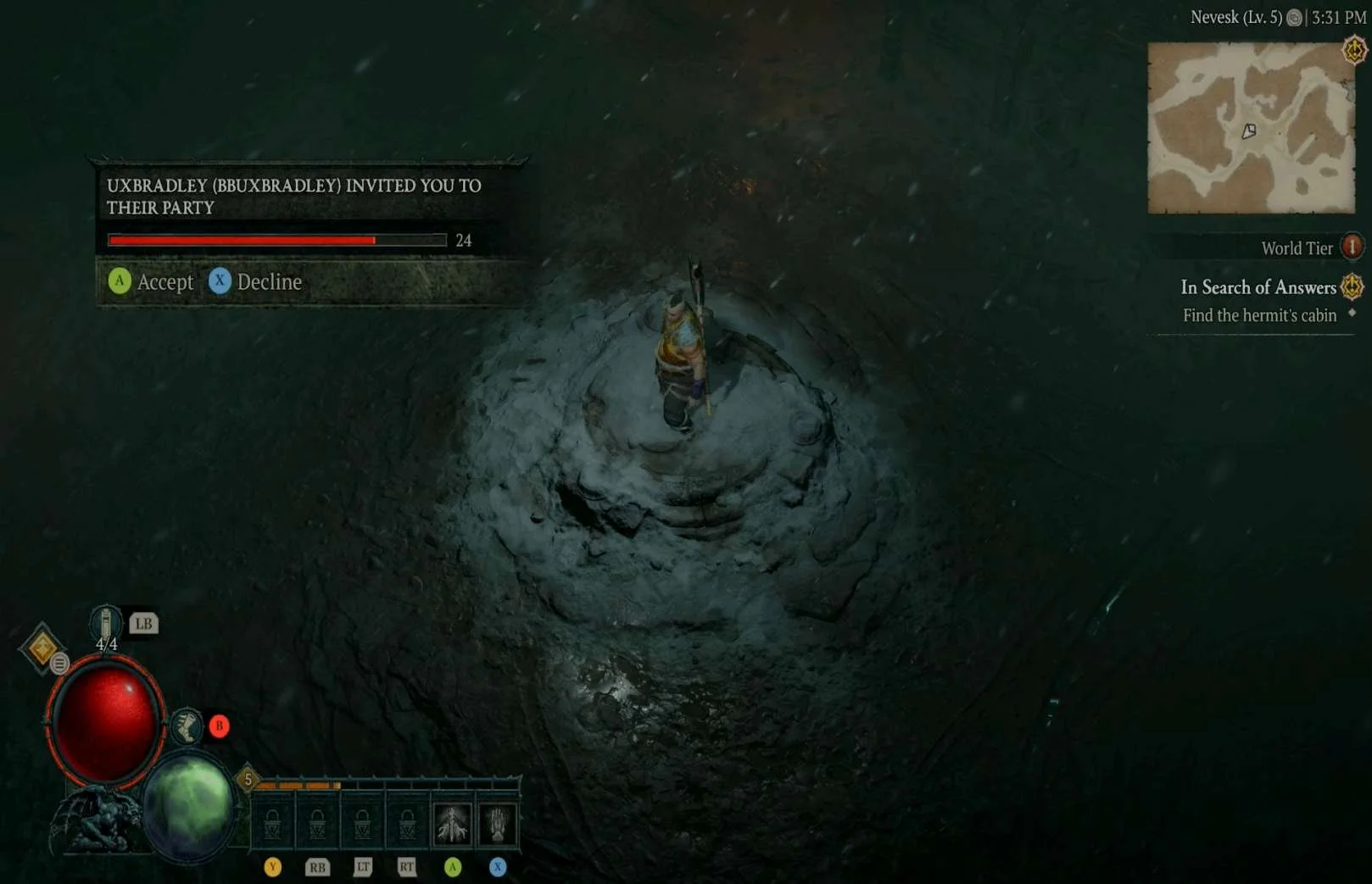    |
Being invited to join a party
|
On XBOX:  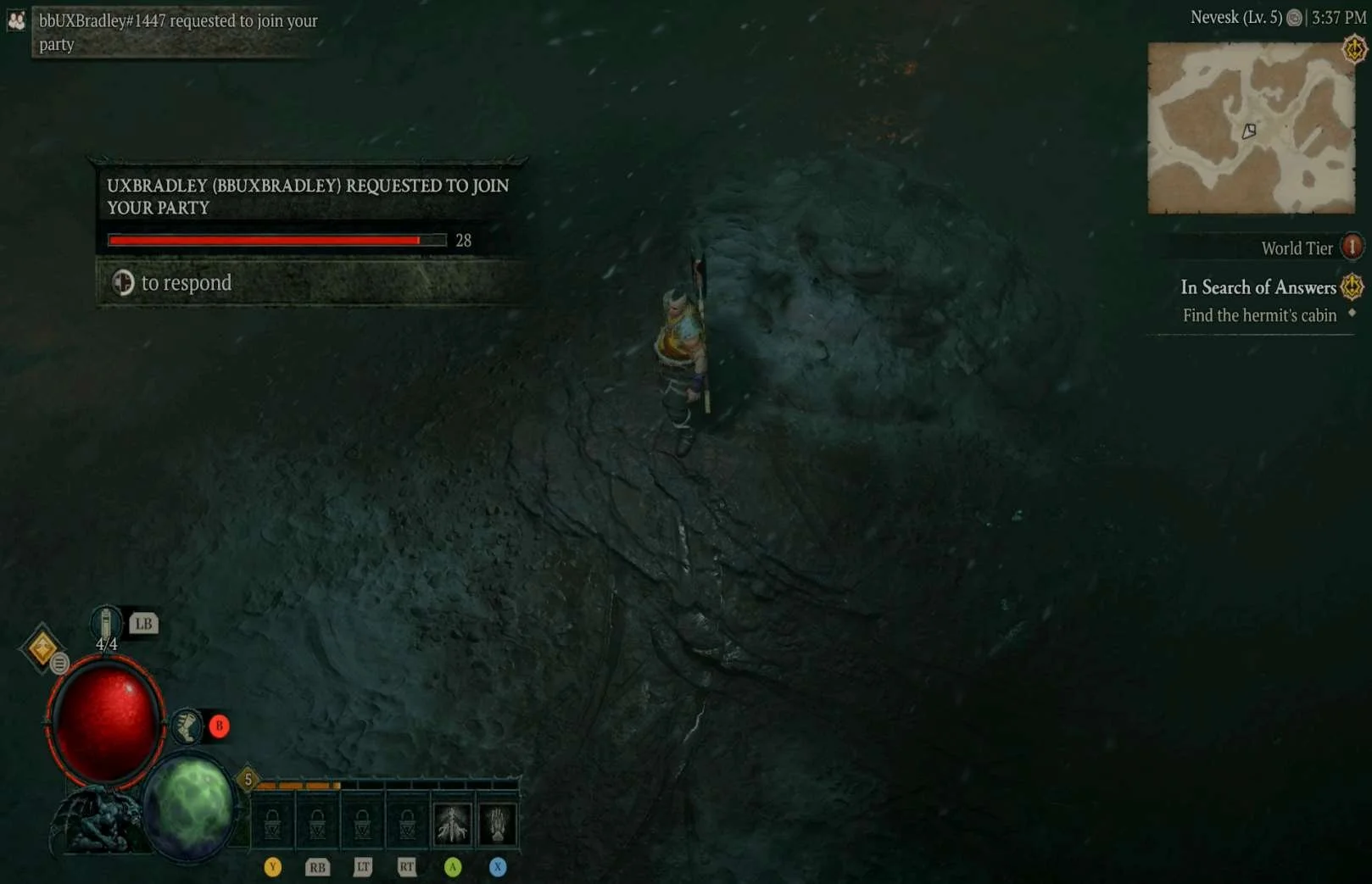     |
When a friend joins the player's game
|
On XBOX:      |
Joining a friend's party
|
On XBOX:   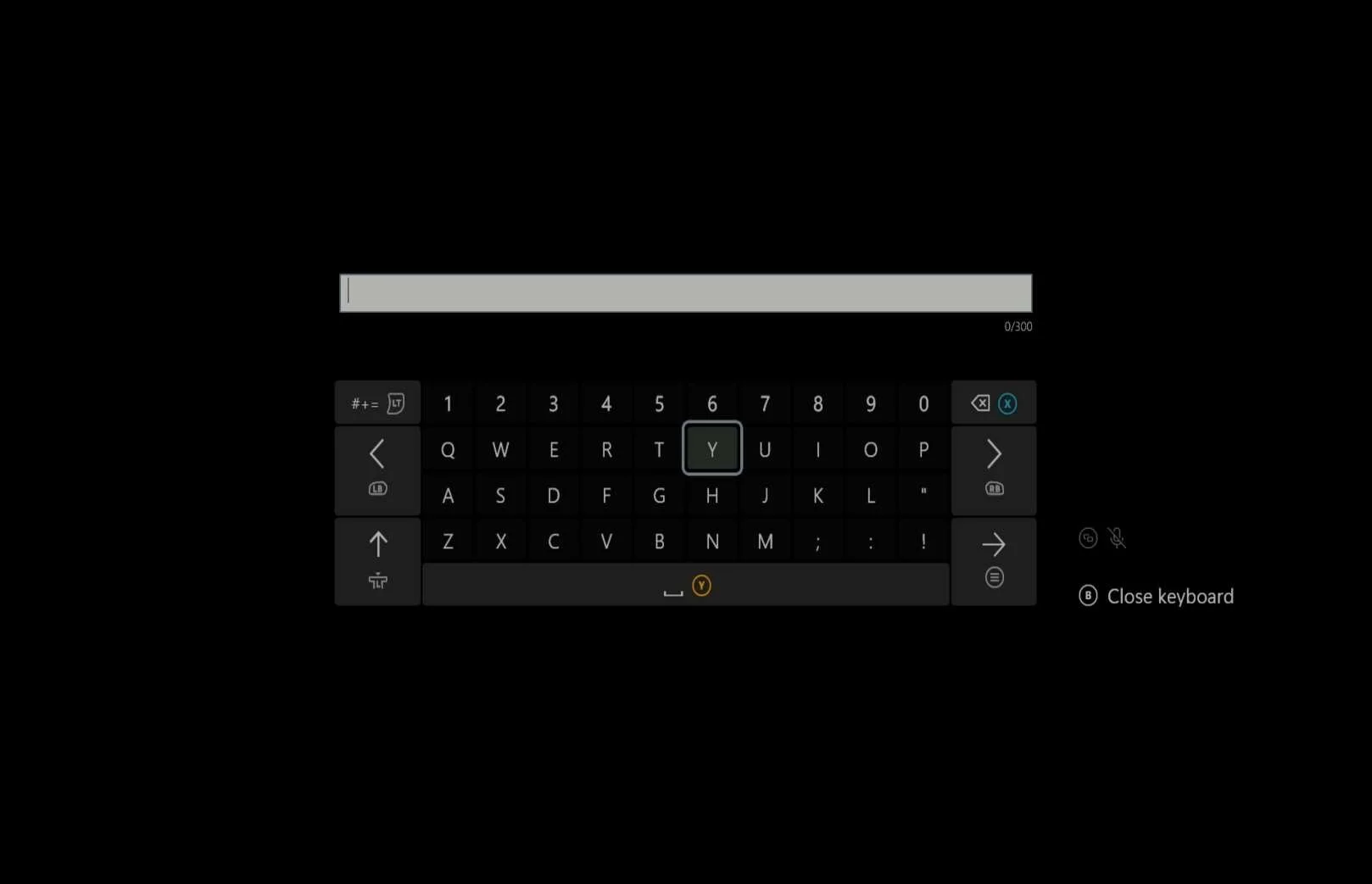  Friend leaving the party:    Removing someone from the party:     Being removed from the party:   |
Leaving parties
When a friend leaves the party
Removing someone from the party
Being removed from the party
These userflows, screens and experiences are the same across platforms (actual controls to access the menus and take actions are different across platforms) |
Display Names in Game
| Media | Notes |
|---|---|
Screenshots from 09 Dec 2023 playing on Playstation 5 while being viewed by a friend on XBOX:  Playing on PC (WINDOWS) Battle.Net while being viewed by a friend on XBOX:  |
How do friends see the player across platforms?
|
Communication
| Media | Notes |
|---|---|
Screenshots from 09 Dec 2023 on XBOX:      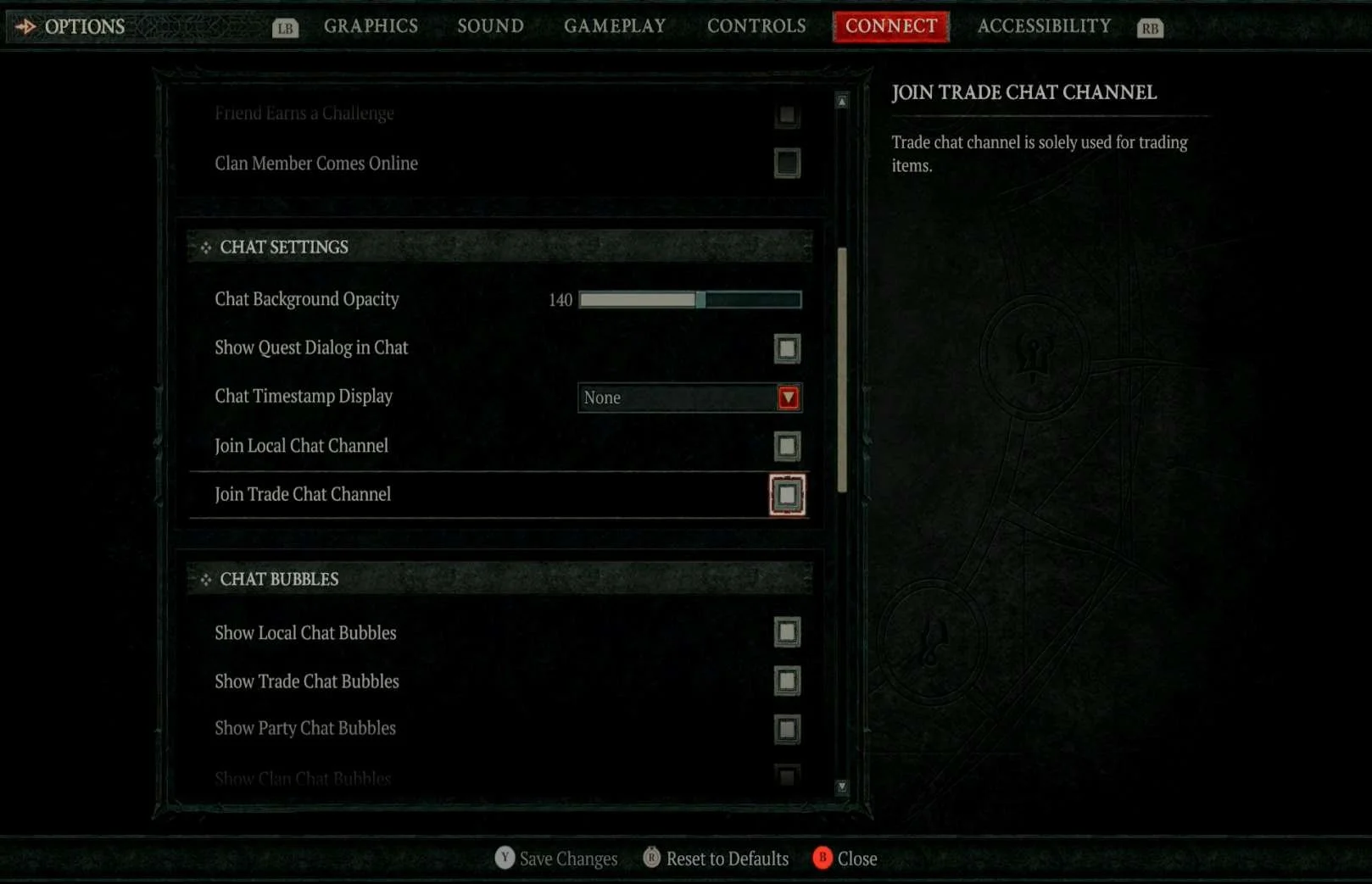     Sending and receiving whispers:     |
Text Chat
Sending and receiving whispers
These userflows, screens and experiences are the same across platforms (actual controls to access the menus and take actions are different across platforms) |
On XBOX:        When a party member joins or leaves voice chat:   Clan Voice Chat on XBOX:   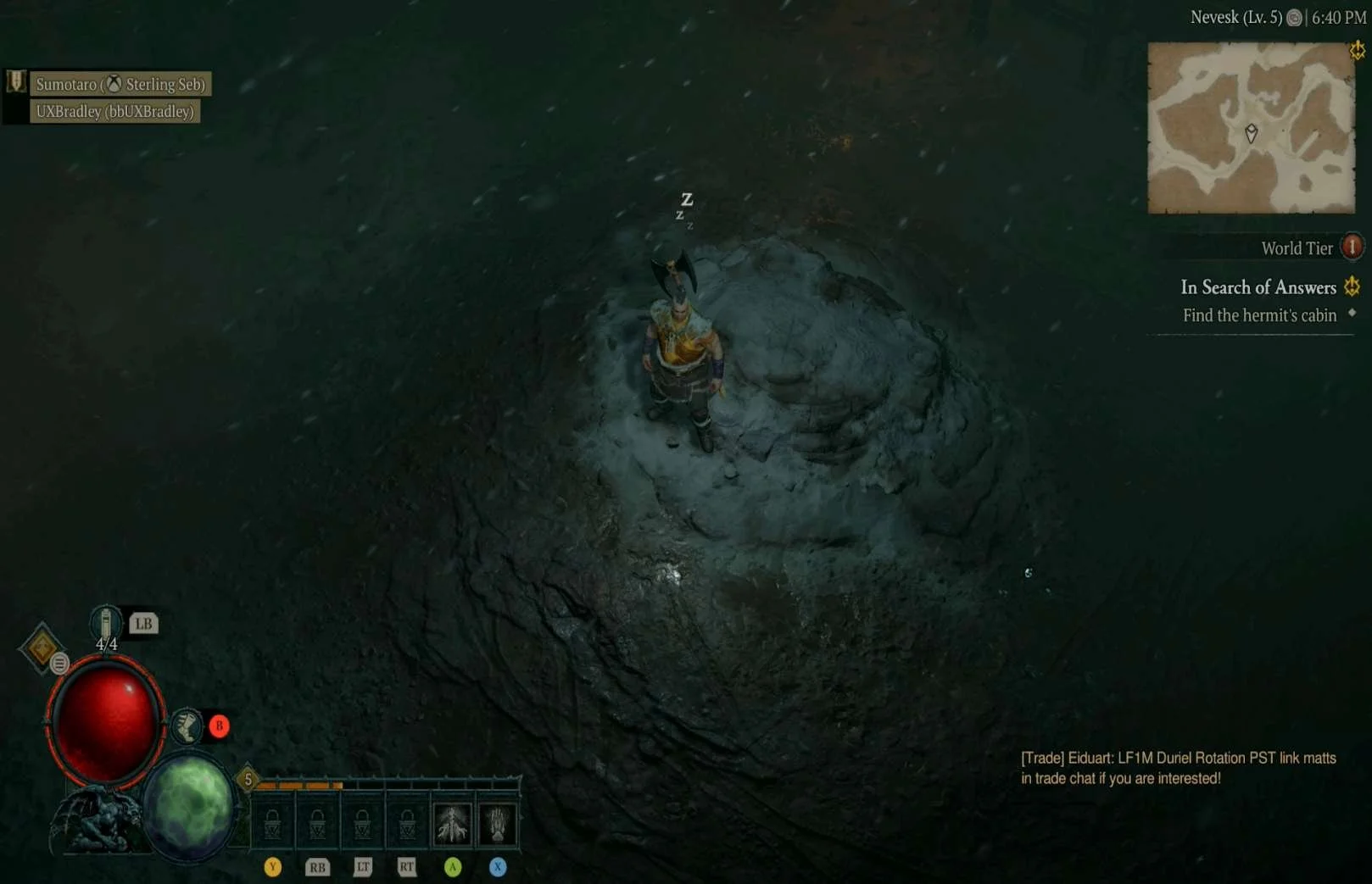 On Playstation 5:  Voice chat settings on XBOX:  On PC (WINDOWS) Battle.Net:  |
Voice Chat
When a party member joins or leaves voice chat:
These userflows, screens and experiences are the same across platforms (actual controls to access the menus and take actions are different across platforms) Voice Chat Settings
|
On XBOX:    |
Emotes
|
Muting & Blocking
| Media | Notes |
|---|---|
On XBOX:       | Muting another player
This userflow, screens and experience are the same across platforms (actual controls to access the menus and take actions are different across platforms) |
On XBOX:      Blocked player's view on Playstation 5:    Unblock the person on XBOX:  | Blocking another playerOn XBOX:
|
Simultaneously Play on Two Platforms?
| Media | Notes |
|---|---|
Screenshot from 09 Dec 2023 on XBOX:  | Can a player play Diablo IV on two platforms at the same time?
|
Social Feature Restrictions for Unlinked Accounts
| Media | Notes |
|---|---|
Screenshot from 09 Dec 2023 on XBOX:    | Does the player lose access to social features if they don't link their account?
|
XBOX Only Investigation
| Media | Notes |
|---|---|
Screenshot from 09 Dec 2023 on XBOX:     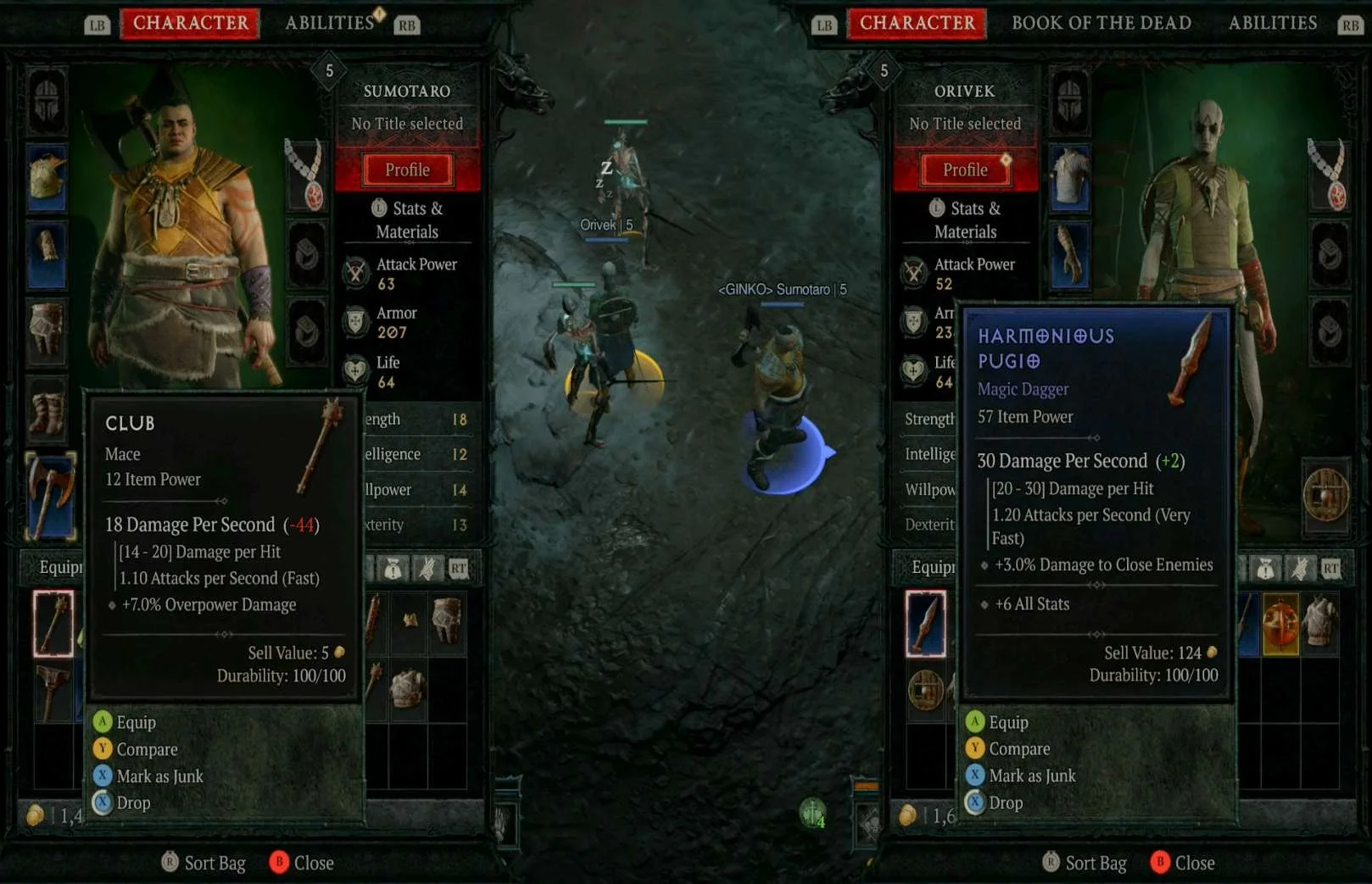   | What happens if the player is in a local party?
|
Borderlands 3
Highlights
- Actions for inviting and joining friends are easy to use and prominent so they are easy to find
- Platform friends are available in the friends list without the player needing to add them
Lowlights
- Text and Voice Chat settings and availability are different between platforms
- It is not clear how to use Voice Chat
- You can not use text chat between PC and console platforms but that is not clear on either side
- SHiFT search does not search for partial names, the player must know the entire username for the friend they are trying to find on SHiFT
Adding & Removing Friends
| Media | Notes |
|---|---|
Screenshots from 10 Dec 2023 on XBOX:          | How do players add friends to their friends list?
This userflow, screens and experience are the same across platforms (actual controls to access the menus and take actions are different across platforms) |
On XBOX:      | Receiving a friend request
This userflow, screens and experience are the same across platforms (actual controls to access the menus and take actions are different across platforms) |
On XBOX:     On PC (WINDOWS) STEAM:  | How does a player remove a friend from their friends list?
Can a player remove a friend they added to their friends list on a different platform than the platform they added the friend on?
This userflow, screens and experience are the same across platforms (actual controls to access the menus and take actions are different across platforms) |
Inviting & Joining Friends
| Media | Notes |
|---|---|
Screenshots from 10 Dec 2023 on XBOX:     |
Inviting a friend to play a game
This userflow, screens and experience are the same across platforms (actual controls to access the menus and take actions are different across platforms) |
On XBOX:        If the player is already playing:      |
Being invited to play a game
This userflow, screens and experience are the same across platforms (actual controls to access the menus and take actions are different across platforms) |
On XBOX:         |
Joining a friend's game
This userflow, screens and experience are the same across platforms (actual controls to access the menus and take actions are different across platforms) |
On XBOX:   |
When a friend joins the player's game
This userflow, screens and experience are the same across platforms (actual controls to access the menus and take actions are different across platforms) |
On XBOX:   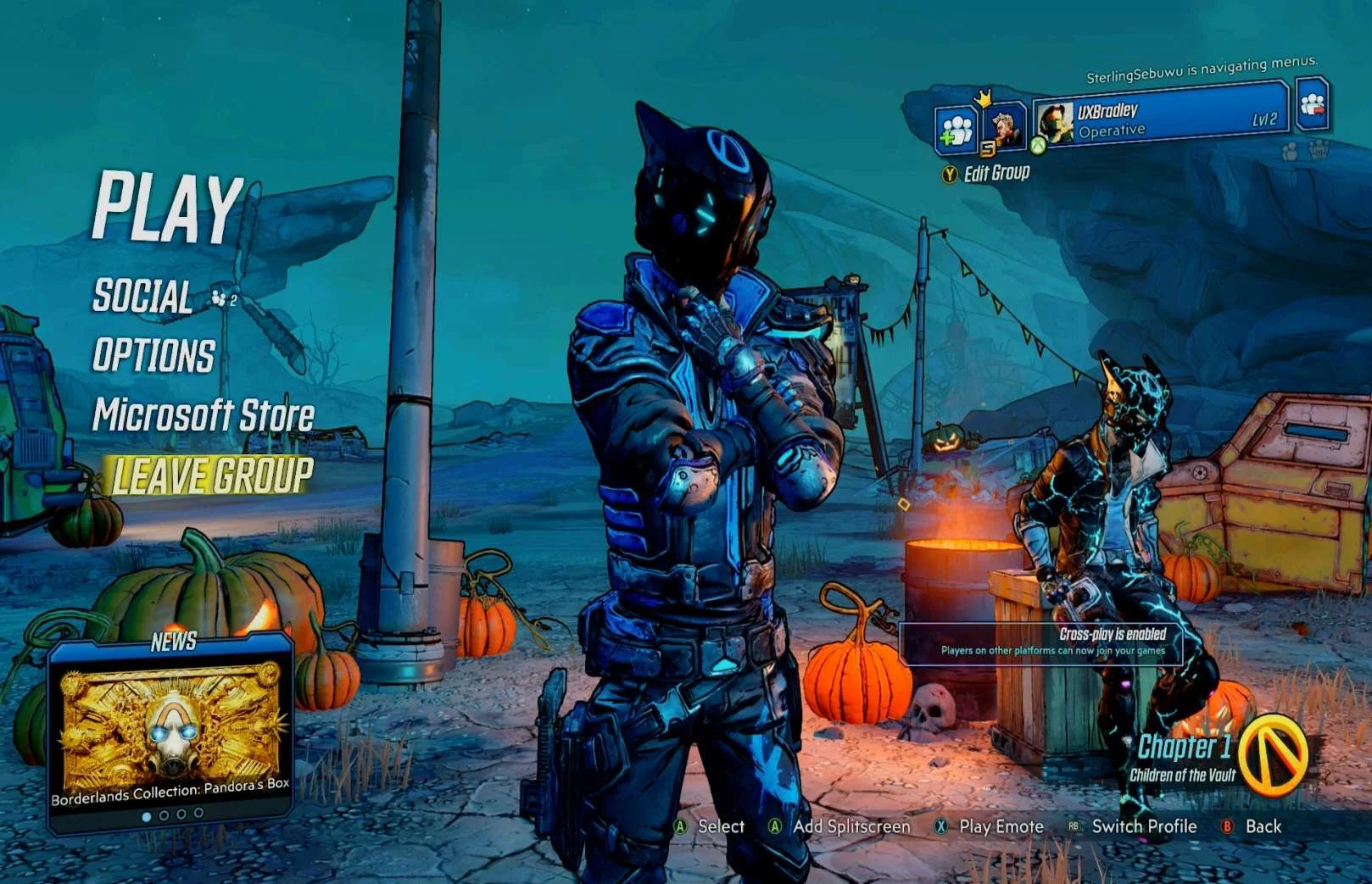  When a friend leaves the group:   Removing a player from the group:        Being kicked from a game:   |
Leaving the group
When a friend leaves the group
Removing a player from the group
Being removed from the group
These userflows, screens and experiences are the same across platforms (actual controls to access the menus and take actions are different across platforms) |
Matchmaking
| Media | Notes |
|---|---|
Screenshots from 10 Dec 2023 on PC (WINDOWS) STEAM:         |
Matchmaking in Borderlands 3
|
Display Names in Game
| Media | Notes |
|---|---|
Screenshots from 10 Dec 2023 playing on Playstation 5 while being viewed by a friend on XBOX:   Playing on PC (WINDOWS) STEAM while being viewed by a friend on XBOX:   | How do friends see the player across platforms?
|
Communication
| Media | Notes |
|---|---|
Screenshots from 10 Dec 2023 on PC (WINDOWS) STEAM:     On XBOX:      On Playstation 5:     | Text Chat & Voice Chat
|
On XBOX:   | Emotes
This userflow, screens and experience are the same across platforms (actual controls to access the menus and take actions are different across platforms) |
Muting & Blocking
| Media | Notes |
|---|---|
On XBOX:    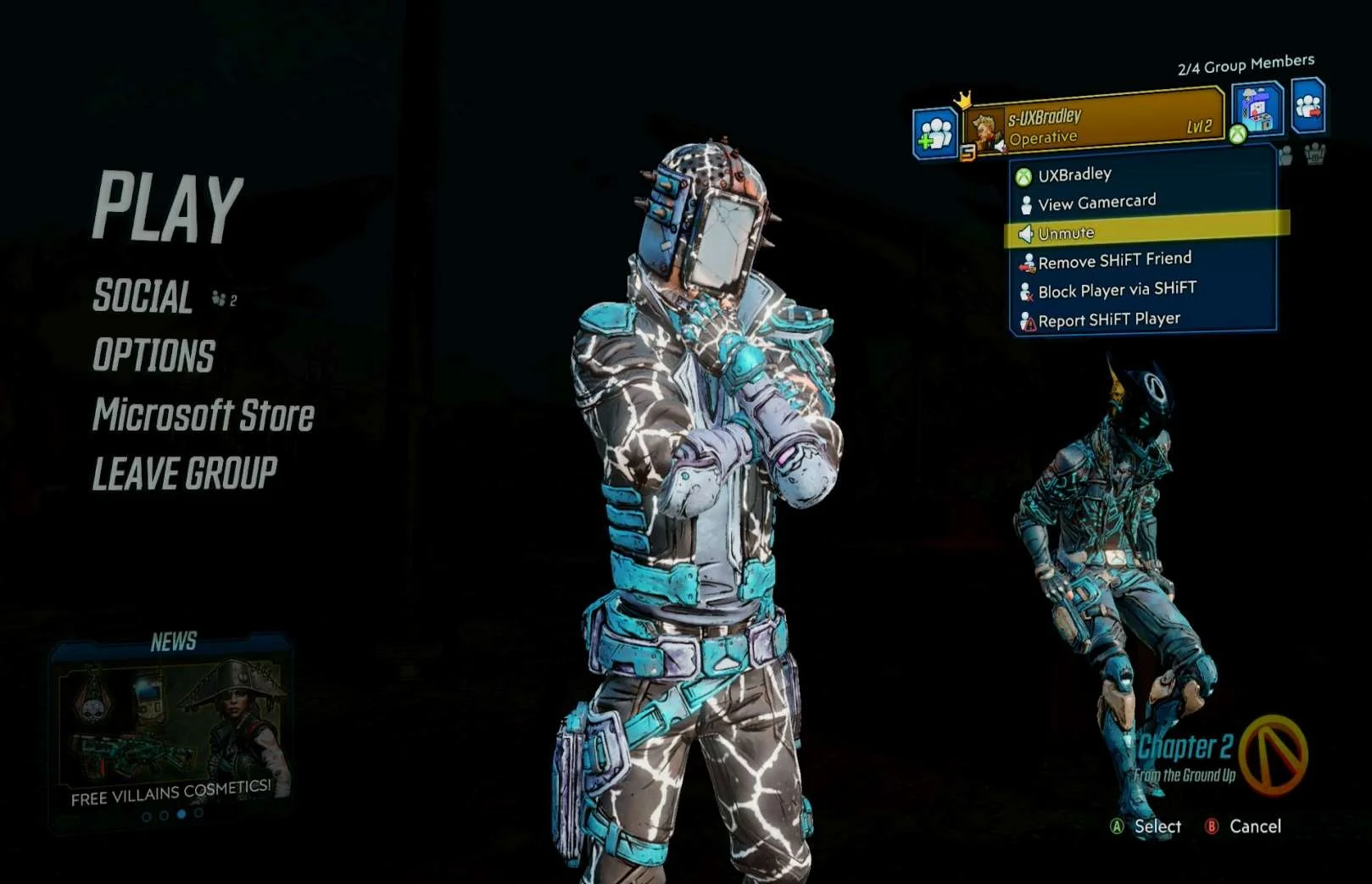 | Muting another player
This userflow, screens and experience are the same across platforms (actual controls to access the menus and take actions are different across platforms) |
On XBOX:      | Blocking another player
|
Simultaneously Play on Two Platforms?
| Media | Notes |
|---|---|
Screenshots from 10 Dec 2023 on XBOX:  On PC (WINDOWS) STEAM: 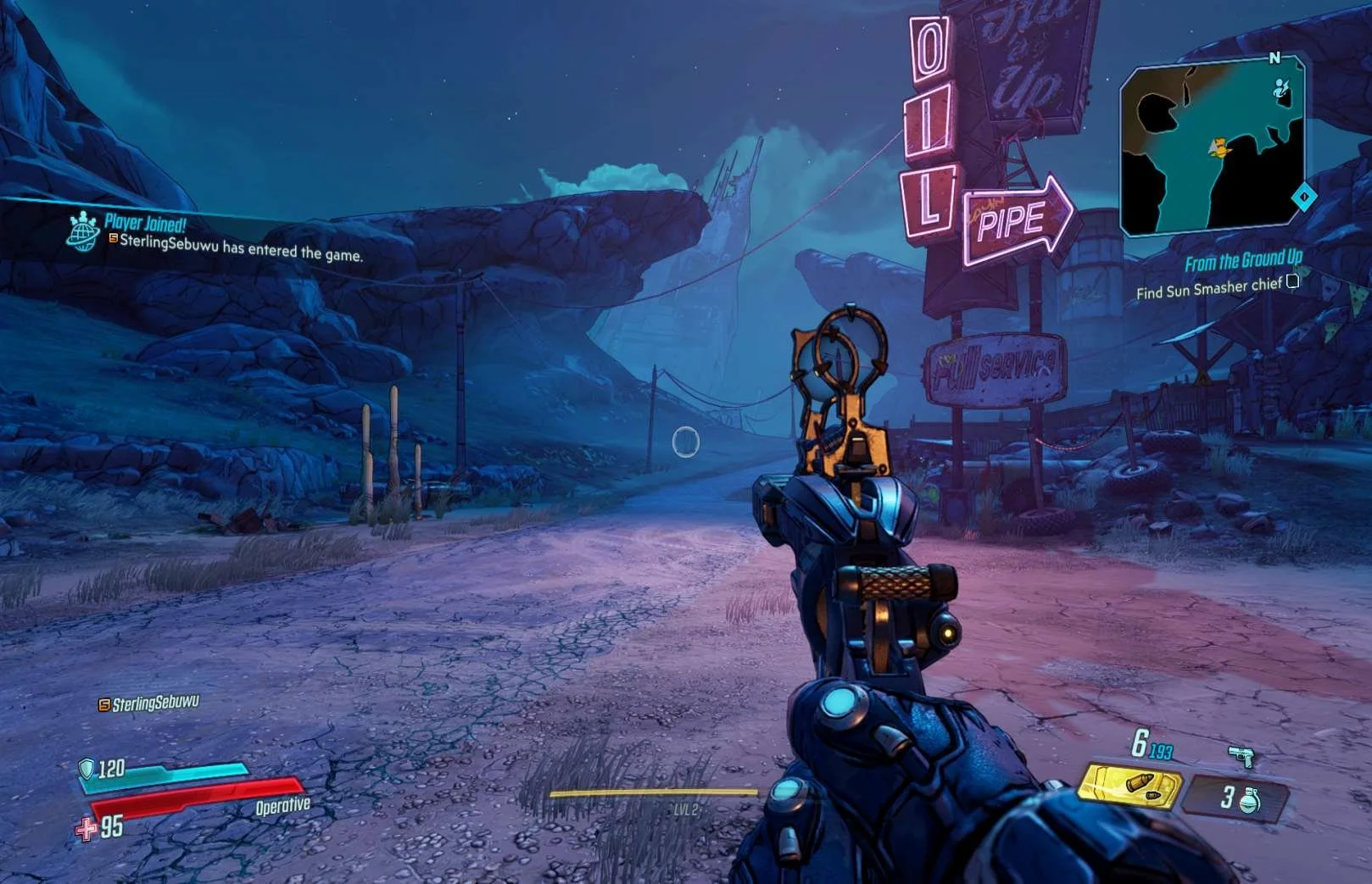 | Can a player play Borderlands 3 on two platforms at the same time?
|
XBOX Only Investigation
| Media | Notes |
|---|---|
On XBOX:       Being viewed on Playstation 5:   | What happens if the player is in a local party?
|
Destiny 2
Highlights
- Platform friends do not need to also be added as Bungie account friends, they are already available on the friends list
- There are very clear messages and notifications shown to the player in prominent places on the screen
- Text chat is easy to find / access and there doesn't seem to be many restrictions on where it can be used
Lowlights
- Fireteam management feels hidden because the player has to go through several steps to reach the Roster
- Responding to invites and requests also feels hidden because while there is a notification the player must still take several steps to reach the Roster to respond
- Voice chat feels hidden and it's not clear how to access voice chat options or controls (or if there are any)
- If the player wants to add someone by their bungie account, they need to remember the entire username including the numbers
Adding & Removing Friends
| Media | Notes |
|---|---|
Screenshots from 10 Dec 2023 on XBOX:  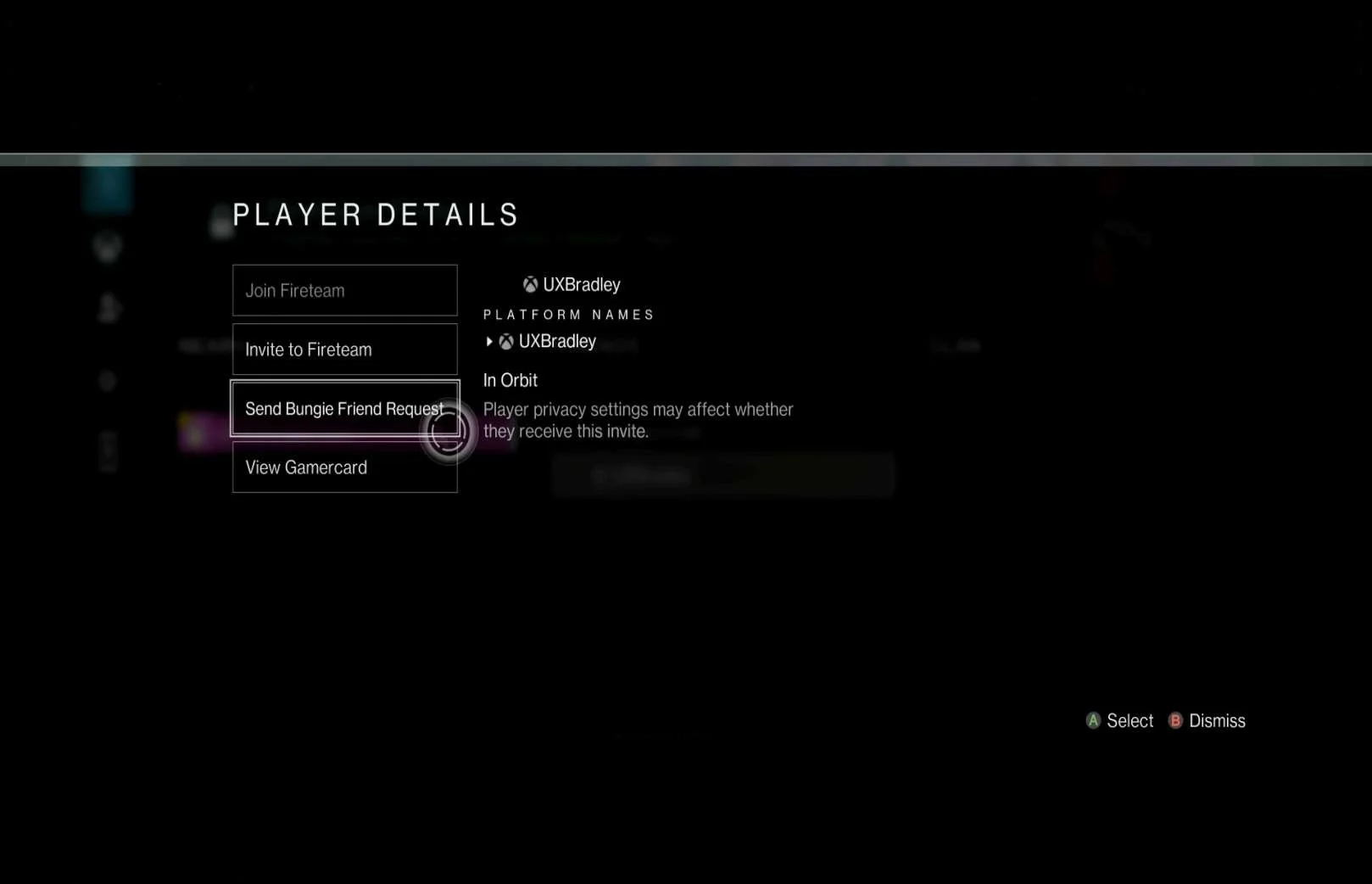     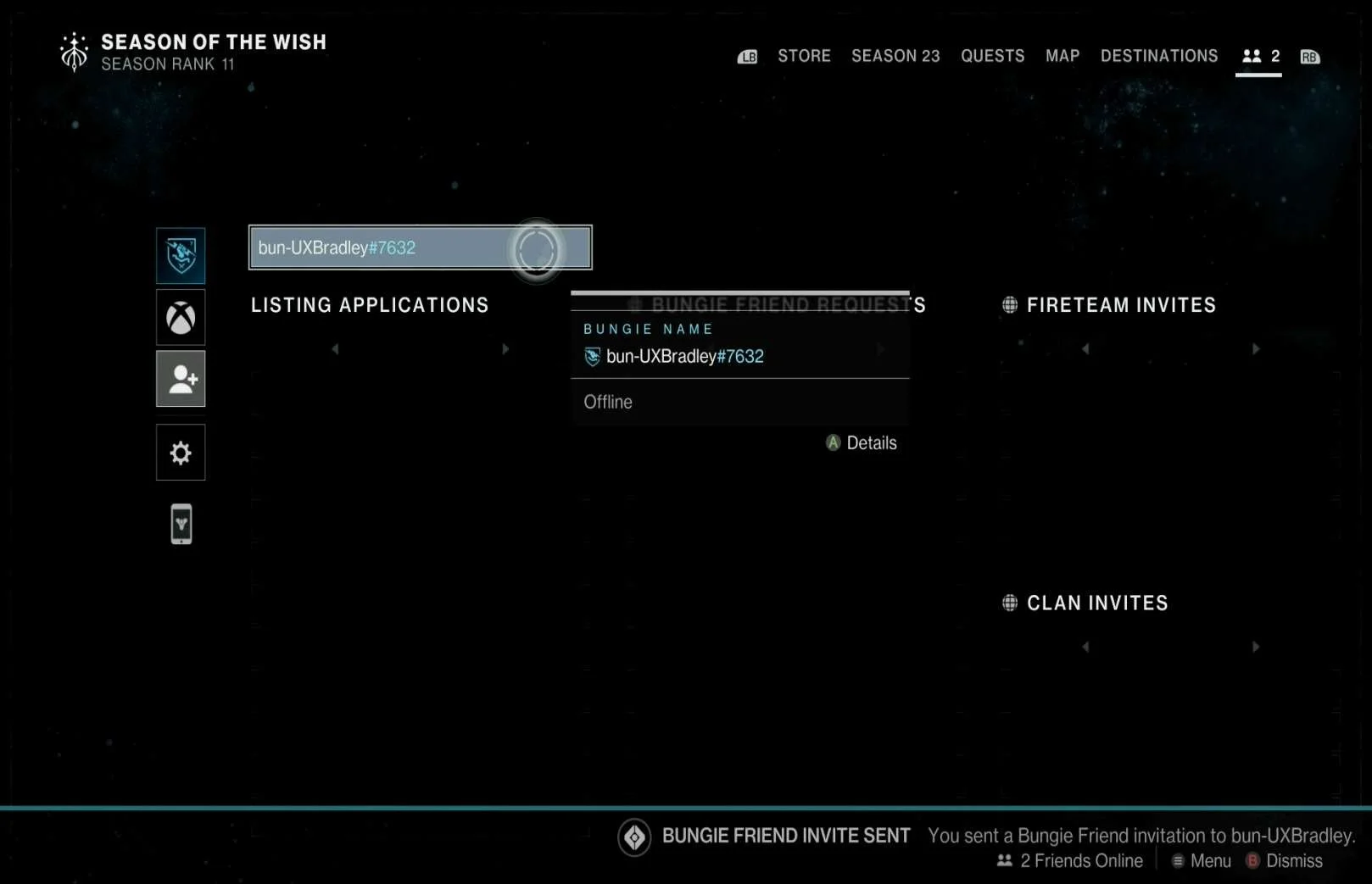  | How do players add friends to their friends list?
This userflow, screens and experience are the same across platforms (actual controls to access the menus and take actions are different across platforms) |
On XBOX:     |
Receiving a friend request
This userflow, screens and experience are the same across platforms (actual controls to access the menus and take actions are different across platforms) |
On XBOX:    |
How does a player remove a friend from their friends list?
Can a player remove a friend they added to their friends list on a different platform than the platform they added the friend on?
This userflow, screens and experience are the same across platforms (actual controls to access the menus and take actions are different across platforms) |
Inviting & Joining Friends
| Media | Notes |
|---|---|
Screenshots from 10 Dec 2023 on XBOX:       |
Fireteam Settings
|
On XBOX:      |
Inviting a friend to join the Fireteam
This userflow, screens and experience are the same across platforms (actual controls to access the menus and take actions are different across platforms) |
On XBOX:      |
Being invited to join a Fireteam
This userflow, screens and experience are the same across platforms (actual controls to access the menus and take actions are different across platforms) |
On XBOX:    When a friend joins the player's Fireteam:   |
Joining a friend's Fireteam
When a friend joins the player's Fireteam
This userflow, screens and experience are the same across platforms (actual controls to access the menus and take actions are different across platforms) |
On XBOX:    When a friend leaves the Fireteam:   Removing someone from Fireteam:     Being removed from a Fireteam:  |
Leaving Fireteams
When a friend leaves the Fireteam
Removing someone from the Fireteam
Being removed from the Fireteam
These userflows, screens and experiences are the same across platforms (actual controls to access the menus and take actions are different across platforms) |
Display Names in Game
| Media | Notes |
|---|---|
Screenshots from 10 Dec 2023 playing on Playstation 5 while being viewed by a friend on XBOX:  Playing on PC (WINDOWS) Epic Launcher while being viewed by a friend on XBOX:  Playing on PC (WINDOWS) STEAM while being viewed by a friend on XBOX:  |
How do friends see the player across platforms?
This userflow, screens and experience are the same across platforms (actual controls to access the menus and take actions are different across platforms) |
Communication
| Media | Notes |
|---|---|
Screenshots from 10 Dec 2023 on XBOX:  PC (WINDOWS) Epic Launcher:  |
Text & Voice Chat Settings
|
Screenshots from 11 Dec 2023 on XBOX:        |
Text Chat
This userflow, screens and experience are the same across platforms (actual controls to access the menus and take actions are different across platforms) |
On XBOX:   |
Voice Chat
This userflow, screens and experience are the same across platforms (actual controls to access the menus and take actions are different across platforms) |
On XBOX:    |
Emotes
This userflow, screens and experience are the same across platforms (actual controls to access the menus and take actions are different across platforms) |
Muting & Blocking
| Media | Notes |
|---|---|
Screenshots from 11 Dec 2023 on XBOX:     |
Muting another player
This userflow, screens and experience are the same across platforms (actual controls to access the menus and take actions are different across platforms) |
On XBOX:  On PC (WINDOWS) Epic Launcher:  On PC (WINDOWS) STEAM:  On Playstation 5:  |
Blocking another player
This userflow, screens and experience are the same across platforms (actual controls to access the menus and take actions are different across platforms) |
Simultaneously Play on Two Platforms?
| Media | Notes |
|---|---|
Screenshot from 11 Dec 2023 on XBOX:  |
Can a player play Destiny 2 on two platforms at the same time?
This userflow, screens and experience are the same across platforms (actual controls to access the menus and take actions are different across platforms) |
Genshin Impact
Highlights
- Blocked players are moved to a specific block list that the player can access to manage blocked players
- The player does not have to re-find the person to unblock them
- Text chat is easy to find and use
- Muting & Blocking other players is easy to find and use
Lowlights
- Players need to know someone's UID number in order to add them as a friend
- Players can not invite friends to play, they can only join
- World access applies to everyone, it's not possible to allow only friends to join without requesting
Adding & Removing Friends
| Media | Notes |
|---|---|
Screenshots from 11 Dec 2023 on Playstation 5:        | How do players add friends to their friends list?
This userflow, screens and experience are the same across platforms (actual controls to access the menus and take actions are different across platforms) |
On Playstation 5:     | Receiving a friend request
This userflow, screens and experience are the same across platforms (actual controls to access the menus and take actions are different across platforms) |
On Playstation 5:  | How does a player remove a friend from their friends list?
Can a player remove a friend they added to their friends list on a different platform than the platform they added the friend on?
This userflow, screens and experience are the same across platforms (actual controls to access the menus and take actions are different across platforms) |
Joining Friends
| Media | Notes |
|---|---|
Screenshots from 11 Dec 2023 on Playstation 5:   | Join Settings
This userflow, screens and experience are the same across platforms (actual controls to access the menus and take actions are different across platforms) |
On Playstation 5: 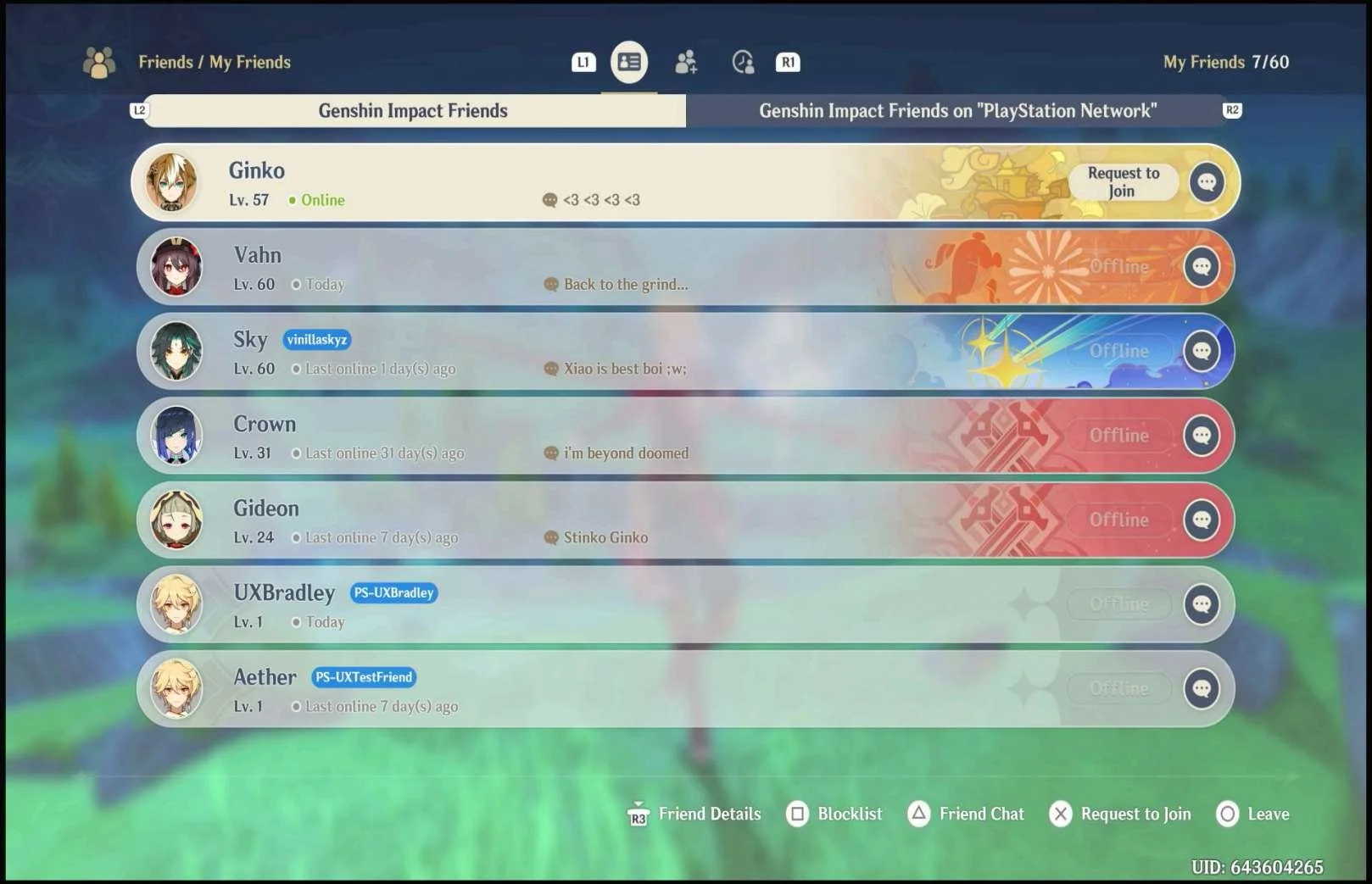    When a friend joins the player's game:      | Joining FriendsIMPORTANT Players are not able to invite their friends to play in their game, they are only able to join other games or have someone join their game
This userflow, screens and experience are the same across platforms (actual controls to access the menus and take actions are different across platforms) |
On Playstation 5:  | Joining other players
This userflow, screens and experience are the same across platforms (actual controls to access the menus and take actions are different across platforms) |
On Playstation 5:    When a friend leaves the player's game:  When the player removes a player from their game:   When the player is removed:  | Leaving the game
When a friend leaves the player's game
When the player removes a player from their game
When the player is removed
This userflow, screens and experience are the same across platforms (actual controls to access the menus and take actions are different across platforms) |
Display Names in Game
| Media | Notes |
|---|---|
Screenshots from 11 Dec 2023 playing on Playstation 5 while being viewed by a friend on PC (WINDOWS) Genshin Client:  On Playstation 5, showing Genshin account name:  | How do friends see the player across platforms?The player is seen as their Genshin account name when they are playing with other players, across all platforms |
Text Chat
| Media | Notes |
|---|---|
Screenshot from 11 Dec 2023 on Playstation 5:        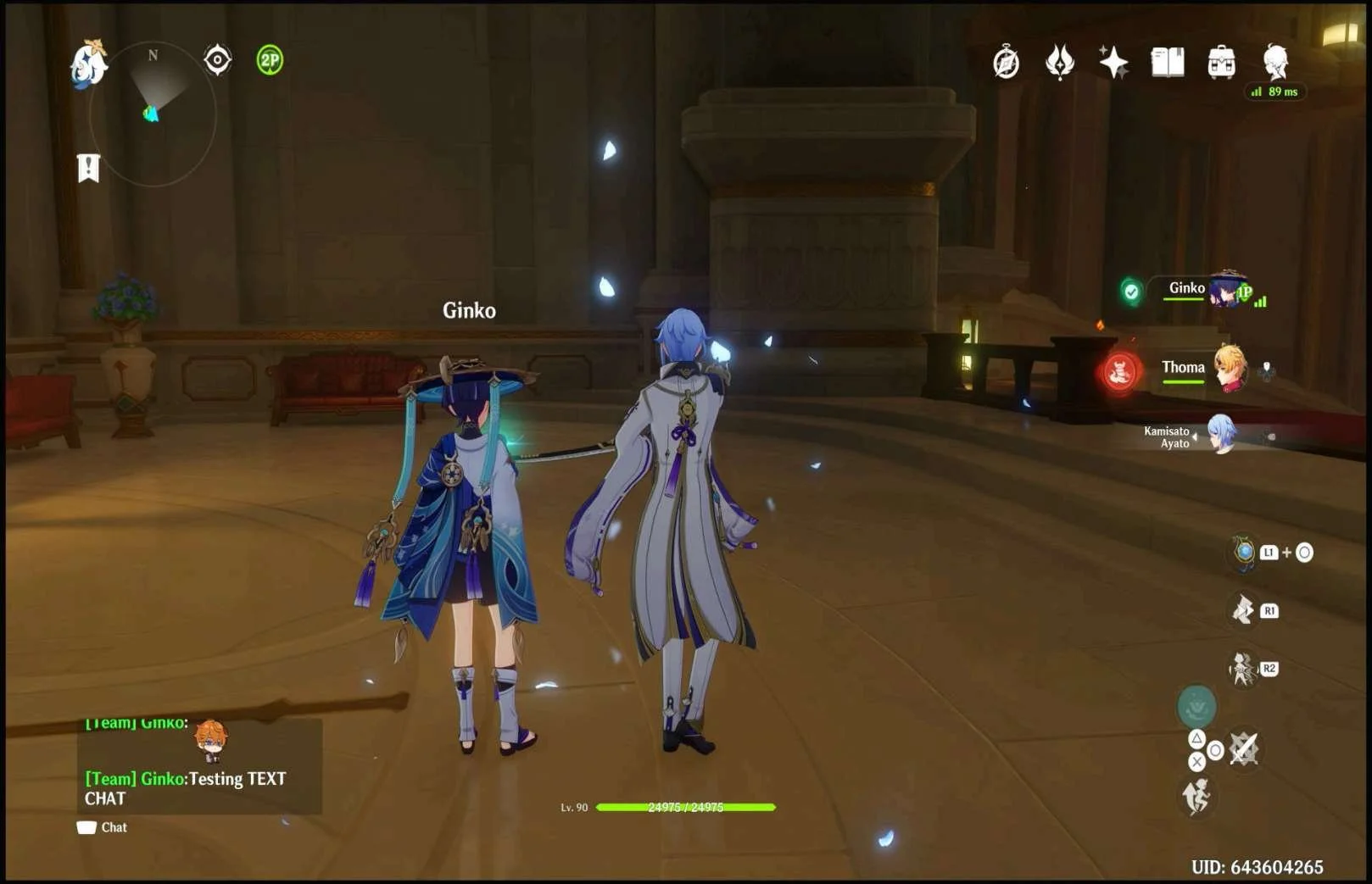 | Genshin Impact only has Text Chat
This userflow, screens and experience are the same across platforms (actual controls to access the menus and take actions are different across platforms) |
Muting & Blocking
| Media | Notes |
|---|---|
Screenshots from 11 Dec 2023 on Playstation 5:     | Muting another player
This userflow, screens and experience are the same across platforms (actual controls to access the menus and take actions are different across platforms) |
On Playstation 5:    | Blocking another player
This userflow, screens and experience are the same across platforms (actual controls to access the menus and take actions are different across platforms) |
Simultaneously Play on Two Platforms?
| Media | Notes |
|---|---|
Screenshot from 11 Dec 2023 on Playstation 5:   | Can a player play Genshin Impact on two platforms at the same time?
This userflow, screens and experience are the same across platforms (actual controls to access the menus and take actions are different across platforms) |
Social Feature Restrictions for Unlinked Accounts
| Media | Notes |
|---|---|
Screenshots from 11 Dec 2023 on Playstation 5:     PC (WINDOWS) Genshin Client:  PC (WINDOWS) Genshin Client:  | Does the player lose access to social features if they don't link their account?The player can not play Genshin Impact if they do not have a Hoyoverse account. The player can not play Genshin Impact if they do not have a Hoyoverse account. |
Change Log
| ID | Date | Author | Description |
|---|---|---|---|
| 2 | 11 Dec 2023 | @bradleygrey | Finished investigations for the research. |
| 1 | 04 Dec 2023 | @bradleygrey | Started working on this research. |